Picking between Trello and Asana feels like choosing an apartment. One is a clean studio where everything is within reach. The other is a three-bedroom place you’ll supposedly grow into.
The Trello vs Asana debate has been running for years, and every comparison article repeats the same verdict. “Start simple, then upgrade.” That advice sounds smart until it costs you time.
So let’s talk about what the decision looks like when you’re a beginner who needs to ship something this week. Not next quarter. This week.
A 2026 look at Trello vs Asana pricing, features, and the specific mistakes that trip up first-time users follows.
Trello vs Asana Pricing Compared in 2026
Both tools have changed their free tiers and paid plans over the last two years, so old comparison posts send people to plan pages that no longer exist. Current pricing as of early 2026 tells a different story than the one repeated across the internet.
Trello Free and Paid Plans
Trello Free supports up to 10 collaborators per Workspace, caps boards at 10, and includes unlimited cards, an activity log, assignees, due dates, 2-factor authentication, and unlimited Power-Ups per board.
Trello Standard costs $5 per user/month on annual billing. That tier unlocks unlimited boards, custom fields, advanced checklists, card mirroring, and collapsible lists. It’s the sweet spot for small teams that outgrow the free board limit fast.

Trello Premium runs $10 per user/month annually and adds Calendar, Timeline, Table, Dashboard, Map, and Workspace views. Enterprise starts at an estimated $17.50 per user/month on annual billing and layers organization-wide controls on top.
Asana Free and Paid Plans
Asana’s free tier is now the Personal plan, limited to 2 users. It includes unlimited tasks and projects, an activity log, List, Board, and Calendar views.
Asana Starter is $10.99 per user/month on annual billing. That plan adds Timeline, Gantt, workflow builder, project dashboards, universal reporting, custom fields, forms, and admin controls.
Advanced brings goals, portfolios, and integrations like Salesforce. Enterprise and Enterprise+ add governance layers including data-residency options.
| Feature | Trello | Asana |
|---|---|---|
| Free tier user limit | 10 collaborators | 2 users |
| Cheapest paid plan | $5/user/month (Standard) | $10.99/user/month (Starter) |
| Views on cheapest paid tier | Board only (multi-view at Premium) | List, Board, Calendar, Timeline, Gantt |
| Built-in AI | Premium and Enterprise tiers | All paid tiers |
| Board limit (free) | 10 boards | Unlimited projects |
Trello’s entry price is roughly half of Asana’s, which matters a lot when a three-person team is deciding where to spend their first dollars.
Does Trello or Asana Feel Easier on Day One?
The interface question matters more than features for a beginner. A tool loaded with the right features still fails if setup takes a full afternoon.
Trello’s Setup Speed
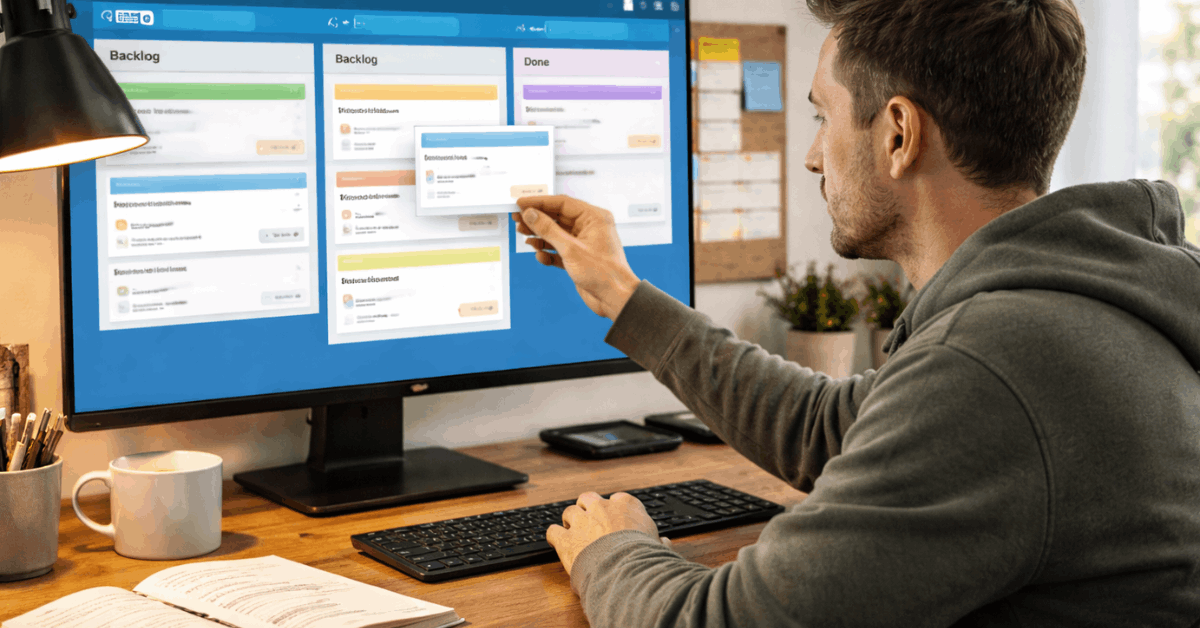
Trello boards map to projects. Lists define stages. Cards carry the work. Drag a card across lists, slap on labels and due dates, add a checklist, and progress becomes obvious in under ten minutes.
I’d argue Trello’s first session takes about 10 minutes to feel productive, based on the board-list-card structure that requires zero configuration. Templates help too: pick a pre-built workflow for content calendars, product launches, or sprint boards, and the skeleton is ready before you finish your coffee.
Collapsible lists and list colors (available on Standard) reduce visual noise as boards fill up. That’s a small detail, but screen clutter is the number one reason beginners abandon a tool before the second week.
Asana’s Learning Curve
Asana gives you more options without crowding the screen. Navigation pushes toward projects, tasks, and reporting. The default List or Board view switches quickly, and once the layout clicks, section structure and custom fields help organize complex work.
The trade-off: setup takes longer than Trello. Fields need naming, sections need structuring, and Timeline or Gantt views need dependencies configured to be useful.
That’s fine for a team lead planning a quarter. For someone managing their first project, that configuration time can feel like homework before the real work starts.
Task Management and Views: Board Limits vs Planning Depth
Clear expectations about what each tool offers at each price tier saves a lot of frustration two months into a subscription.
A few specifics worth noting:
- Trello’s free plan caps boards at 10 per Workspace, and multi-view dashboards sit behind the Premium tier at $10/month
- Asana Starter includes Timeline and Gantt on day one, with dependencies and richer fields for modeling complex tasks
- Trello cards stay flexible: members, labels, attachments, checklists, and (on Standard) custom fields and advanced checklists
- Asana Starter includes a workflow builder and project dashboards, which speeds coordination without requiring IT setup
For a pure Kanban board for beginners, Trello remains the fastest path to a working backlog. Cards move left to right, status is visible at a glance, and nothing needs configuration beyond list names.
Also read: Mailchimp vs ConvertKit: Feature Comparison That Actually Matters
Team Collaboration on Trello vs Asana
Both tools handle comments, mentions, and notifications for basic teamwork. The difference lives in where conversations happen relative to the work.
Trello focuses collaboration inside cards: comments, attachments, @mentions. That design works well when chat and documents live in separate apps like Slack and Google Docs. Each card becomes a small container for discussion about one task.
Asana adds direct messages, team conversations, and project-level discussions on top of task comments.
Communication stays closer to plans and reports, which reduces app-hopping during weeks when execution is intense. For teams already drowning in Slack threads, having status conversations pinned to the project board can save real time.
Tracking Progress: Checklists vs Dashboards
Trello’s Lightweight Tracking
Trello checklists show percent complete on card-level steps. A Watch option follows card or board activity for tighter awareness. Teams that need a small pulse on progress get enough signal without heavy setup.
That simplicity is a feature, not a limitation. I think the Trello checklist approach is underrated at $5/month on Standard, because it forces teams to define done in concrete steps rather than hiding behind abstract percentage-complete bars.
Asana’s Reporting Depth
Asana supports milestones, dashboards with configurable charts, and layered goals across personal, team, and company levels. Program leads can compare progress across projects and make staffing decisions based on visual data.
The reporting depth sits on paid tiers, which makes sense given the complexity. But here is my contrarian take: I think beginners should avoid Asana’s dashboards entirely for the first 90 days.
Configuring charts and goal hierarchies before you have consistent data flowing through the system produces pretty dashboards that mean nothing. A Trello checklist showing 4 of 7 steps done tells you more in month one than an Asana dashboard widget you spent an hour building.
Admin Controls and Security
Governance enters the picture once teammates multiply. Trello’s Standard tier adds controls without forcing Enterprise overhead. Premium introduces admin features and workspace-level templates. Enterprise layers organization-wide permissions and attachment restrictions.
Asana centralizes control inside the Admin Console, available on Starter and above. Admins manage members, set public vs. private access, and configure guest permissions at higher tiers.
Security baselines run parallel: both offer 2-factor authentication, encrypt data in transit and at rest, and publish third-party attestations.
Trello lists SOC 2 Type II and ISO/IEC 27001 certifications. Organizations on the Atlassian stack can add Atlassian Guard for SSO and enforcement. Asana publishes ISO certifications and provides Enterprise options like data loss prevention integrations.
Regulated environments tend to favor Asana’s Enterprise tiers. Teams already on Atlassian products can consolidate controls through Guard without switching tools.
Integrations and Power-Ups
Connectivity is not a blocker for either tool. Both plug into Google Drive, Dropbox, GitHub, Slack, and automation services.
Trello Power-Ups extend boards with reporting, time tracking, and niche utilities designed for the board model. Some are free; others carry separate subscriptions.
Trello’s Power-Up directory is worth browsing before committing to a plan, because the right Power-Up can replace features you’d otherwise need Premium for.
Asana leans on a library of native integrations and uses forms plus custom fields to standardize intake. That intake system helps when multiple teams submit requests into a shared portfolio.
A Realistic First 30 Days on Each Tool
Starting on Trello
The first month on Trello should look like this:
- Create a single board with three lists: Backlog, Doing, Done
- Add color labels for priority (red, yellow, green works fine)
- Enable a calendar Power-Up if due dates matter to your workflow
- Build checklist templates for recurring steps
- Collapse low-priority lists during busy weeks to reduce visual noise
That pattern keeps signal high without configuration drag. A five-person team can run this setup without reading a single help article.
Starting on Asana
An Asana Starter first month looks different:
- Structure one project using List view with custom fields for priority and effort
- Open Timeline view as deadlines approach to spot scheduling conflicts
- Build a simple intake form for incoming requests
- Route form submissions to a triage section for review
- Publish a basic dashboard widget for stakeholders who need status updates
Those defaults keep status questions out of chat and email. But the setup requires deliberate planning, and skipping steps creates messy projects that are harder to fix later.
Questions People Ask About Trello vs Asana
Q: Can I use Trello and Asana together?
Some teams use Trello for quick task boards and Asana for longer-term project planning. Zapier and native integrations can sync cards to tasks. The overhead of managing two tools is real, though, so evaluate whether the split adds clarity or just doubles the admin work.
Q: Is Trello still free in 2026?
Trello Free still exists with up to 10 collaborators and 10 boards per Workspace. The free tier includes unlimited cards and Power-Ups per board. The 10-board cap is the main limitation that pushes growing teams toward the $5/month Standard plan.
Q: Does Asana have a Kanban board view?
Asana includes a Board view even on the free Personal plan. It works like a basic Kanban board with columns and draggable tasks. The difference is Asana pairs that board with List, Calendar, and (on Starter) Timeline views in the same project.
Q: Which tool has better AI features in 2026?
Trello’s AI is available on Premium and Enterprise tiers, focusing on writing help and action item extraction. Asana offers AI on all paid tiers, including a Smart Chat feature for building and managing projects. Neither tool’s AI replaces careful project setup, so treat these features as time-savers, not substitutes for structure.
Q: Should beginners pick Asana if they plan to scale?
The “pick Asana because you’ll grow into it” advice sounds logical but often backfires. Scaling into a complex tool before understanding your own workflow creates rigid structures based on guesses. Starting with Trello for 3 to 6 months, learning what your team needs, and then evaluating Asana can be a more practical path.
Conclusion
Trello gives beginners a fast path to organized work at $5 per user or less. Asana’s Starter plan at $10.99 per user adds planning depth that pays off after workflows stabilize.
The smartest first move is picking the tool that removes friction right now, not six months from now. Revisit the decision quarterly, because both platforms keep changing their plans and features.