This review looks at ClickUp through daily use instead of a feature checklist. The focus is not whether the platform has many tools, but whether those tools behave consistently when used the same way every day.
Predictability matters because task software should support work, not become another thing users have to manage. For teams and solo users with repeatable routines, stable performance can matter more than having every advanced feature available.
Why Predictability Matters in a Daily Work Tool?
A task management platform becomes more valuable when users can trust how it behaves. If the same action produces the same result every day, people stop second-guessing the tool.
This reduces friction and makes workflows feel smoother over time. In real daily use, predictability is often what separates a helpful system from a frustrating one.
It Reduces Mental Friction
Predictable tools reduce the amount of thinking needed for basic actions. When creating, editing, and moving tasks always follows a familiar pattern, users can work faster.
They do not need to pause and wonder whether the tool saved something correctly. Over time, this makes the software feel lighter even if the feature set is large.
It Builds Trust Through Repetition
Trust in a work tool is built through repeated successful actions. Users become more confident when tasks save correctly, statuses update clearly, and reminders arrive as expected.
A tool does not need to feel exciting every day to be useful. It needs to behave reliably enough that users can focus on the actual work.
Also Read: What Real Use Shows About Performance Claims
How the Daily Use Review Was Framed?
This kind of review works best when the test environment stays stable. The same workspace, device habits, and general internet conditions should be used throughout the review.
Instead of testing rare edge cases, the focus should stay on actions that happen every day. That makes small delays, sync behavior, and workflow inconsistencies easier to notice.
Repeated Actions Made Patterns Easier to See
The daily flow focused on normal task management rather than complex experiments. Tasks were created, edited, moved, commented on, and completed using a similar order each day.
Repeating the same actions made ClickUp’s behavior easier to judge. It also helped separate one-time glitches from patterns that could affect long-term use.
Desktop and Mobile Use Were Both Considered
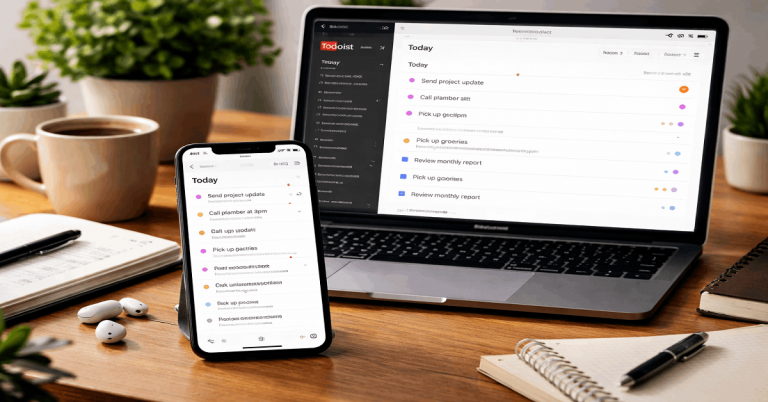
A real task workflow often moves between desktop and mobile. Desktop use is usually better for heavier editing, view switching, and more detailed task management.
Mobile use matters for quick checks, reminders, comments, and smaller updates during the day. Comparing both helped show where ClickUp felt dependable and where desktop still felt more predictable.
What ClickUp Felt Like During Daily Task Work?
ClickUp performed best when the workflow stayed stable and task actions stayed routine. Basic task creation, status changes, comments, and due date edits generally followed expected patterns.
Once the workspace was loaded, regular navigation felt easier to repeat. The strongest impression was that ClickUp becomes more comfortable when users keep a consistent structure.
Task Creation and Editing Felt Mostly Stable
Creating tasks followed a clear pattern during daily use. Fields loaded in a generally predictable way, and save confirmations were easy enough to follow.
Minor delays appeared at times, but they did not usually block progress. For standard task work, ClickUp felt dependable enough for repeat daily use.

Switching Views Was Useful but Not Always Instant
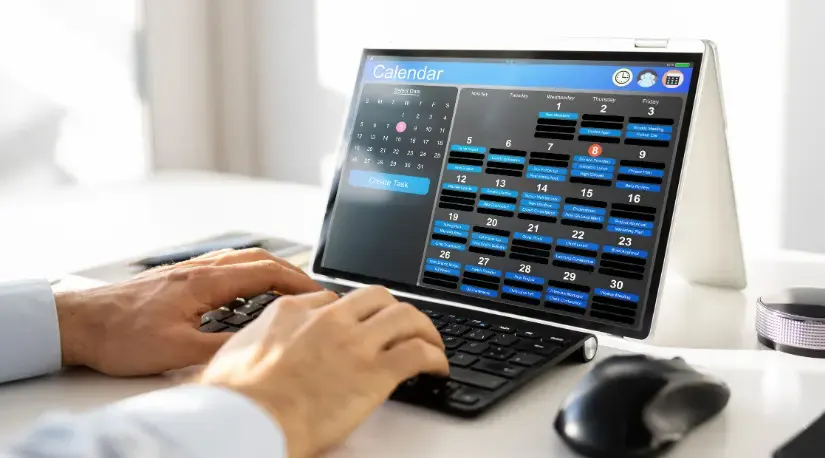
Moving between list, board, and calendar views helped test how ClickUp handled normal workflow changes. Most transitions felt predictable after the workspace had already loaded.
First-load moments were more noticeable than repeat visits to the same view. This made the tool feel smoother once the daily workspace was already active.
Reliability Across Sessions and Devices
Reliability is not only about whether a tool works once. It is about whether the same basic actions work again tomorrow, next week, and across devices.
ClickUp’s core task behavior was strongest when the workspace structure was not constantly changing. Standard updates, reminders, and device sync were the most important areas to watch.
Sync and Save Behavior Were Generally Dependable
Simple updates synced well between desktop and mobile. Task saves usually completed without visible errors during normal use.
Occasional lag could appear, but it did not usually turn into lost work or repeated retries. For everyday task updates, ClickUp showed enough stability to support regular workflows.
Notifications and Long Sessions Stayed Usable
Notifications and reminders behaved consistently for normal due dates and mentions. No repeated pattern of missing or duplicate alerts stood out during standard use.
Long desktop sessions remained usable without frequent forced refreshes. This matters because task software often stays open for hours while people move between projects.
Where Predictability Can Become More Variable?
ClickUp’s predictability depends partly on how simple or complex the workspace becomes. The more views, automations, custom fields, and large task histories involved, the more chances there are for small delays.
This does not make the tool unreliable, but it does mean expectations should be realistic. Users who want the most stable experience may need to keep workflows organized and avoid unnecessary complexity.
First Loads and Heavy Views Can Feel Slower
Initial loading was less predictable than actions inside an already loaded workspace. Heavier tasks, long comment histories, and complex views could take more time to open.
This kind of delay is not unusual in feature-rich tools, but users will still feel it during busy days. Once loaded, repeated access often felt smoother and easier to manage.
Customization Can Add More Variables
ClickUp is flexible, but flexibility can make daily behavior harder to predict. Heavy customization, frequent workflow changes, and complex automations can introduce more variation.
Teams that constantly rebuild their structure may notice more friction than teams with stable processes. Predictability improves when the workspace supports the routine instead of changing every week.
Use this quick check when judging ClickUp for daily predictability:
- Keep the same workspace structure for a few weeks before judging performance.
- Test task creation, status changes, comments, and due date edits repeatedly.
- Compare first-load speed with repeat visits to the same view.
- Check sync between desktop and mobile using simple updates.
- Watch whether automations help the workflow or add delays.
Who ClickUp Feels Most Predictable For?
ClickUp is easiest to trust when users follow stable task routines. Individuals managing daily work, small teams with repeatable processes, and groups with clear handoffs may benefit most.
These users are less likely to push the tool into constant structural change. For them, ClickUp can become a dependable hub for planning, updates, and task completion.
Best Fit for Routine-Based Users
ClickUp fits users who rely on repeatable task flows. This includes people who create similar tasks, follow consistent statuses, and review work in the same views each day.
Small teams with stable processes may find the platform predictable enough for daily operations. The tool works best when the workflow is clear before the workspace becomes too complex.
Less Predictable for Constant Reconfiguration
Power users may notice more variability when they push advanced customization heavily. Teams that frequently rebuild spaces, statuses, automations, or dashboards may experience more small delays and adjustment time.
This is not always a tool failure, but it can make the experience feel less stable. Users in that category should test ClickUp carefully before making it the center of every process.
Final Takeaway on ClickUp Predictability
ClickUp feels reasonably predictable when used with stable workflows and moderate customization. Its core task actions, sync behavior, and daily navigation are dependable enough for users who value routine.
The weaker points appear around first loads, heavier views, and setups that change too often. For users who want a repeatable task hub, ClickUp can work well as long as the workspace stays organized and realistic.