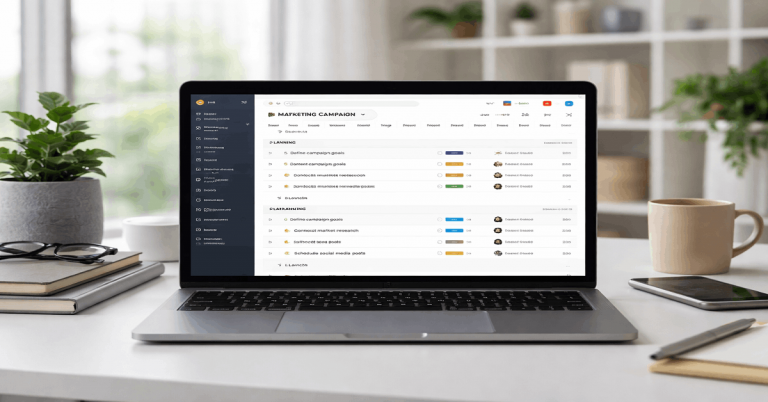
Monday.com was tested as a work-management tool for teams that need clear ownership, visibility, and repeatable processes.
The focus was not on every feature, but on real outcomes such as speed, clarity, follow-through, and handoffs during normal work.
The test used common scenarios like capturing requests, planning tasks, tracking status, and reporting progress without relying on extra spreadsheets. Overall, monday.com performed best when the workspace stayed simple, consistent, and disciplined.
Test Setup and First-Week Reality
The test used one workspace with multiple boards to reflect projects, recurring operations, and an intake queue. Daily usability was judged by how many steps common actions required and how often users had to backtrack.
Reliability was checked through sync behavior, automations, notifications, permissions, and handoff clarity. Value was judged by comparing what the team actually used with what higher pricing tiers locked behind upgrades.
A Consistent Workspace Made Results Clear
The test worked best when the same board structure was used repeatedly. This made it easier to see whether delays came from the tool or from poor setup choices.
Core actions included adding requests, assigning owners, updating statuses, and reviewing progress. A stable setup made monday.com easier to judge fairly.
Day One Felt Approachable but Easy to Overbuild
monday.com feels friendly at first because the interface is visual and structured. Status, owner, and due date columns make accountability visible from the start.
The early risk is adding too many fields, views, and rules before the workflow is proven. A minimal first setup kept the platform clearer and faster.

Core Workflow Results
monday.com was strongest when it acted as a system of record for tasks and handoffs. It worked well for predictable steps, shared visibility, and lightweight reporting across teams. It was less useful for long-form notes, deep research, or document-heavy planning.
The biggest real-use factor was consistency, because reporting and filtering only worked well when boards followed the same logic.
Intake Worked Best With One Clear Path
Capturing work was quick when requests entered through one intake board or form. Triage stayed simple when statuses were limited to clear labels like New, In Progress, Blocked, and Done.
The workflow became harder when teams created their own status names or priority systems. One shared intake language made follow-up easier for everyone.
Views and Reporting Depended on Consistent Columns
Views were useful because managers and contributors could look at the same work differently. Filters helped when owner, timeline, priority, and status columns were used consistently.
Reporting felt accurate only when teams agreed on what each status meant. If people interpreted statuses differently, dashboards became less trustworthy.
Use this quick setup check before expanding monday.com:
- Start with one intake path.
- Use one shared status language.
- Keep only two or three core columns at first.
- Add automations only after the manual workflow works.
- Review board clutter every week.

Collaboration and Team Behavior
Collaboration improved when monday.com became the agreed place for decisions tied to work items. Comments, mentions, files, owners, and timelines helped keep context attached to the task.
The platform supported accountability because each item showed who owned it and where it stood. Confusion appeared when teams split decisions between chat tools and boards without clear rules.
Comments Worked Best as the Source of Truth
Comments were helpful when teams used them for updates, approvals, and final decisions. This kept important context attached to the item instead of buried in chat threads.
Chat tools still worked well for quick coordination, but monday.com was better for decisions that needed to be tracked. The workflow became clearer when teams agreed where each type of communication belonged.
Permissions Needed Planning
Permissions were useful for cross-team work, but they required careful setup. Internal sharing felt straightforward, while external sharing needed clearer rules to avoid oversharing.
Sensitive boards were easier to manage when separated by audience or project type. Trying to solve every access issue with granular settings made the setup harder to maintain.
Automations, Performance, and Daily Friction
Automations can save time, but they can also create noise if used too early. Performance stayed smoother when boards had only the columns, views, and rules people actually used.
Mobile worked well for quick checks, but desktop remained better for complex editing and setup. Most daily friction came from notification volume and board growth.
Automations Helped When They Stayed Simple
Automations worked best for clear steps like assigning owners, sending reminders, or moving items after a status change.
They became confusing when too many triggers fired from small edits. Simple rules were easier to understand, maintain, and explain to new users. The best approach was to automate must-happen steps and leave optional judgment calls manual.
Performance Depended on Board Hygiene
Desktop performance felt responsive when boards stayed clean and focused. Slowdowns became more noticeable when boards collected too many unused fields, mirrors, automations, or old items.
Mobile was useful for status checks, comments, and small updates, but not ideal for heavy configuration. Regular cleanup helped preserve the clarity that made the tool useful in the first place.
Pricing, Value, and Team Fit
monday.com delivered the most value when it replaced scattered tracking, repeated follow-ups, and manual reporting. The platform felt worthwhile when teams used shared boards to reduce confusion across departments.
Pricing became harder to justify when key features sat behind higher tiers or when the team only needed a simple task list. Its value depended on whether the structure saved enough time to offset the cost and setup effort.
Best Fit for Structured Team Work
monday.com fits operations, marketing, sales support, and cross-functional teams that need repeatable tracking. It is strongest when work moves through clear stages with owners, deadlines, and status updates.
Teams that need shared visibility without heavy technical setup can benefit quickly. The tool works best when everyone follows the same board rules.
Poor Fit for Minimal or Document-Heavy Work
monday.com is less ideal for users who mainly need deep documents, research notes, or rich writing spaces. It may also feel too heavy for small teams that want almost no configuration.
Engineering teams with complex dependencies may need more specialized tools. If the work is mostly personal planning, a simpler app may be easier to maintain.
Final Verdict and Practical Recommendations
monday.com is a strong choice when teams prioritize visibility, ownership, and repeatable workflows over endless customization.
It performs best with one intake path, one shared status language, minimal automations, and weekly board cleanup.
Its main risks are overbuilding, inconsistent taxonomy, notification overload, and pricing gaps between tiers. If your team commits to a clear structure, monday.com can deliver reliable gains in speed, handoffs, and reporting with fewer daily surprises.