Picking a password manager feels like choosing between two restaurants with nearly identical menus. The 1Password vs Bitwarden debate has been running for years, and the answer keeps changing.
Price tags tell part of the story. Security architecture tells another part. But a 2026 comparison needs to account for what both products charge right now, not last year.
Both Bitwarden and 1Password handle encryption, autofill, and cross-device syncing well. The gap between them lives in how much friction they add to daily routines and how much that friction costs.
This breakdown is for the person holding a credit card, ready to commit for 12 months, and wondering which subscription will annoy them less by March.
1Password vs Bitwarden Pricing in 2026
Pricing shifts quietly in the password manager space, and a plan that looked like a steal in 2024 might feel average now. The numbers below are pulled from public pricing pages as of early 2026, billed annually.
Individual and Family Plan Costs
Bitwarden’s free tier still exists, and it still covers unlimited devices with no storage cap on login entries. That alone puts it ahead of every competitor that gates device count behind a paywall.
The Bitwarden Premium plan costs $10 per year, which breaks down to less than a dollar a month. 1Password charges $2.99 per month billed annually, landing at roughly $36 per year.
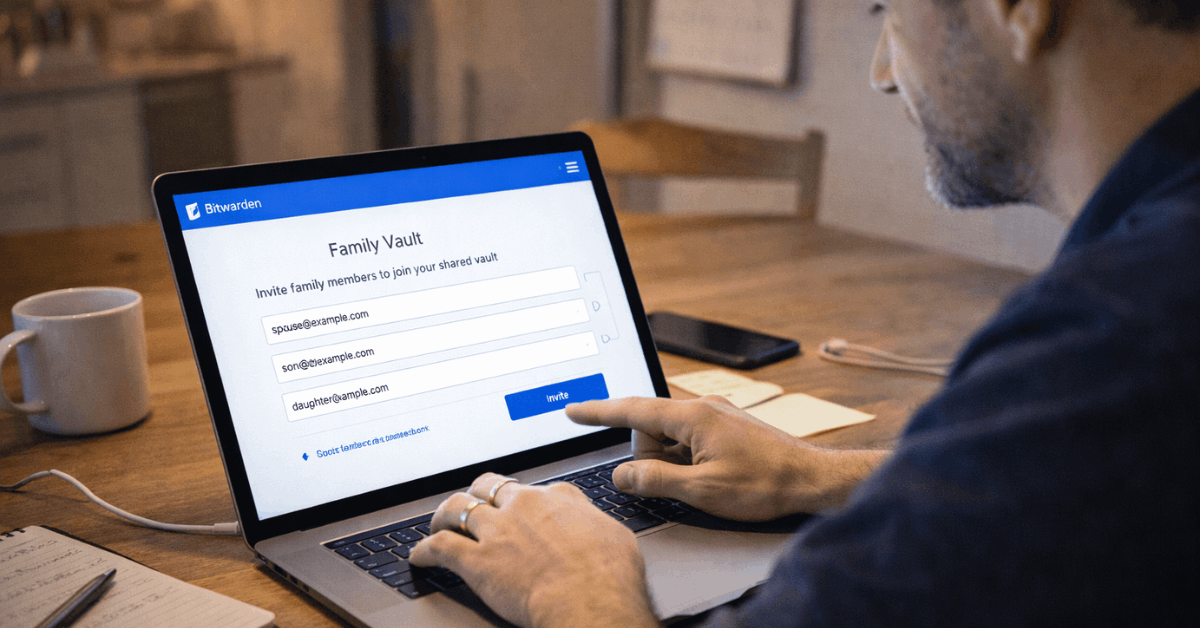
For families, 1Password runs $4.99 per month for up to 5 members. Bitwarden’s family plan covers 6 users for $40 per year. That $20 annual difference adds up over a few years, especially for households where every family member needs a separate vault.
Business and Team Pricing
Small teams get an interesting option on the 1Password side: the Teams Starter Pack at $19.95 per month for up to 10 users. That flat rate works well for a team of exactly 10. But add an 11th person, and the math changes completely because the next tier charges per seat.
Bitwarden’s business pricing sits at $4 per user per month for Teams and $6 per user per month for Enterprise. Both rates are listed publicly, which makes budgeting predictable.
| Plan | 1Password | Bitwarden |
|---|---|---|
| Individual | $2.99/month (billed annually) | $10/year Premium, free plan available |
| Family | $4.99/month, up to 5 users | $40/year, up to 6 users |
| Teams | $19.95/month flat for up to 10 | $4/user/month |
| Enterprise | $7.99/user/month | $6/user/month |
Bitwarden wins on raw dollar amounts at every tier except 1Password’s 10-seat starter bundle, where the flat rate creates temporary savings.
Security Architecture: 1Password vs Bitwarden Encryption
Both password managers use AES-256 encryption with a zero-knowledge design, meaning neither company can read your vault contents. That part is a wash. The differences show up in how each product handles the layers around that encryption.
1Password’s Secret Key System
1Password generates a 34-character Secret Key during account setup. This string gets combined locally with your master password before anything touches a server.
The result: even if 1Password’s servers were breached and an attacker grabbed encrypted vault data, brute-forcing the master password alone would not be enough. They would also need the Secret Key stored on your device.
I think the Secret Key adds real protection for the $36 annual cost, specifically because it defends against a threat model that Bitwarden’s architecture leaves to the strength of your master password alone.
That said, losing the Secret Key during a device wipe can lock you out permanently. 1Password provides a recovery kit PDF, but plenty of people skip that step.
Bitwarden’s Open Source and Self-Hosting Option
Bitwarden publishes its code openly. Anyone can audit the codebase, and independent security firms have done so repeatedly. Bitwarden self-hosting lets teams run the entire password management stack on their own servers, which matters for organizations bound by strict data residency laws or internal compliance rules.
Both vendors hold SOC 2 and SOC 3 attestations. The trade-off comes down to whether an extra cryptographic factor (1Password) or full infrastructure control (Bitwarden) matches your risk tolerance better.
Autofill, Apps, and Daily Friction
A password manager that takes three extra clicks per login will get abandoned. Daily friction kills adoption faster than any feature gap, and this is where the two products feel different in your hands.
Cross-Platform App Support
1Password runs on Windows 10 64-bit or later, macOS 12+, iOS 17.5+, Android 9+, and every major browser. The Linux desktop app ships through official packages plus Snap and Flatpak options.
Bitwarden covers the same operating systems and browser extensions, and both offer command-line tools for developers who script credential workflows.
The real difference is polish. 1Password’s autofill prompts appear faster and handle complex checkout forms more consistently. Bitwarden’s autofill works reliably for logins, but address templates and multi-field payment forms sometimes need manual intervention to fill correctly.
Also read: CapCut: What Breaks When You Push This Tool Hard
Watchtower vs Vault Reports
1Password’s Watchtower feature scans saved credentials against known breach databases during normal use. Weak passwords, reused entries, and compromised items surface as inline alerts.
Bitwarden offers similar security reports for Premium and Organization users, but the reports live in the web vault rather than appearing as real-time notifications inside the browser extension.
I would pick Watchtower’s inline approach over Bitwarden’s report-driven model for one reason: people check breach reports once and forget. A persistent nudge inside the browser catches problems at the moment they matter.
Two-Factor Authentication and Passkey Support
Both platforms support authenticator apps and hardware security keys across desktop, web, and mobile. Bitwarden opens FIDO2 WebAuthn support to all plans, and Premium users get access to Duo and YubiKey OTP as additional second-factor methods.
1Password supports security keys for account-level two-factor and continues expanding passkey-based vault unlock.
The passkey race is worth watching in 2026. Both companies are building toward a future where master passwords become optional, but neither has shipped a complete passwordless flow for all platforms yet. Expect this section of the comparison to look different by year-end.
Features That Push the Decision One Way
A few capabilities sit outside the pricing and security columns but can change someone’s mind completely.
1Password Travel Mode
Travel Mode lets users remove selected vaults from all devices before crossing a border. A customs agent inspecting your phone would see only the vaults you chose to keep visible. After clearing the checkpoint, toggling Travel Mode back on restores everything.
This feature has no direct equivalent in Bitwarden, and for frequent international travelers or employees carrying regulated data, it can be the deciding factor on its own.
Bitwarden Self-Hosting for Data Control
Organizations that need to keep credential data on their own infrastructure can deploy Bitwarden’s self-hosted stack using Docker containers. This approach satisfies data residency requirements that cloud-only solutions cannot meet.
The trade-off: self-hosted deployments need internal IT staff to handle updates, backups, and uptime monitoring.
A common mistake is choosing self-hosting for privacy reasons without budgeting for the ongoing maintenance. A small team of 5 people rarely has the bandwidth to run a self-hosted password manager reliably.
Setup and Migration
Both products import credentials from browsers and competing managers through built-in migration tools. Setup takes under 10 minutes for either product. 1Password groups vaults and categories with a cleaner visual hierarchy, while Bitwarden keeps the interface minimal.
A precaution worth mentioning: export your vault data from your old manager before letting a subscription lapse. Several competing products restrict exports once accounts enter a grace period or free downgrade.
Who Gets Better Value: 1Password or Bitwarden
I disagree with the common advice that beginners should start on Bitwarden’s free plan and upgrade later. The free tier lacks vault health reports, file attachments, and advanced two-factor options.
Those three features are precisely the ones that protect people who are new to password managers and don’t yet know their own weak spots.
Spending $10 a year on Bitwarden Premium or $36 on 1Password removes the training wheels that the free plan quietly installs.
Budget-focused individuals and small teams will find Bitwarden’s $10/year Premium plan hard to argue with. The encryption is solid, the apps cover every platform, and the annual cost is less than a single lunch.
Buyers who want smoother autofill, the Secret Key security layer, and features like Travel Mode will lean toward 1Password. The premium sits around $26 higher per year for individuals, and whether that gap buys enough convenience depends on how often autofill quirks or border crossings affect daily life.
Regulated organizations should evaluate both vendors on SSO integration, SCIM provisioning, and audit log depth before signing contracts.
Both pass baseline security certifications, but the specific enterprise controls differ enough to warrant a trial period on each. The 1Password business plans page and Bitwarden’s pricing page list current feature breakdowns per tier.
Questions People Ask About 1Password vs Bitwarden
Q: Is Bitwarden safe enough for business use?
Bitwarden holds SOC 2 and SOC 3 attestations and uses the same AES-256 encryption standard as 1Password. The self-hosting option gives businesses direct control over where vault data lives, which some compliance frameworks require.
Q: Can I switch from 1Password to Bitwarden without losing passwords?
Both products support CSV and JSON imports from competing managers. Export your vault while your subscription is still active, then import directly into the new product. The process takes about 5 minutes for a typical personal vault.
Q: Does 1Password have a free plan in 2026?
1Password does not offer a permanent free tier. A 14-day free trial is available for new accounts. After that, the cheapest option is the individual plan at $2.99 per month billed annually.
Q: What happens to 1Password Travel Mode vaults when I turn it on?
Selected vaults get removed from all signed-in devices. The data stays safe on 1Password’s servers. Once Travel Mode is toggled off, vaults restore automatically. No passwords are deleted during the process.
Q: Which password manager works better on Linux?
Both offer Linux desktop apps and browser extensions. 1Password ships a native Linux build through official packages, Snap, and Flatpak. Bitwarden’s Linux app covers the same ground, and the command-line interface gives extra flexibility for scripted workflows.
Conclusion
Bitwarden wins the price comparison at every tier and pairs modern encryption with a $10/year Premium upgrade. 1Password charges more but delivers smoother autofill, the Secret Key layer, and Travel Mode for border safety.
The right pick depends on whether $26 per year buys enough daily convenience to justify the cost gap. Either way, both options will put your credential hygiene in a stronger position than browser-saved passwords ever could.