Picking between Slack and Microsoft Teams feels like choosing a phone operating system. Once everyone commits, switching costs hit hard and fast.
The Slack vs Microsoft Teams debate has shifted since both platforms added AI features in 2025 and 2026. The comparison stopped being about chat a long time ago.
A mid-size operations lead running a 50-to-300-person company will feel this decision daily. Every workflow, file handoff, and meeting invite routes through whichever tool wins the procurement conversation.
This guide breaks down Slack vs Teams across the dimensions that shape real work: integrations, automation, meetings, AI, pricing, and compliance.
Slack vs Teams Ecosystem and Integration Differences
The single biggest factor separating these two platforms is where the rest of your tools live. Everything else flows downstream from that answer.
Slack’s Third-Party Integration Advantage
Slack’s integrations list tops 2,000 apps, and the connections tend to be deep rather than surface-level. A single Slack channel can pull live updates from Figma, GitHub, Google Drive, and Jira simultaneously. That matters for product teams, agencies, and engineering groups that depend on a mixed tool stack.
Channel naming conventions and prefixes keep things searchable once a team establishes habits. I think Slack’s Slack Connect feature for external partner collaboration is underrated. Most comparison articles barely mention it, yet it removes the need for separate email threads with clients and vendors entirely.

Teams and the Microsoft 365 Lock-In
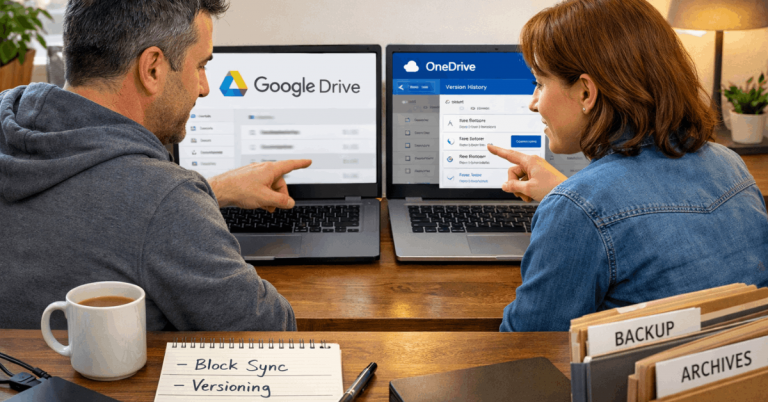
Teams plugs directly into SharePoint, OneDrive, Outlook, and Exchange. Channels map to SharePoint sites. Personal files route through OneDrive. Calendar invites generate inside Outlook.
For an organization that standardized on Microsoft 365 years ago, Teams reduces the number of browser tabs open at any given time. But that tight coupling works both ways. The moment a team needs a tool outside the Microsoft orbit, the experience gets clunky fast.
Slack Workflow Builder vs Power Automate
Automation is the sleeper category in this comparison. The tool that makes it easier for non-technical people to build workflows will save more hours per week than any chat feature.
Low-Code Automation on Slack
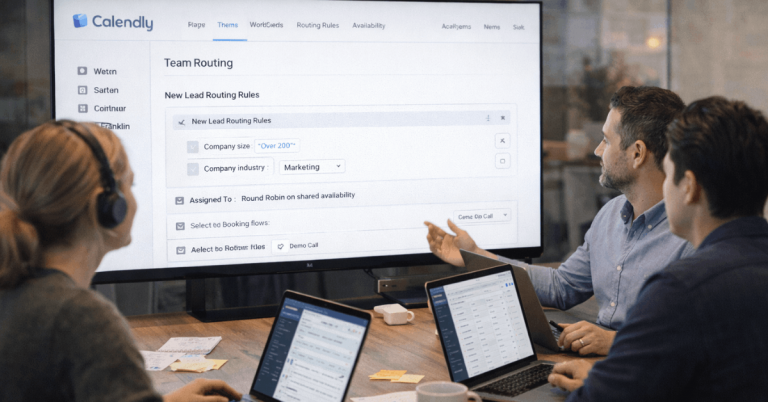
Slack Workflow Builder lets anyone create automated flows triggered by channel actions, form submissions, or scheduled events. Steps can post messages, collect form fields, run approvals, or call external systems.
The learning curve stays low enough that a marketing coordinator or HR lead can build a working automation in minutes without filing an IT ticket.

That speed matters more than people give it credit for. A team that can modify its own workflows ships changes faster than a team waiting on a centralized admin queue.
Power Automate on Teams
Power Automate paired with adaptive cards and Microsoft Dataverse scales well under centralized IT administration.
The model handles complex enterprise logic, conditional branching, and data loss prevention policies. But the setup demands closer coordination with IT, and the learning curve is steeper for casual users.
If your organization already runs a strict Microsoft-only stack, Power Automate fits the governance model. For mixed environments, that overhead can slow down the people who need automation the most: the ones closest to the work.
Slack vs Teams Video Conferencing and Meetings
Meetings might be the single area where Teams holds the clearest advantage over Slack. This comes down to scope.
How Slack Handles Video Calls
Native Slack audio and video calls work fine for small group conversations and quick huddles. For anything bigger, the platform leans on integrations like Zoom or Webex. Recording, breakout rooms, and advanced moderation features live inside those dedicated meeting tools rather than Slack itself.
That split can feel elegant or annoying depending on how often your team runs large meetings. A product squad doing daily standups will never notice the limitation. A company running weekly all-hands will.
Teams Built-In Meeting Features
Teams has native recording, screen sharing, breakout rooms, and PSTN calling through Teams Phone. The meeting invite, the chat thread, the shared files, and the recording all tie back to the same Microsoft 365 backbone without extra setup.
I would pick Teams over Slack specifically for meeting-heavy organizations that run 10+ scheduled calls per week, because the zero-configuration recording and transcription alone save hours of manual follow-up.
Here is how the two platforms compare across the categories that matter for daily work:
| Category | Slack | Microsoft Teams |
|---|---|---|
| Ecosystem Fit | Broad third-party focus across mixed tool stacks | Deep Microsoft 365 integration across email, files, calendars |
| Channel Limits | Unlimited channels across all plans | 1,000 channels per team |
| AI Features | Slack AI for summaries and search on higher tiers | Copilot requires a separate add-on license for most business plans |
| Automation | Workflow Builder: low-code, fast to deploy | Power Automate: powerful but heavier to administer |
| Native Meetings | Basic native calls; scales through Zoom/Webex partners | Full meeting stack with recording, breakout rooms, PSTN |
| File Management | Integrates Google Drive, Dropbox, OneDrive | Native SharePoint and OneDrive with real-time co-authoring |
The takeaway: Teams wins on meetings and file co-authoring inside the Microsoft ecosystem, while Slack wins on integration breadth and automation accessibility.
Also read: Zoom vs Google Meet: Which Online Service Is Better for Daily Use?
AI Features in Slack and Microsoft Teams (2026)
Both platforms have pushed hard into AI over the past year, but the pricing and access models differ enough to affect your budget.
Slack AI Search and Summaries
Slack AI can summarize channels, threads, and huddles while answering natural-language questions against recent activity.
On higher tiers, Slack Enterprise Search connects into outside knowledge sources so answers pull from messages, files, and connected repositories directly from the search bar. The AI stays conversation-centric, which matches how people use Slack day to day.
Microsoft Copilot Licensing Costs
Microsoft Copilot lights up meeting notes, email drafts, and document edits across Microsoft 365. But the catch that procurement teams keep running into: Copilot requires a separate add-on license layered onto eligible Microsoft 365 plans for most business use cases.
Microsoft has announced additional free capabilities rolling out during 2026, but enterprise buyers should verify which Copilot experiences apply to their specific tenant before budgeting.
I think the common advice to “just bundle Teams because it’s free with Microsoft 365” ignores this Copilot licensing reality.
When you model the per-seat Copilot cost across 100+ users, the “free” advantage of Teams pricing shrinks fast. Slack’s AI is baked into its higher-tier plans without a separate line item, which makes the total cost comparison closer than most procurement spreadsheets show.
Slack vs Teams Security and Compliance
Security and compliance requirements often make the final call in regulated industries. Both platforms offer enterprise-grade controls, but the architecture differs.
Slack provides SSO, SCIM provisioning, data exports, and region-based data residency on advanced tiers. Admins can require approval for apps, restrict token scopes, and set workspace-wide policies. Granular controls for Slack Connect manage external collaboration boundaries.
Teams inherits the breadth of Microsoft Purview and Entra governance. Data classification, retention, legal hold, and eDiscovery flow across Teams, SharePoint, OneDrive, and Exchange in a unified framework.
Audit teams already familiar with the Microsoft control plane can run compliance checks without learning a second system.
For organizations under strict regulatory frameworks, the convenience of that unified Microsoft compliance layer can be a deciding factor. Slack’s security controls are strong, but they operate as a standalone system rather than part of a broader governance suite.
The compliance question worth asking your team directly:
- Does your compliance team already manage Microsoft Purview and Entra ID policies?
- Do you need data residency controls in specific geographic regions?
- Are external collaboration boundaries with clients or vendors a regular concern?
- Will the compliance audit trail need to cover chat, files, and meetings in a single report?
Slack vs Teams Pricing Breakdown for Mid-Size Companies
Procurement cycles often tilt toward Teams because eligible Microsoft 365 business plans already include Teams at no extra charge. That bundled pricing looks attractive on a spreadsheet.
But two hidden cost factors deserve a closer look. First, Copilot add-on licensing adds per-seat cost that can change the math by role.
Finance teams should model those costs for specific departments rather than blanket coverage. Second, Slack’s operational overhead often stays lower in mid-market firms because non-technical teams can build automations and modify channels without filing tickets or waiting on IT.
Slack pricing vs Teams depends on the edition mix, external collaboration volume, and security requirements like enterprise encryption or advanced compliance tools. A direct apples-to-apples comparison requires listing every add-on, not just the base subscription.
On-Premises Alternative: TrueConf for Data Sovereignty
Some organizations cannot use cloud platforms at all. Government agencies, defense contractors, and certain healthcare systems need self-hosted infrastructure that stays inside a LAN or VPN.
TrueConf fills that gap with on-premises deployment, Ultra HD conferencing, and large-scale event capacity. The platform integrates with Active Directory, SIP/H.323 endpoints, and corporate calendars. Features like simultaneous interpretation and waiting rooms support formal proceedings.
This option suits a narrow but real audience. If data sovereignty or LAN-only operation dominates the requirements list, a cloud platform like Slack or Teams will not satisfy the security posture no matter how many compliance checkboxes they tick.
Questions People Ask About Slack vs Microsoft Teams
Q: Can Slack and Microsoft Teams be used together?
Some organizations run both, giving engineering teams Slack while keeping corporate functions on Teams. The approach works but creates information silos between groups, so shared channels or bridging tools become necessary to prevent communication gaps.
Q: Is Microsoft Teams really free with Microsoft 365?
The base Teams app comes bundled with eligible Microsoft 365 business and enterprise plans. But advanced features like Copilot AI, PSTN calling, and premium webinar tools carry separate licensing costs that add up quickly at scale.
Q: Does Slack work better for remote teams than Teams?
Slack’s channel-first design and asynchronous communication style tend to suit distributed teams that span time zones. Teams works well for remote groups too, especially when everyone already relies on Outlook and SharePoint for daily work.
Q: How many integrations does Slack have compared to Teams?
Slack’s app directory lists over 2,000 integrations, and many of them expose workflow steps directly inside the platform. Teams has a growing app ecosystem, but the deepest integrations stay concentrated within the Microsoft 365 suite.
Q: Which platform is better for small businesses under 50 people?
Small teams that use Google Workspace or a mix of non-Microsoft tools will find Slack easier to set up and maintain. Small teams already paying for Microsoft 365 Business Basic or higher can start with Teams at no additional subscription cost.
Conclusion
The Slack vs Microsoft Teams decision in 2026 comes down to where your existing tools live. Teams fits best when Microsoft 365 already runs your email, files, and calendar infrastructure.
Slack earns its price when daily work touches multiple non-Microsoft platforms and fast automation matters. Picking based on bundled pricing alone misses the productivity cost of forcing a tool that fights your workflow.