Who should avoid Jira is a better starting question than asking whether the platform is powerful.
Jira can bring order to complicated delivery work, but that same structure can frustrate a small group that needs quick decisions, loose planning, and direct conversation.
This guide looks at Jira fit through daily behavior: how work arrives, who maintains the system, how reports are used, and what happens when priorities shift. It is written for teams deciding whether the tool will support their work or quietly become another job to manage.
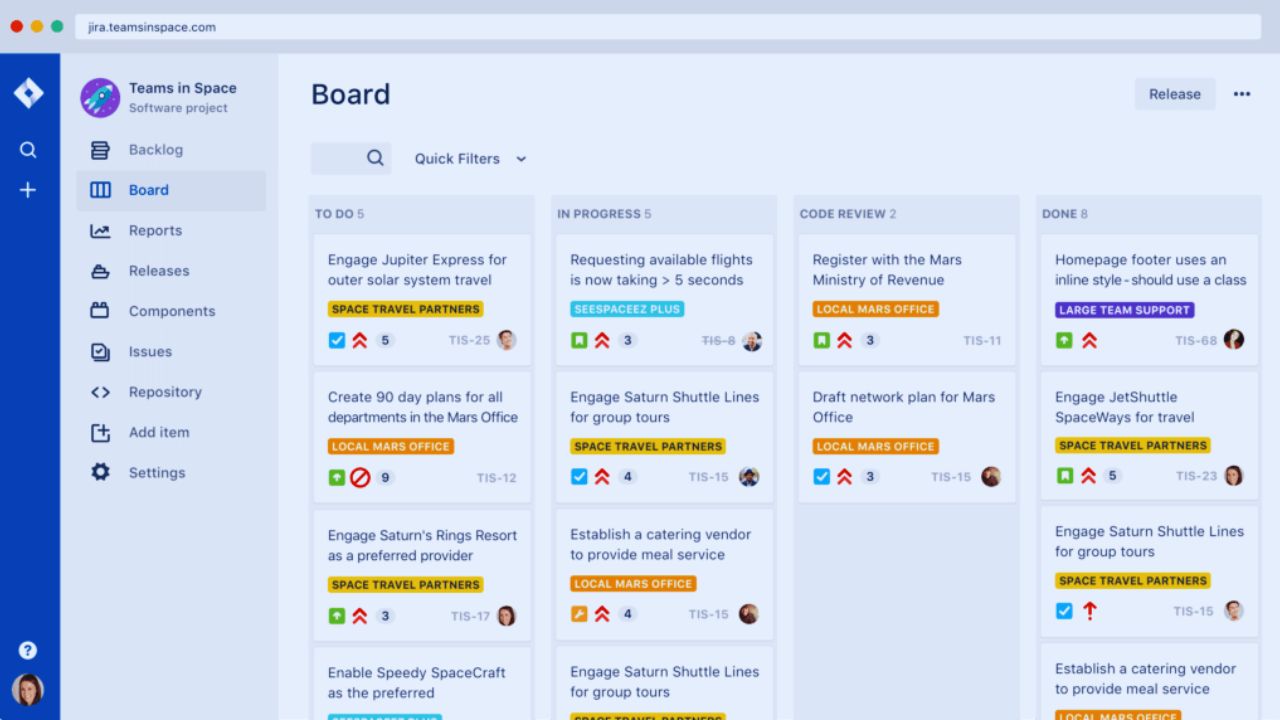
Start With the Work, Not the Brand
Jira becomes useful when a team has enough moving parts to lose context without a shared record.

Developers, releases, bugs, dependencies, and handoffs create questions that conversation cannot answer later.
In that setting, searchable issues, clear ownership, and a visible backlog can protect delivery history and release discipline. For small work resolved in a daily conversation, fields and statuses can become administration rather than structure.
Small Teams Often Need Visibility, Not Governance
A solo consultant, a three-person studio, or a local service team may simply need a board, a short checklist, and a place to record the next decision.
They should be cautious if Jira solves no problem beyond “we should look more professional.”
A lightweight tracker can be easier to open, explain, and keep current. The warning sign is not a lack of ambition; it is a mismatch between simple work and heavy configuration.
Jira Earns Its Setup Time When Traceability Matters
The platform makes more sense when work must be traced from request to release. Software teams tracking defects, support escalations, features, and recurring changes benefit from issues that hold requirements, comments, owners, and status history.
Scrum and Kanban boards, automation rules, reports, timelines, and planning views are useful because they create a shared view of work that changes quickly.
The value is strongest where audit trails and cross-team coordination are practical needs, not presentation features.
Use Workflows to Clarify Reality, Not to Impress Stakeholders
A workflow should describe the steps a team genuinely follows: ready, in progress, blocked, awaiting review, and complete may be enough.
Problems begin when each department adds its own approval state, exception, condition, and custom field without deciding who will interpret the data later.
Work becomes harder to move, and reporting becomes less trustworthy. A good setup creates clear handoffs and consistent language; it should not force people to translate their work into a maze.
Configuration Becomes a Risk When Nobody Owns It
Jira gives teams room to tailor issue types, permissions, screens, fields, automations, and notifications. That flexibility can match a mature process, but it also creates a quiet maintenance burden.
Someone must remove old projects, keep request types understandable, review permissions, protect common workflows, and explain why a field exists.
Without an accountable administrator, the tool slowly fills with duplicate boards, stale filters, and rules nobody trusts. That is where admin ownership and ongoing hygiene matter more than the initial rollout.
Also Read: Google Analytics 4 Is This Tool Beginner-Friendly or Advanced?
Plugin Sprawl Can Turn a Simple Need Into a Cost Problem
Add-ons can solve genuine gaps, yet every new app adds billing, onboarding, permissions, updates, and another place where information can drift.
Before installing one, ask whether the process is unclear or the capability is missing. A team that needs advanced reporting, individual workload balancing, financial forecasting, or portfolio tradeoffs may need more than a basic issue tracker.
The sensible response is to compare the total cost and maintenance load, not to stack plugins until the dashboard looks complete.
Capacity Planning Needs a Precise Conversation
It is inaccurate to say Jira has no capacity planning. Jira’s advanced planning features can help teams plan capacity and velocity, particularly in Premium and Enterprise plans, when estimates and board data are kept current.
That can be enough for a stable software team planning iterations. It is not automatically the same as organization-wide resource management across skills, leave, rates, budgets, and conflicting programs.
Teams should separate team capacity from enterprise resource planning before choosing a tool or an add-on.
Add Another Tool Only When the Planning Gap Is Real
A third-party option, such as Epicflow, may be worth testing when leadership needs cross-project resource signals, scenario planning, or a portfolio view that Jira alone does not comfortably provide.
It is not a guaranteed fix. Test the integration with current project data, real estimates, and the people who will act on the reports.
The question is whether it improves decision quality and planning visibility, not whether it produces more charts for executives.
Notice the Warning Signs Before You Migrate a Whole Team
Do not wait until a rollout has consumed weeks of meetings to identify a poor fit.
The checks are simple because a strong “no” deserves attention. They test process maturity and practical ownership, not enthusiasm for new software:
- Nobody can own configuration, permissions, and cleanup.
- The team needs conversation more than detailed status tracking.
- The expected benefits do not justify training, apps, and admin time.
Start With One Real Workflow, Then Judge the Friction
A careful trial should use actual work: a bug queue, a release plan, or a backlog that already causes missed handoffs.
Set only the fields the team will use, agree on a small number of statuses, and ask people to update it during a normal week.
Watch where they hesitate, what they duplicate elsewhere, and whether the board helps a manager ask better questions. This approach reveals adoption friction and useful evidence before a migration becomes difficult to reverse.
Training Should Explain Decisions, Not Just Buttons
People do not need a tour of every menu. They need to understand why an issue is created, when a status changes, where requirements live, and who resolves a blocked item.
Short, role-specific guidance is usually more effective than a long generic presentation.
Revisit the setup after a few sprints, remove what no one uses, and keep the language familiar. This supports everyday adoption and data reliability, both of which matter more than a polished launch deck.
Conclusion: Choose the Amount of Structure Your Work Can Carry
Jira can be a strong fit for teams that need traceability, coordinated delivery, and a dependable record of changing work.
It can be the wrong fit for small or conversation-led groups that would spend more time maintaining the system than using it.
Begin with a real operational problem, assign ownership, and test the smallest setup before expanding. That keeps tool choice tied to how people work, rather than asking people to reshape useful habits around software they do not need.