
Airtable begins like a spreadsheet, then reveals database features as work becomes more detailed.
That appeal can hide later limits: record ceilings, attachment storage, automation runs, API throttles, permissions, and reporting gaps.
This guide examines Airtable limitations through problems teams meet after a pilot starts carrying real operational weight. It is for anyone deciding whether a base can remain a working system as data, collaborators, and dependencies grow.
The First Constraint Usually Looks Like a Planning Problem
Airtable makes it easy to turn a rough list into linked tables, filtered views, and an interface people can use.
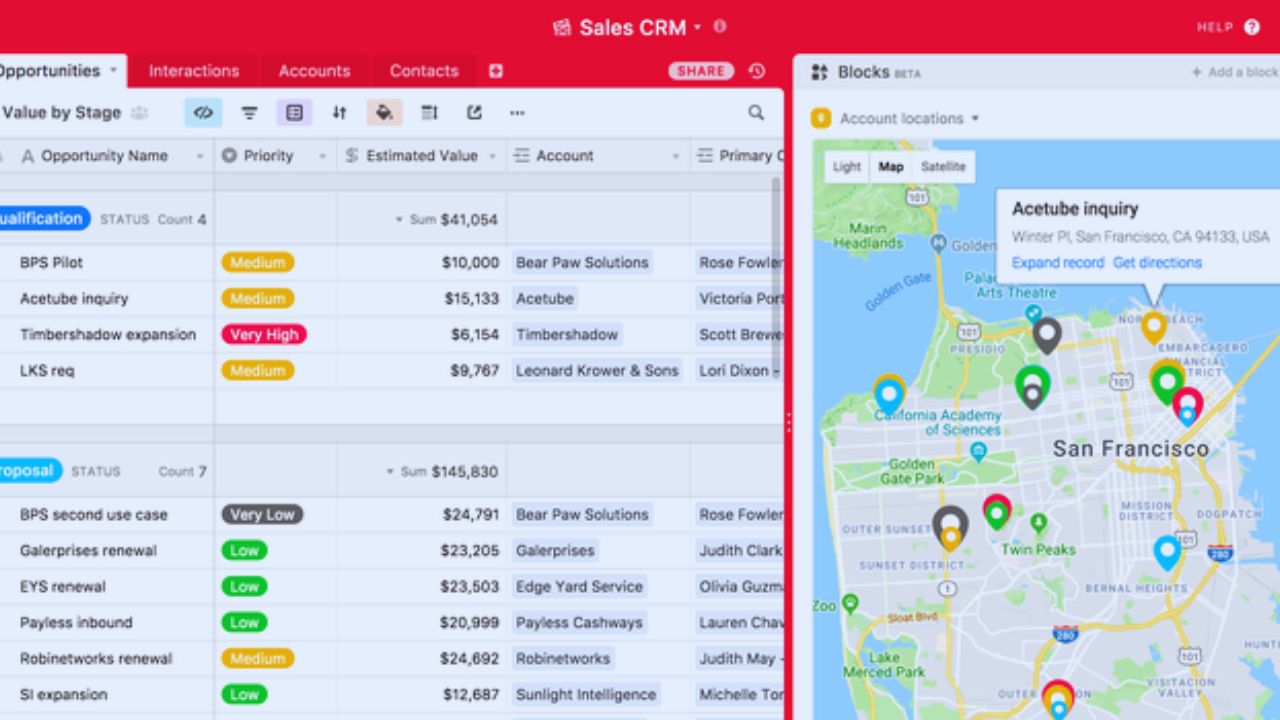
That helps a content calendar, client tracker, inventory list, request queue, or lightweight operations hub. The strain begins when every new process sends data into the same base.
A harmless field, an unarchived history table, and copied attachments compete for the same base capacity. The design has become more important than the original template.
Record Limits Apply to the Whole Base
Current plans set record limits per base, not per table. A Free base reaches 1,000 records, Team reaches 50,000, Business reaches 125,000, and Enterprise Scale begins at 500,000.
Linked tables do not create separate headroom, so orders, customers, activity logs, revisions, and tasks add up together. A project can hit its ceiling when it treats Airtable as a permanent archive. Estimate monthly record growth and decide what will be archived elsewhere before building the workflow.
Track the count quarterly, not only when people can no longer add the records they need to keep working.
Attachments Consume Space and Slow Down Untidy Work
Attachments suit product images, contracts, drafts, and receipts, but a base should not become the only home for heavy files.
Storage allowances vary by plan, and an informal upload policy can become expensive over time.
Keep working files where the team edits them, then link the file to the relevant record when practical. This preserves useful context without turning every table into a file repository.
Automation Is Powerful Until Volume Makes It a Budget Line
Automations can assign an owner, send a reminder, update a status, create follow-up records, or pass data to another service.
Those actions remove small chores, which is why teams add them quickly. Airtable counts automation runs against monthly plan allowances, so a rule that fires whenever any record changes can consume capacity during imports, bulk edits, or seasonal spikes.
The issue is whether the trigger is specific enough and the workload is predictable enough.
Design for Quiet Days and Busy Days
An automation that seems harmless in a ten-record test can run thousands of times when a form receives a batch of requests or an integration updates several fields.
Map the trigger, average daily volume, retry behavior, and action count before relying on it for a customer-facing process. Combine updates, pause nonessential rules before maintenance, and keep a manual fallback for important handoffs.
This prevents run-limit surprises and makes operational recovery less stressful when a workflow pauses unexpectedly.
API Limits Matter to the Tools Around Airtable
Developers and no-code builders often discover constraints through an integration rather than the Airtable interface.
The Web API is limited to five requests per second per base across plans, while Free and Team plans also have monthly call allowances.
A burst of reads from a dashboard, sync tool, or custom app can cause rate-limit errors even when the base looks normal to users.
Caching reads, batching writes, and using queues protect user-facing speed and integration reliability.
Cross-Base Sync Is Not a Full Data Model
Linked records work inside a base. Once teams need the same customer, product, or employee data across several bases, they often reach for sync.
Synced tables can share information, but they do not create the same two-way relational integrity as a single database designed around common records.
Decide which base owns the master data, which teams may edit it, and what downstream copies can change. Without that agreement, duplicate records and conflicting updates become a people problem disguised as a technical one.
Also Read: Ahrefs Feature Review: What Works as Promised
Reporting Is Strongest for Operations, Not Deep Analysis
Interfaces, grouped views, summaries, and charts can show open requests, overdue work, current pipeline values, or ownership gaps.
That is enough for many operational decisions. It is less suited to complex cohort analysis, cross-base joins, long-term modeling, or executive reporting that needs finance, support, and product data together.
Teams often export or connect to a warehouse and BI tool when questions require broader analysis and stable history.
Airtable can still organize tasks, owners, dates, and simple timelines, but critical paths, resource leveling, and formal budget controls often need a separate specialized project system.
Permissions, Pricing, and Data Location Need a Growth Conversation
Airtable’s paid plans expand records, storage, automations, administration, and collaboration controls, but every upgrade should connect to a documented requirement.
A team that adds editors casually can increase costs and expand the group able to alter a schema. Define who builds tables, who updates records, who comments, and who only needs an interface.
That creates cleaner access and more predictable spending than treating every collaborator as a creator. Airtable is cloud-hosted, so organizations with strict residency, on-premises, or isolation requirements should ask privacy, legal, and security teams to review the arrangement before placing sensitive data in a base.
Build a Scaling Plan Before You Need a Rescue Plan
Airtable can remain useful as a front end for current work even when history, analytics, or heavy files move elsewhere.
A sales team might keep active opportunities in a base while completed activity feeds a warehouse. A media team can store current production data in Airtable while original video files stay in dedicated storage.
Mobile users may need a focused form or simple interface instead of a full administrative view. The right architecture separates active operations from long-term records.
Three Signals Say It Is Time to Reassess
Use these short growth signals before a limit becomes an emergency:
- Record counts are rising faster than the archiving plan.
- Automation runs spike during ordinary updates.
- Teams need reports across several systems.
Conclusion: Treat Airtable Limits as Design Inputs
Airtable is capable, but it is not an unlimited database, file store, analytics warehouse, project suite, and compliance platform at the same time.
Record capacity, automation volume, API behavior, cross-base ownership, and access controls should shape the system before users depend on it. Check usage monthly, archive deliberately, and test the busy-day behavior of every important integration.
When the base supports current work without carrying every historical burden, it stays flexible without becoming fragile.












