Notion isn’t just another productivity tool—it’s become a bit of a work and life companion for a lot of people. When I speak to friends and colleagues, I’m often surprised by how many of them have, at some point, experimented with Notion to manage their projects, notes, or just everyday tasks.
And yes, I’m one of those users, too. Over the past three months, I’ve relied on Notion every day—sometimes for hours at a stretch. In this daily performance review, I’ll share my honest, real-world feedback on Notion: what works brilliantly, what trips me up, and ultimately, whether it’s likely worth adding to your digital toolkit.
Why I Chose Notion for Everyday Productivity
Let’s start at the beginning: I was searching for an all-in-one workspace that could handle notes, to-dos, editorial calendars, and even databases.
Maybe it sounds ambitious, but the idea of centralizing everything—without flipping between apps—was appealing. After some research, Notion stood out, thanks to its flexibility and the vibrant online community that shares templates and tips.
First Impressions: Setup and Learning Curve
I’ll be honest, my first encounter with Notion was a little overwhelming. There’s so much you can do—so many blocks, templates, integrations. At first, I jumped straight into building personal dashboards from scratch, but I quickly realized that using the built-in templates (and searching for user-created ones) gets you moving faster.
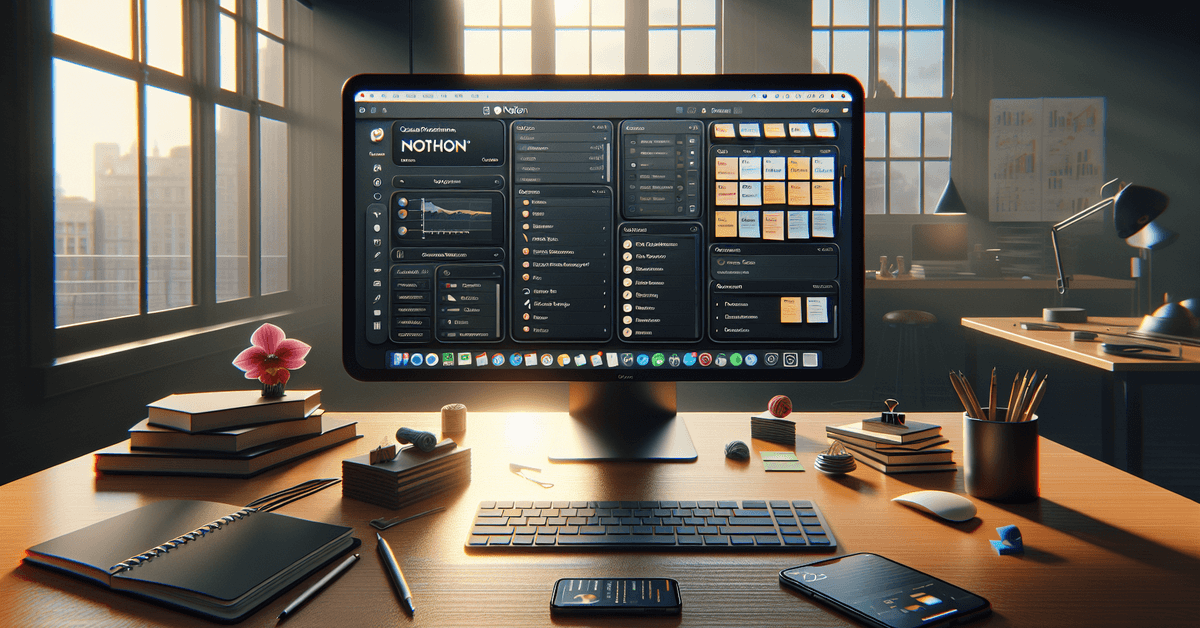
Day-to-Day Use: A Realistic Breakdown
Notes and Documents
One of Notion’s main strengths is its versatility with note-taking . Whether it’s quick meeting notes or longer research documents, everything stays organized. I especially love the ability to link pages internally—making it easier to cross-reference, say, a project plan with its related meeting notes.
Task Management
This is where my experience becomes a bit mixed. Notion can easily serve as a to-do list, and its customization is unrivaled. I set up weekly and monthly planning views using databases, but sometimes tasks get buried if I’m not careful. Notion isn’t as intuitive for notifications as dedicated task apps like Todoist. Still, if you enjoy tinkering, you can make pretty robust personal systems.

Project Tracking
When it comes to managing complex projects—especially content calendars or editorial workflows—Notion shines. The ability to build Kanban boards , tables, and calendars means you can visualize your work in a way that fits you. I actually spent too much time customizing this at first, but once dialed in, it saves real time.
Performance and Reliability: Does Notion Stand Up?
Speed and Sync
For the most part, Notion loads quickly. On desktop, the experience is smooth, though occasionally large pages lag, especially with images or embedded content. Syncing across devices (I use Mac, iPhone, and web) usually works without hiccup. But, and here I have to mention it, offline access is still limited. Notion works best with a steady internet connection.
Mobile and Web Experience
Notion’s mobile app has improved over time. Still, editing longer documents or moving database items is faster on desktop. On the plus side, it’s handy for referencing notes on the go. I ran into the occasional sync delay between phone and desktop, but nothing show-stopping.
Key Features That Stood Out in Daily Use
- Database versatility: Create, filter, and view data in tables, boards, calendars, and more.
- Template sharing: Easy to import and customize community-built templates—from goal trackers to meeting agendas.
- Integration: Embeds with Google Drive, Figma, and others; though some automation options require extra setup with Zapier or Make.
- Collaboration: Real-time editing with comments, mentions, and sharing options.
Pros and Cons – A Real-World List
| Pros | Cons |
|---|---|
|
|
Value for Money: Free vs. Paid Plans
For most individuals, the free plan is generous—unlimited pages, blocks, and up to five guests. Teams and heavy users might appreciate the paid plans for version history, admin tools, and unlimited file uploads. For me, even daily use didn’t push the limits of the free plan. However, if you collaborate with larger teams or need integrations like SAML SSO, upgrading could make sense.
Tip: Try the free plan first. Use public templates from creators like Notion’s official gallery before building your own dashboards from scratch.
How Does Notion Compare?
If you’re into digital productivity, you already know about competitors— Evernote, Asana, maybe Todoist. Each has its edge. I’ve bounced between these, but Notion stands out for its all-in-one approach. Still, if you want a lightning-fast, single-purpose to-do app, Notion might feel too broad. Here’s a quick table comparison:
| Feature | Notion | Evernote | Todoist |
|---|---|---|---|
| Notes | Rich, highly structured | Simple & robust | Basic |
| Task Management | Highly customizable | Limited | Best-in-class |
| Database Support | Yes | No | No |
| Offline Access | Limited | Full | Full |
| Community Templates | Yes | Some | Few |
Final Thoughts: Who Should Use Notion?
If you love custom workflows and don’t mind a steeper learning curve at first, Notion is worth your time. I found it most rewarding for centralizing information—especially if you have a knack for organizing digital spaces.
Is it perfect? Not quite. Notifications could be smarter, and the offline functionality is still lacking. But in daily use, the benefits have outweighed the drawbacks for me.
Perhaps most surprisingly, using Notion made me reconsider how I approach productivity in the first place. Instead of chasing endless new tools, I spent more time refining my systems inside one platform. Maybe that’s a lesson in itself.
Conclusion & Action Step
To wrap things up, Notion genuinely helped me organize my work and life—all while staying flexible as my needs evolved. If you’re curious about how it fits your workflow, download Notion or try out a few public templates to see if it feels right for you.
If you’re exploring digital productivity further, check out our comparison of the best productivity apps for 2024.
Your next step? Set up a free Notion workspace and try structuring your week. See what sticks—sometimes the process teaches as much as the tool itself.