Deadlines slip when work lives in too many places. Tasks hide in inboxes, ideas scatter across notes, and files camp in random folders.
Trello vs ClickUp sits at the center of that problem for solo users who want a single, dependable hub. This guide focuses on one-person workflows, real setup effort, and how each platform handles capture, planning, and execution without team overhead.
Solo work needs speed, zero-drama organization, and clear progress visibility. Tool complexity becomes a cost when every minute comes off billable time.
Who This Comparison Is For
Independent creators, consultants, and freelancers want a reliable way to track ideas, prioritize tasks, and hit client dates without switching tabs every few minutes.
Budgets tend to favor low monthly spend, while features must support daily capture, scheduling, and finishing work on time. Occasional collaboration may happen, although most execution occurs solo.
Clarity matters more than committee features. Clean boards, frictionless capture, and lightweight automation remove busywork. Strong mobile apps, quick search, and simple exports protect your files and reduce anxiety during travel days or spotty connections.
Quick Verdict For Solo Users
Trello fits best when a visual board, fast capture, and low mental load matter most. The platform’s Kanban stays friendly, while Inbox and Planner turn scattered inputs into a daily plan without heavy configuration.
This is the straightforward pick for personal projects, lightweight client work, or creative pipelines where tasks rarely depend on each other. ClickUp pays off when your work benefits from structure.
Hierarchies, task dependencies, native time tracking, and robust views let you model complex deliverables. The learning curve runs steeper, although disciplined users gain powerful reporting, custom fields, and automation that reduce manual status updating over time.
Key Differences For Solo Work
A brief table highlights the tradeoffs that typically decide a solo setup.
Comparison For Individuals
| Area | Trello | ClickUp |
|---|---|---|
| Setup Effort | Minutes to working board and Planner schedule | Hours to a tuned workspace with fields and views |
| Free Plan Fit | Up to 10 boards per Workspace and one active person fits well | Unlimited tasks and members with tighter feature limits on free |
| Views | Excellent Kanban, optional calendar and timeline via features or Power-Ups | 15+ views including List, Gantt, Calendar, Table, and Whiteboard |
| Time Tracking | Requires a Power-Up or external app | Native time tracking across tasks and subtasks |
| Automation And AI | Butler rules for card actions and simple triggers | Strong automations plus ClickUp Brain AI for summaries and suggestions |
Pricing and Free Plan Realities
Budgets drive solo decisions, so plan tiers and limits matter. Trello’s Free plan supports up to 10 boards per Workspace, unlimited cards, Inbox capture, and 250 automation command runs per month.
Storage allows 10 MB per file, which handles documents and small images, while large media benefits from a cloud drive link. Standard and Premium tiers raise limits and unlock additional views. ClickUp’s Free Forever tier offers unlimited tasks and members, basic views, and a small storage cap suitable for text-heavy workspaces.
The Unlimited plan typically lands around entry-level pricing for individuals who need native time tracking, more dashboards, custom fields, and deeper automations. Business and higher tiers layer in advanced views, security options, and expanded automations.
Setup and Learning Curve
Getting started quickly reduces friction and builds momentum. Trello opens to a clean board where Lists and Cards become the entire model. Inbox captures ideas from email or chat, then Planner turns those cards into a time-blocked schedule on your calendar.
Templates help if you want a weekly content pipeline or a client delivery board. ClickUp requires decisions about hierarchy and fields before it sings.
Lists and Folders sit inside Spaces, and tasks can carry subtasks, dependencies, estimates, and custom fields. Templates reduce early friction, although the interface still surfaces many options. Time invested up front pays dividends later through reusable blueprints and richer reporting.
Task Management and Views
Simple boards win when tasks move in a linear flow. Trello’s Kanban stays quick to scan, and colored labels or card covers add visual cues that your brain parses instantly. Checklist items keep small steps visible inside a card, while Butler can move cards or apply labels when statuses change.
Individuals who prefer low ceremony reach done states quickly here. Complex work needs different lenses on the same tasks. ClickUp offers List, Calendar, Gantt, and additional views that help sequence multi-step deliverables.
Dependencies prevent premature starts, and custom fields track budgets, review rounds, or client names. That structure supports “task dependencies vs checklists” decisions when deliverables truly rely on each other.
Automation and AI For One-Person Workflows
Repetitive steps waste cognitive bandwidth. Trello’s Butler handles rules like “when moved to Done, set due date complete and archive after five days,” or “when label Urgent is added, add a checklist and set priority.” Simpler rules keep your board tidy and predictable.
Solo users will appreciate automation in Trello Butler once two or three repetitive gestures become muscle memory. ClickUp’s automation builder supports multi-step flows across statuses, fields, and assignments.
ClickUp Brain AI summarizes long comment threads, suggests next steps, and answers questions about the workspace context. Individuals gain value when weekly reviews generate automatic summaries and when status changes trigger reminders or checklist generation
Time Tracking and Reporting
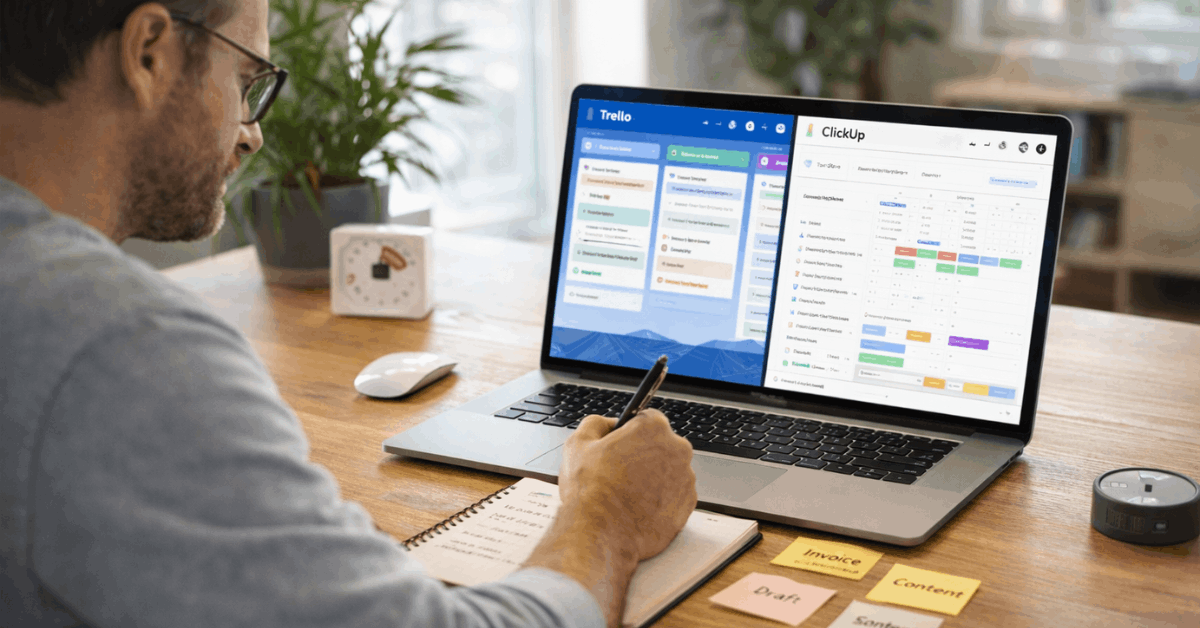
Client work and personal retros both benefit from measurable time. Trello relies on Power-Ups to track effort, which keeps the core app uncluttered but introduces optional cost or setup.
People who bill rarely or estimate loosely can stay inside boards and reach “good enough” quickly. ClickUp includes native timers, manual entry, and reports that roll time up by task, list, or project.
“Time tracking in ClickUp” helps freelancers confirm estimates and improves future quoting accuracy. Reports and dashboards provide a simple weekly rollup, which saves time during invoicing.
Capture, Mobile, and Offline
Ideas arrive at odd moments. Trello Inbox collects tasks from email, Slack, and quick notes so nothing gets lost. Planner then blocks time across your calendar, which keeps the day realistic. Mobile apps handle fast capture and light updates, while the board view remains readable on small screens.
“Trello for personal use” feels natural here because capture and planning live a few taps apart. ClickUp’s mobile app supports quick task creation, comments, and view switching.
Docs and Whiteboards store research and meeting notes near tasks, which helps longer pieces of work. Offline capabilities allow basic edits and sync later, while larger work happens best on desktop screens.
Decision Guide: Pick In 60 Seconds
Short, direct prompts settle most solo decisions without prolonged testing.
- Prefer a visual board and time-blocked calendar over heavy configuration. Choose Trello and enable Inbox and Planner to keep capture and execution tight.
- Run projects with real dependencies, estimates, and recurring automation. Choose ClickUp and start from a single Space with Lists for each client or initiative.
- Want a minimal cognitive load while still feeling organized every day. Choose Trello and layer only the Power-Ups that solve a specific pain.
- Need built-in timers, deeper reports, and structured templates for repeatable work. Choose ClickUp and enable required custom fields and dashboards early.
- Care most about quick wins in the first afternoon. Choose Trello for an immediate board, then revisit ClickUp if your work outgrows simple Kanban.
Final Recommendation
Freelancers and independent creators thrive when tools protect focus and remove friction. Trello delivers a clean board, fast capture, and a Planner that converts intent into a day you can keep. The model encourages action and helps fight decision fatigue.
That makes Trello the default pick for straightforward pipelines, content calendars, and personal organization. ClickUp earns the nod when your deliverables carry real structure.
Complex projects gain clarity through dependencies, native time tracking, and multiple views that expose risk early. Automation runs deeper, while AI summaries compress weekly reviews into minutes. “ClickUp for freelancers” pays off when your work resembles a small studio’s backlog rather than a simple to-do stream.