A Trello vs ClickUp decision is not about features alone. It is about what happens when a client sends a request, an idea arrives elsewhere, or Friday comes and you cannot see what moved forward.
Solo work needs one place to catch tasks and a simple way to decide what deserves today’s attention. Trello and ClickUp can both help, but they create different working habits.
Start With the Shape of Your Week, Not a Feature Checklist
A freelance editor managing clients works differently from a consultant handling estimates, research, deliveries, and billable hours.
Look at your last two weeks: did you lose time to scattered notes, unclear next steps, or untracked time? That answer matters more than an impressive dashboard.
A platform should remove a daily friction point, not become another project after work.
Trello Is Easier When You Need to See Work Move
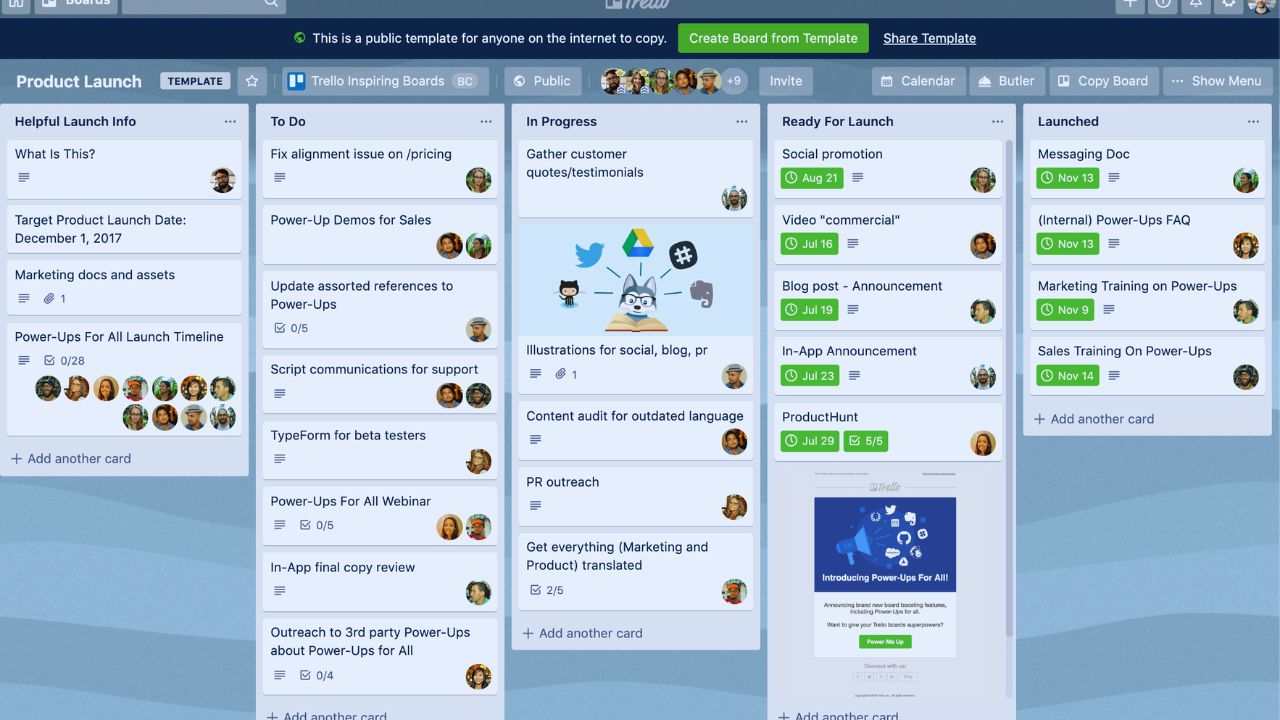
Trello begins with a board, lists, and cards, so the workflow is easy to see.
A writer might use “Ideas,” “This Week,” “Waiting,” and “Sent” without fields. Its Inbox holds an email reminder or rough thought until you can sort it, while Planner places cards beside a calendar.
That makes quick capture and visual progress useful for work with clear, repeatable stages.
ClickUp Earns Its Complexity When Tasks Carry More Weight
ClickUp suits projects with moving parts that must stay connected.
A web designer can track discovery calls, revisions, assets, approvals, and delivery under one client structure.
Dependencies, subtasks, custom fields, and views help when work cannot start until another task is complete. But they need a deliberate setup; without it, interface noise can make a simple project feel harder than it is.
Set Up the First Version in One Afternoon
A solo workspace does not need a company-style hierarchy. In Trello, make one board for active work and one list for requests you have not accepted.
In ClickUp, start with one Space and a few Lists: clients, internal work, and personal admin.
Avoid ten dashboards or a complex template before you have entered real tasks for days. You will learn more from ordinary use than an immaculate setup.
Give Every New Request One Landing Place
Ideas are rarely polite enough to arrive during planning time.
Trello’s Inbox collects to-dos, thoughts, and messages before they are organized; ClickUp can capture tasks from mobile, desktop, and browser views.
Choose one landing place, then review it at the same time every day. A trusted inbox is more valuable than five clever automations running on work you never captured.
Time Tracking Is Often the Deciding Feature for Freelancers
If you invoice by the hour, estimate projects, or want to understand why a task took longer, ClickUp deserves a serious look.
Its native time tracking lets users run a timer or enter time manually, with limits and advanced tools varying by plan.
Trello keeps its board lighter and uses Power-Ups or an external tracker for that job. The question is whether time evidence shapes how you price and review work.
Use Reporting Only When It Changes a Decision
A consultant may need weekly client records, while a novelist may only need a rough sense of time spent.
ClickUp can hold richer reporting, but not every task needs five custom fields and a dashboard.
Trello can be calmer when a weekly board review already shows what was finished, delayed, or waiting. Start with the smallest useful measure and add more structure only when it changes an invoice or deadline.
Free Plans Let You Test Habits Before You Buy Capacity
Trello’s free plan allows up to ten open boards, unlimited cards, Inbox, 10 MB attachments, and a monthly automation cap.
It can cover solo planning when larger files stay in a cloud drive. ClickUp’s Free Forever plan is aimed at personal use and provides unlimited tasks, although dashboards and time tracking have usage limits.
Treat those boundaries as a reason to inspect the work you repeat, not as pressure to pay for features you may not use.
Also Read: WordPress.com vs Squarespace: Which Service Offers Better Flexibility?
Upgrade Only When a Familiar Routine Is Being Held Back
Move up in Trello when more boards, larger attachments, advanced Planner access, or more automation are blocking work you already do.
Choose a higher ClickUp tier when storage, unlimited time tracking, deeper automations, or project views replace manual steps each week.
A paid plan should remove an existing bottleneck, not hand you more settings to ignore.
Mobile Use Needs a Real Test, Not a Promise on a Plan Page
Both apps help with capture, quick updates, and checking what matters next, but a phone is a poor place to rebuild a dense workspace.
ClickUp offers Offline Mode for tasks, reminders, and notes, although mobile actions are not identical without a connection.
Trello’s board view is easy to scan on small screens, especially for a simple pipeline. Test your travel routine rather than trusting a feature label.
Notice What Happens on a Busy Tuesday
Give each platform one real week: capture incoming work, plan tomorrow, complete a deliverable, and review what slipped.
Do not judge it by how polished the template looks on day one. Watch for moments when you avoid the app because it feels slow, confusing, or overly detailed.
Those moments reveal the real learning cost better than a comparison chart.
Decide After a Small, Honest Trial
Move an active client project, content cycle, or personal deadline into each tool without building a second system beside it.
Pay attention to what you remember to update, what you search for, and what still ends up in a notebook. These checks make the choice concrete:
- Can you capture new work in under a minute?
- Can you see today’s real priority quickly?
- Can you review a project without extra admin?
Choose the Tool That Matches Your Attention, Not Your Ambition
Trello may suit a solo worker who needs a visible, low-maintenance board and fast capture before ideas disappear.
ClickUp may fit someone managing multi-step client work, estimates, tracked hours, and repeatable processes that need more structure.
Neither will make a messy workload disappear, and both need a short weekly review. Pick the one that keeps current work visible, lets you close small open loops, and still feels usable when the day is already full.