A new site often looks straightforward on day one: choose a template, add a few pages, publish.
The harder part arrives later, when a newsletter needs a better signup flow, a service business wants a booking connection, or a growing blog needs cleaner structure.
WordPress.com vs Squarespace is a choice between editing comfort and the freedom to change without rebuilding.
Decide From the Work You Expect After Launch, Not From the Homepage Demo
A restaurant has different needs from a publisher adding articles daily or a store with regional shipping rules.
Write down likely changes: who will update it, which systems it needs, and what visitors need to do.
That reveals whether a simple editor will stay useful or whether future requirements are already pushing beyond it.
Squarespace Keeps the First Version Calm
Squarespace works well for a polished layout and contained design choices. Its editor guides spacing, styles, sections, and page construction, making an uneven site harder to create.
A photographer, restaurant, coach, or small studio may appreciate that restraint because the site stays consistent without daily tuning.
The tradeoff is curated control, which brings fewer escape routes when a requirement does not match the built-in approach.
WordPress.com Leaves More Doors Open
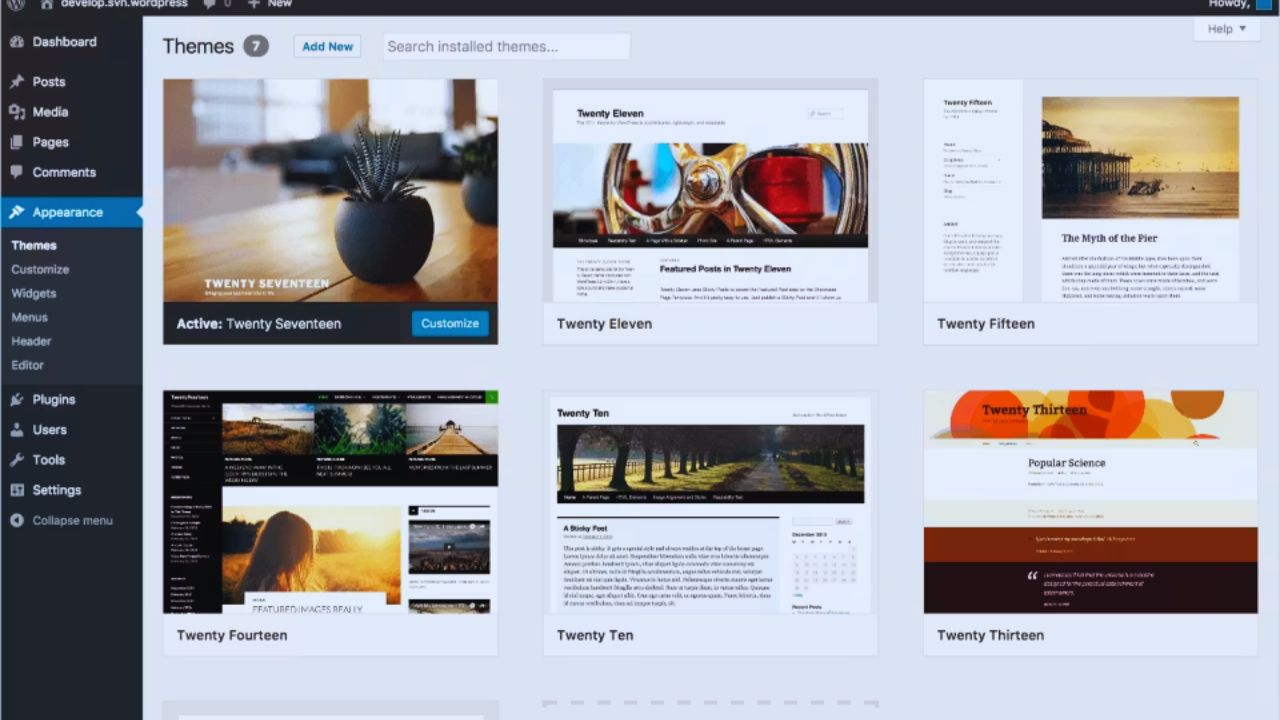
WordPress.com remains managed hosting, but paid plans allow plugin installation, custom themes, and several forms of custom code.
That makes it adaptable for a content program, membership, multilingual expansion, or a specialist integration.
More choice also means more decisions: add-ons can overlap, themes introduce learning curves, and editors may need guidance. The benefit is a broader toolkit; the cost is more responsibility for choices.
A Content Routine Usually Exposes the Better Fit Quickly
The real fit appears after someone has published several articles, updated service pages, and handed work to another editor.
Squarespace can be comfortable for a fixed collection of pages and a visual brand because its navigation and style controls stay predictable.
WordPress.com becomes more attractive when publishing includes repeating formats, categories, author roles, custom fields, or varied templates.
The distinction is not which system can publish a post; it is which one makes repeated publishing feel less improvised.
Do Not Confuse a Page Builder With a Content Model
A polished landing page does not guarantee that a site will stay organized after fifty articles or two hundred products.
Sketch the items you expect to manage: posts, locations, courses, products, events, resources, team members, or testimonials.
Squarespace handles common content types neatly, while WordPress.com offers more ways to extend structure through themes and plugins. Map the real material first, because content structure shapes editing time more than a homepage preview.
The Gap Becomes Clear When a Needed Feature Does Not Fit the Default
Squarespace supports extensions, custom CSS, code blocks, and code injection for certain changes.
They do not equal a full plugin ecosystem or a backend reshaped for a new workflow.
WordPress.com gives paid users a wider path to specialist functions, but each addition should have a reason and an owner.
A site becomes fragile when custom fixes pile up faster than documented maintenance.
Plugins and Code Should Solve a Specific Problem
Do not choose WordPress.com just because it can accept more add-ons.
A plugin is worthwhile when it replaces manual work, meets a compliance need, or connects a service. Check the provider’s update history, documentation, privacy terms, and compatibility before installation.
On Squarespace, test an extension or code change on a duplicate site when possible, since small customizations can create large troubleshooting questions.
Also Read: Notion vs Evernote: Real-World Comparison After Daily Use
Selling Online Changes the Conversation
A small shop with a focused catalog may prefer Squarespace’s built-in commerce tools, where products, shipping settings, customer emails, and supported payment processors sit close together.
That can keep daily operations manageable for a small seller. WordPress.com offers more commerce routes through plugins and gateways, useful when the store needs subscriptions, wholesale rules, complex taxes, or a particular checkout flow.
The choice is between a guided store setup and a store that can be extended as requirements multiply.
Moving Later Is Possible, but It Is Not a Clean Copy-and-Paste Job
Both services provide ways to export content, but a move rarely carries every style choice, template behavior, product setting, form, and integration into the next platform.
Squarespace notes that exports are limited, while WordPress sites can be moved to or from WordPress.com.
Treat portability as a planning issue before publishing years of content. Keep original images organized and document critical integrations. That preserves usable content and reduces migration shock if the platform stops fitting.
Give Editors Enough Access Without Handing Over Everything
A site gets messy when every person has owner-level access or no one can fix a typo without asking the owner.
Squarespace offers contributor roles that separate content work from broader design changes. WordPress.com can also support multiple users with different responsibilities, and plugins may add their own permissions.
Decide who edits copy, who changes layouts, who manages commerce, and who approves integrations. Clear roles create safer updates while keeping routine publishing from stalling.
Test the Awkward Task Before You Commit
A trial should include the change most likely to test the platform: publishing a long article, creating a product variation, adding a booking connection, or asking another person to update a page. Use realistic text and images rather than placeholders.
Pay attention to unclear moments, because that is where a future owner will lose time. These trial tasks show whether the editor matches your routine:
- Can an editor publish a change without breaking the layout?
- Can the site support one likely integration without a workaround?
- Can you find the settings for a routine update?
Pick the Platform That Leaves You With a Maintainable Tuesday
Squarespace may suit a design-led site that needs to launch cleanly, stay visually consistent, and avoid a long list of technical choices.
WordPress.com may fit a site whose content, integrations, or revenue model are likely to change, provided someone can manage that added freedom.
Neither platform makes strategy, writing, or site ownership disappear. Choose the one that supports your normal editing day, protects the next likely change, and does not ask you to rebuild when the business grows beyond its first version.