Notion review begins with lost work: a decision buried in chat, a brief copied into three places, or an untrusted task list.
Notion brings notes, project records, references, and databases into one shared workspace.
That can calm recurring work for teams. It can also become an open-ended system requiring more design effort than a simple task tool.
The First Benefit Is Keeping Related Work Close Together
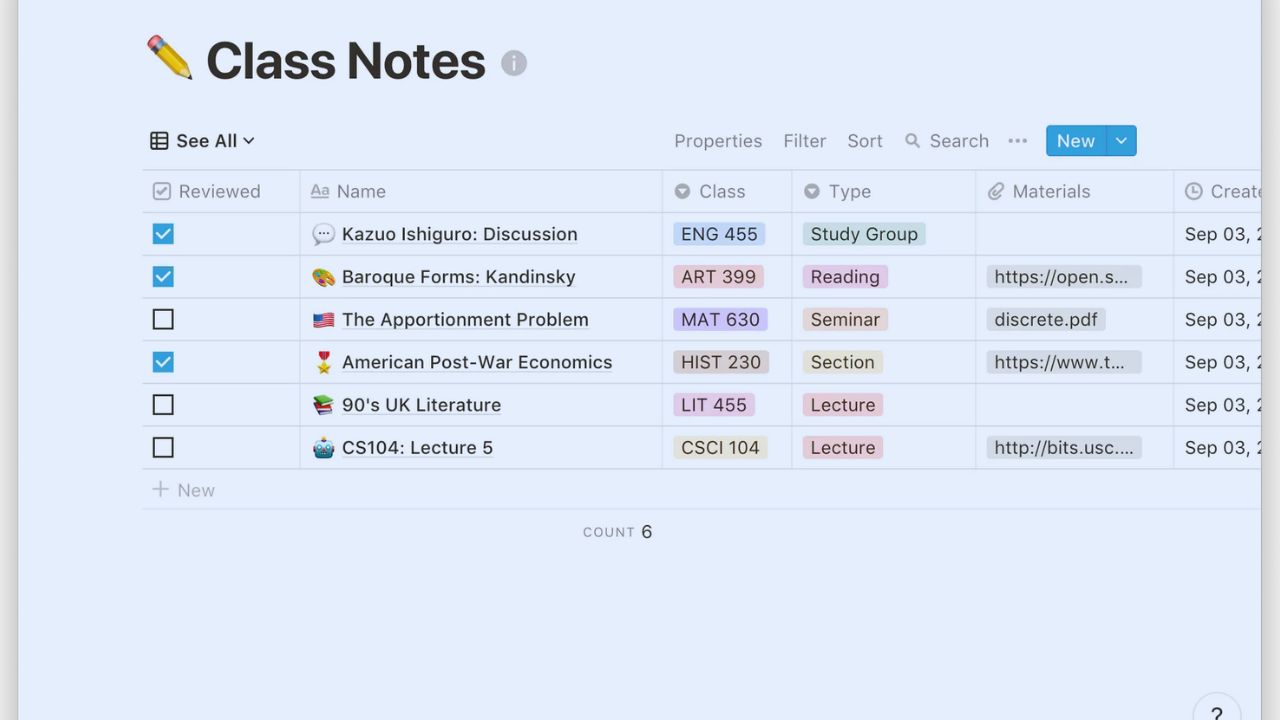
Notion works when a project has several parts that live apart. A freelance designer can keep briefs, notes, draft links, approvals, and next steps together instead of searching email, folders, and trackers.
An operations team can place a procedure beside the exceptions that expose its gaps. Its value is working context, not decoration: information stays near the person who must act.
During a reliable handoff, the next person sees history rather than beginning with a question.
A Client Hub Shows Both the Usefulness and the Limit
A client hub can begin as one page for contact details, deliverables, notes, and source links.
A related database can later track deadlines, owners, status, and recurring requests. Every entry can open into a full page, so a short list does not lose important detail.
The risk is a private universe for every client, with different labels and hidden rules. Keep shared fields consistent and use plain page titles so a teammate understands the work without a tour.
The Blank Canvas Needs Boundaries Before It Becomes Helpful
Notion does not insist on a fixed structure, which appeals to people frustrated by rigid tools.
Better results come from deciding what belongs in the workspace, what stays elsewhere, and who owns each area.
A project page may be enough for a launch; a database is useful when work needs owners, dates, statuses, or filtered views. That restraint protects daily usability and stops template-driven clutter becoming the new problem.
Templates Should Save a Choice, Not Create Ten More
Notion’s template gallery can start a reading list, project plan, knowledge base, or editorial calendar without an empty page.
It fails when someone imports an elaborate dashboard and studies properties they never use. Pick a template for one repeated job, then remove fields, views, and sections that do not affect a decision.
An editorial calendar may need a title, owner, stage, and publication date, not every field in another creator’s setup. The right template creates a usable first draft, not a complicated identity.
Databases Need an Everyday Reason to Exist
A Notion database is a collection of pages shown as a table, board, calendar, timeline, list, or another view.
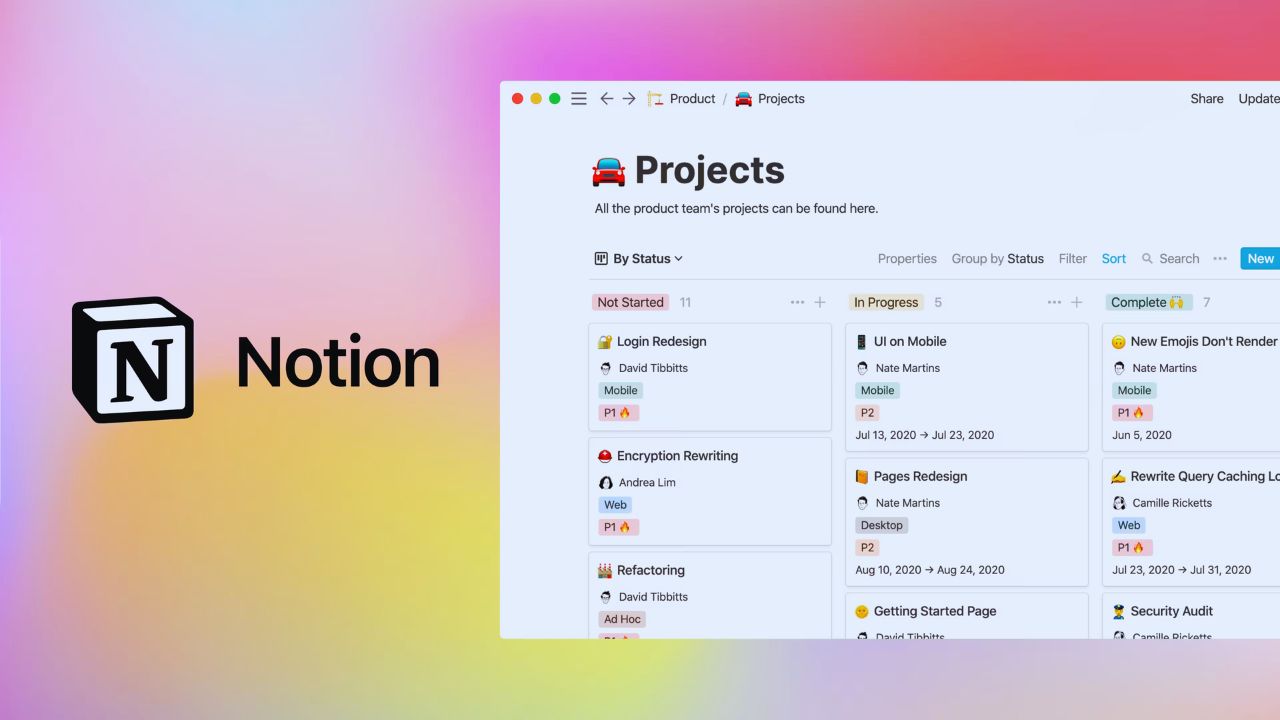
That helps when one group needs different views: a content lead needs a calendar, a writer sees drafts, and a manager checks approvals.
It is less helpful when a simple note becomes a database because the option exists.
Every property should answer a question: who owns the task, when is it due, or what is blocking progress? Fewer fields mean cleaner updates and more trustworthy filters.
Let Each View Answer a Different Question
A filtered “This Week” list can focus a team, a board can show approval stages, and a gallery can hold visual references.
Five similar layouts make people wonder which one is current. Name each view after its purpose, such as “Waiting for Client” or “Drafts Due Friday.”
That gives navigation a purpose while keeping one source record behind each layout.
Collaboration Works When Final Decisions Return to the Page
Comments, mentions, sharing, and database permissions keep feedback close to the material being discussed.
An editor can comment on a paragraph, a project lead can assign a follow-up, and a new hire can read prior decisions without hunting old emails.
A call or chat may produce the decision, but the final answer needs to be written where future work can find it. This makes shared documentation more useful than endless conversation, particularly for remote teams across different hours.
Mobile Is Better for Capture Than Workspace Administration
Notion’s mobile apps can read, edit, and comment on pages, and selected pages can be downloaded for offline use.
A phone is useful for a site note, checklist, or comment away from a desk. It is less comfortable for rebuilding a wide database, changing permissions, or sorting a complex wiki.
Build a short capture page for mobile use, then reserve larger reorganizations for a laptop. Treat quick updates and workspace administration as different work.
Also Read: Notion vs Confluence: Which Service Is Better for Specific Use Cases?
Notion Can Become Heavy When Every Process Is Forced Into It
The platform can centralize a surprising amount, but it does not need to become the system of record for every function.
A support desk, accounting team, or engineering group may need specialist software with deeper controls. Notion can hold the brief, playbook, decision log, or project overview beside those systems.
Using it as a connector for context is often wiser than rebuilding every process in a database. The goal is useful boundaries and reliable handoffs, not an all-in-one promise that adds manual maintenance.
Imports Need a Cleanup Plan Before They Create a Second Archive
Notion supports importing from tools such as Trello and Evernote, which can preserve useful material during a move.
Imported content rarely arrives as a finished system; old labels, duplicate pages, and inactive boards can travel into the workspace.
Decide what to migrate, what to archive outside active work, and which records need an owner. A project should not search two tools forever because the move stopped halfway. This protects current information and avoids historical clutter masquerading as knowledge.
Test One Routine Before Building a Digital Headquarters
A small pilot is more revealing than a polished dashboard.
Use a normal client project, a week of course notes, or an active content cycle, then see whether people can capture information, find it later, and hand work to someone else without an explanation.
Use these working checks to test real adoption:
- Can the team find the current decision quickly?
- Does every active area have a clear owner?
- Which page or field creates the most extra work?
The Best Setup Is the One People Return to Without Being Reminded
Notion can be a strong home for connected notes, adaptable project tracking, shared reference material, and lightweight databases.
It may be less suitable for someone needing a fixed checklist, strict ticketing, or a tool that makes every design choice. Start with work that causes searching, copying, or confused handoffs, then expand only when the first setup stays current.
A workspace earns trust when the answer is findable, the next step is clear, and people can use it on a busy day without asking where everything belongs.