
A client email can be typo-free yet create trouble: a request is buried, the tone sounds impatient, or an update becomes firmer than the evidence.
Is Grammarly worth it depends on how often that delays work. People sending proposals, applications, client messages, or web copy each week may value a more careful first pass.
It cannot know what a customer was promised, what a lecturer permits, or which detail must remain unchanged.
Start With the Drafts That Actually Come Back
Do not judge Grammarly by pasting a polished paragraph into the editor and counting suggestions.
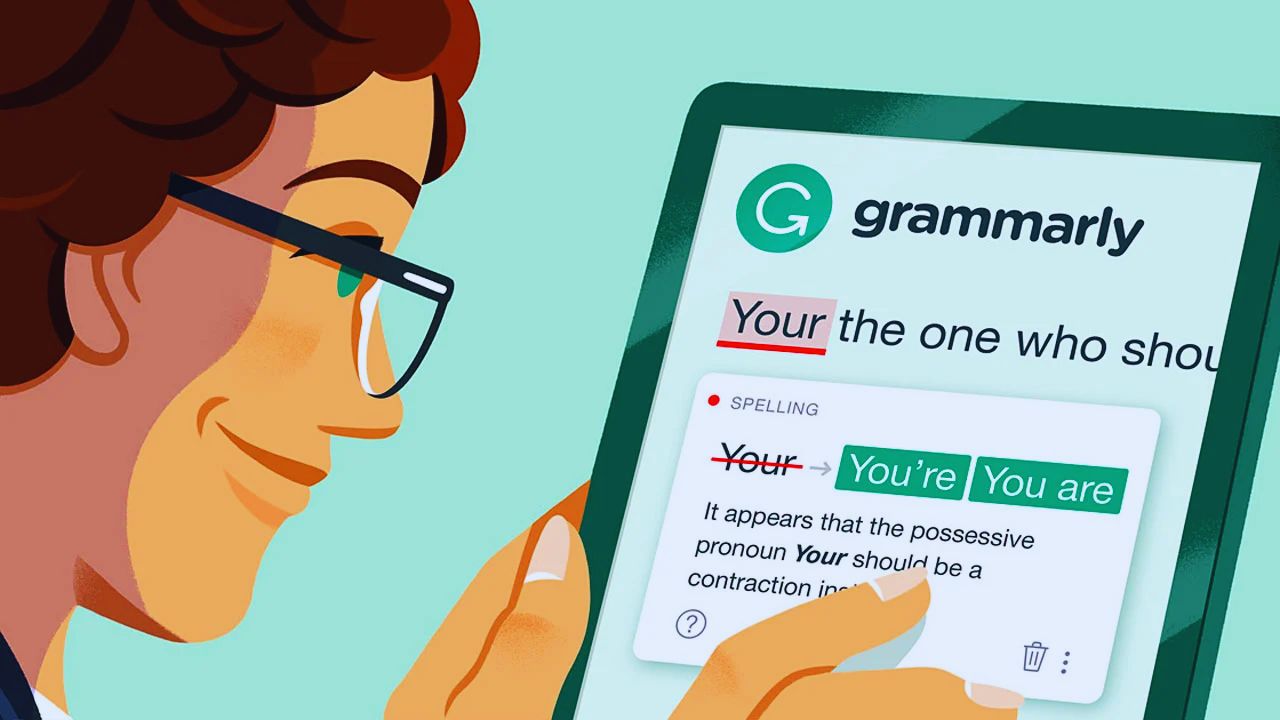
Use it on drafts that return with comments: a clear support reply, a manager update with the conclusion first, or a page an editor keeps tightening.
Notice whether it catches repeated blind spots or only adds another layer of clicking. A tool earns its place when it improves a real working draft, not a tidy test.
Watch for Habits, Not Only Red Underlines
Patterns matter more than a misspelled word. You may begin too many sentences with “I think,” use long openings before the request, or switch between US and UK spelling in one report.
Grammarly can expose those habits by explaining why a sentence feels unclear or indirect.
Do not accept every change; a familiar client may need an informal sentence, while a technical term may be more accurate. The point is better awareness, not a standardized voice.
Free Covers the Basic Safety Net
For many writers, the free plan covers basic needs: spelling, grammar, punctuation, and a broad read on tone.
That can be enough for job applications, routine emails, captions, short reports, and school messages.
It is a sensible start for new users. The free version need not solve every weakness; it should make the final read more deliberate without turning every sentence into a small negotiation.
Pro Becomes Useful When Revision Is Part of the Job
The paid plan adds full-sentence rewrites, tone adjustments, generative help, and paid checks for plagiarism and potential AI text.
Grammarly lists Pro at $30 per month, $60 per quarter, or $144 per year, so annual billing should follow a trial.
Consultants, marketers, and students preparing long papers may use those tools often. Ask whether editing time is a recurring cost and whether Pro removes a specific delay.
Choose the Job Before Choosing the Plan
Name the task: turn notes into an update, shorten a proposal, or check drafts before publication. For a two-week test, note revision time and recurring comments.
That evidence says more than a feature comparison. A subscription should improve existing work, not create extra editing rituals.
The Best Rewrite Is Sometimes the One You Reject
A rewrite can soften an apology, shorten an update, or offer a gentler request. It works when the writer supplies the audience, outcome, and details that must stay.
“Make this direct for a customer waiting on an answer” gives the tool a job; “make this better” does not.
Compare the result against the original: a smooth sentence can remove a condition, replace a necessary term, or turn uncertainty into confidence. Tone is contextual, and meaning comes first.
Use Generative Help to Create Options, Not Authority
AI prompts can propose subject lines, outline a section, expand a rough idea, or offer alternate explanations.
They should not decide a medical claim, summarize a contract without review, or invent evidence for a specialist subject.
Give the tool verified facts, then treat each result as work needing human scrutiny. The reliable use is draft momentum with fact checking in the writer’s hands.
A Plagiarism or AI Result Needs a Closer Look
Grammarly’s paid checks can identify passages matching published material and flag text that may resemble AI-generated writing.
Neither result settles what happened. A match may be a quotation, cited definition, standard legal phrase, or terminology that cannot change; an AI flag is a prompt to inspect, not proof of authorship.
Read the source, surrounding sentence, and revision history first. These tools work as review signals, not automatic verdicts.
Also Read: Slack What Real Users Will Notice First
Academic Rules Are Local, Not Universal
One instructor may allow grammar feedback but restrict rewriting, brainstorming, or generated outlines.
Another may allow those features but ask students to disclose them. Check course instructions before using help beyond proofreading, then keep source and revision notes.
This protects academic integrity and ownership of the work when requirements vary between classes.
Teams Need Clear Language Before More Suggestions
A shared account can help teams keep product names, spelling choices, escalation language, and customer tone aligned.
It helps when support, sales, marketing, and recruiting write about the same service under different pressures. Software cannot create a credible brand voice before the organization decides what it wants to sound like.
Write down approved terms, examples that work, and cases where a person must override a suggestion. That gives Grammarly a real source of truth instead of asking it to manufacture consistency from guesswork.
Privacy Has to Be Set Before Rollout
Before connecting a writing assistant to company tools, decide what content may be entered, who administers access, and what happens to permissions when someone leaves.
Passwords, account numbers, health details, unpublished results, client records, and legal advice are not ordinary rewrite material.
Review connected apps and state when a draft needs a human editor. These choices set clear data boundaries and keep convenience from becoming exposure.
Run a Trial on Ordinary Work, Not a Demo Paragraph
A two-week test should include work people send: a difficult email, report section, public page, and draft that receives human feedback.
Track accepted suggestions, rejected changes, revision time, and whether the message became clearer.
Discuss results with the people who read the work, not only those who write it. Use these practical questions to keep the evaluation tied to day-to-day communication:
- Did it catch errors you would otherwise miss?
- Did rewrites preserve the intended meaning?
- Were paid tools used enough to justify the price?
Pay for Less Rework, Not a More Impressive Dashboard
Grammarly can be worth paying for when writing is frequent, revision is expensive, and advanced tools reduce a known bottleneck.
It cannot replace research, policy awareness, subject expertise, or a thoughtful editor, especially when the document may directly affect a customer decision, a legal obligation, a grade, or a professional relationship.
Begin with the free version, use it during a normal workload, and upgrade only when paid tools improve the work you send rather than merely changing how polished it looks. That is a stronger reason to subscribe than any promise that software can make writing automatically trustworthy.












