
The question behind a Loom subscription is rarely whether a team can record a screen. It is whether short video updates are now part of daily communication rather than an occasional convenience.
The free plan can handle a quick explanation, a feedback clip, or a short walkthrough, while paid plans remove limits that interrupt a video library.
This review looks at where the free version remains practical, where an upgrade begins to remove real friction, and which features deserve scrutiny before adding seats.

The Free Plan Is More Useful Than It First Appears
Loom Starter includes up to 25 recordings per person, a five-minute limit for screen recordings, video quality up to 720p, captions and transcriptions in 50+ languages.
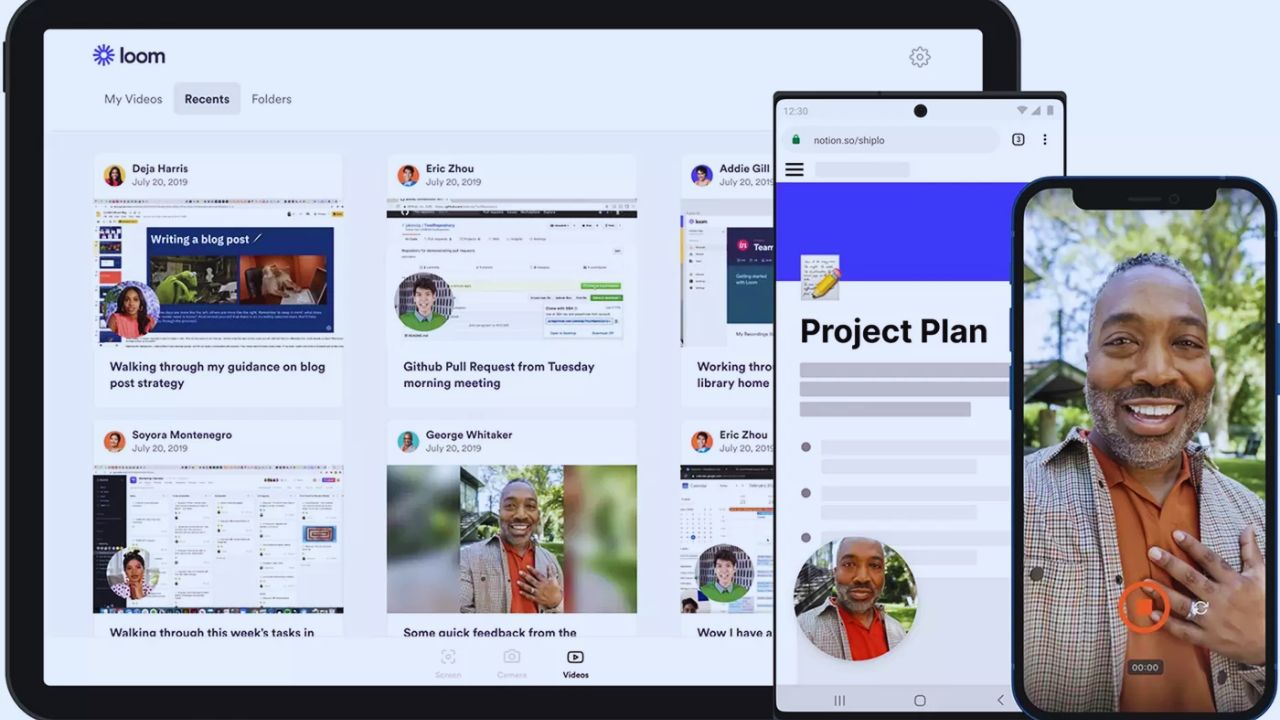
Meeting recordings can run longer, which helps with meeting notes despite the screen-recording cap.
A small team can use it to send product feedback, record a handoff, or explain a minor bug without another written update.
The constraint appears when clips become an ongoing library, not disposable messages. That distinction matters because a short response can remain useful for months when one new teammate needs the same explanation.
Five Minutes Is Enough for a Point, Not Always a Process
Five minutes suit a manager’s status update or a designer showing one change. It becomes awkward for multi-step fixes, full training, or tailored account reviews.
Splitting a lesson into several clips is possible, but viewers must follow several links.
That creates viewer friction and weakens the single-source explanation that asynchronous video is meant to provide.
The Recording Cap Creates a Quiet Maintenance Job
Twenty-five recordings per person can feel generous in a trial. It tightens when onboarding, answers, demos, how-tos, and recaps share one library.
Someone must decide which videos to delete, archive, or recreate. That cleanup is manageable for light use, but it becomes unnecessary administration once videos support repeatable work.
Paid Plans Matter Most When Re-Recording Starts to Cost Time
Business removes recording and screen-time caps, adds up-to-4K video, uploads, downloads, editing, blur, thumbnails, recording dimensions, and branding.
The public page lists Business at $18 per paid user monthly; confirm billing settings and changes before purchase.
The meaningful upgrade is not unlimited storage alone. It is the ability to make a longer explanation, correct a small mistake, or share a readable screen without planning around limits.
For example, a three-minute code walkthrough may be hard to read at lower resolution, while a customer demonstration may be unsuitable for a public link.
Quality and Privacy Become More Important Outside the Team
A short internal note can survive at 720p, but a demo, spreadsheet walkthrough, or design review may need sharper video so text stays readable.
Paid plans add password protection, workspace privacy choices, and email-gated viewing. Those controls may suit teams sharing material with prospects, clients, or external contractors.
They do not replace a review of what is safe to record, especially when customer information or internal systems appear on screen.
AI Adds Speed Only When the Video Was Worth Watching First
Loom’s AI can create titles, summaries, chapters, tasks, notes, and recaps; it also removes filler words and silence, with transcript edits on higher tiers.
Auto titles are available more broadly, while summaries and chapters sit on Business + AI and Enterprise. Business + AI is publicly listed at $24 per paid user monthly.
These tools can reduce packaging work, but each summary needs a human check when it includes a decision, deadline, or claim.
The Best AI Use Case Is a Large, Repeated Library
AI becomes more valuable with weekly customer education, support answers, updates, sales follow-ups, or meeting notes.
Chapters can make a longer explanation easier to scan, and transcript editing can save a second take after a small verbal mistake.
The return is less obvious for people who record only a handful of clips each month. Measure minutes saved per video and viewer usefulness, not the number of features that sound impressive.
Do Not Let Cleanup Change What the Speaker Meant
Removing pauses or filler words can make a recording feel more direct. It can also make an uncertain statement sound more definite or cut the pause that showed someone was thinking through an issue.
Review edits before sending customer-facing, legal, financial, or sensitive material. Small corrections should preserve speaker intent and audience context, not create a cleaner version of a message that no longer means the same thing.
Enterprise Is a Governance Decision, Not a “Bigger” Recorder
Enterprise adds SSO, SCIM, advanced privacy, account transfer, management, reporting, retention policies, and a 99.95% uptime SLA.
This is less about appearance and more about record management: who can create, access, retain, or remove clips. A large organization may need governance controls for procurement, offboarding, audits, or Atlassian.
Smaller groups should not pay for Enterprise merely because they expect to record more videos. Retention prevents stale videos circulating.
Also Read: Grammarly Is This Tool Still Worth It This Year?
Seat Design Affects the Bill More Than Viewer Count
Loom pricing depends on paid Creator and Admin roles, while lighter workspace participation can be structured differently.
That makes role design part of the budget. A company can identify who records and manages material, then avoid paid creation rights for people who only watch or comment.
Review role assignment and library ownership before adding a large group, especially when one person’s videos must remain accessible after they leave.
Use a Real Workflow to Decide, Not a Feature Comparison Chart
The right test is a normal week of actual work. Ask a specialist to record a troubleshooting response, a manager to explain a decision, or a trainer to create onboarding material.
Compare time to record, revise, find, share, and review the clip. See whether free limits caused delay or simply encouraged concise messages.
That gives a clearer picture of workflow value from a normal week than plan rows.
Check These Signals Before You Upgrade
A short decision check keeps the conversation tied to real usage:
- Are five-minute recordings forcing unhelpful splits?
- Is the 25-video library creating repeated cleanup work?
- Do external videos need stronger quality or control?
Conclusion: Upgrade When Video Becomes Reusable Work
Starter is credible for occasional updates, short explanations, and a small team learning whether asynchronous video fits its habits.
Business becomes easier to justify when recordings need to be longer, clearer, branded, editable, or useful outside the workspace. Business + AI earns its extra cost when recurring material makes summaries, chapters, and transcript edits save measurable review time.
Before choosing a plan, test one ordinary workflow and decide whether a Loom subscription improves the handoff, not merely the recording.












