In day-to-day work, cloud storage reliability decides whether files open fast, sync correctly, and stay recoverable months later. Google Drive vs OneDrive usually comes down to ecosystem fit, pricing over time, and how each platform handles sync, search, and recovery under stress.
For personal use, Google’s generous free tier and strong search win quick fans. For teams anchored in Microsoft 365, OneDrive’s tight desktop integration and admin controls keep operations tidy.
Across typical setups, both services deliver high availability backed by enterprise SLAs and multilayer security. Practical guidance below focuses on long term reliability rather than short-term perks.
OneDrive Vs Google Drive at a Glance
Choosing quickly gets easier when the fundamentals sit side-by-side. Use this snapshot to frame deeper decisions later.
| Area | OneDrive | Google Drive |
| Free Storage | 5 GB for personal accounts | 15 GB for personal accounts |
| Consumer Upgrades | 100 GB Basic; 1 TB with Microsoft 365 Personal; Family plan up to 6 TB total | 100 GB Basic; 2 TB Premium; AI Pro includes Gemini features with 2 TB |
| Business Entry Plans | Microsoft 365 Business Basic: $6/user/month, 1 TB per user | Google Workspace Business Starter: typically $6–7/user/month, 30 GB pooled per user |
| Sync Mechanics | OneDrive block level sync for fast deltas on supported file types | Full-file sync for most non-native files; Drive files are cloud-native |
| AI Assistants | Copilot summaries, smart search assists | Gemini summaries, analysis across files |
Pricing and Storage That Age Well
Long-term budgets benefit from predictable tiers and clear growth paths. Google’s consumer tiers remain simple: 15 GB free, 100 GB entry, and 2 TB at a widely seen $9.99 per month.
An AI Pro plan adds Gemini features while keeping 2 TB. Microsoft offers 5 GB free, a 100 GB Basic tier, and 1 TB bundled with Microsoft 365 Personal; families can pool up to 6 TB across six users.
Business Models
Business models tilt toward Microsoft on storage per dollar at entry. Microsoft 365 Business Basic includes 1 TB per user at $6 per seat per month (annual).
Google Workspace Business Starter typically includes 30 GB pooled per user around $6–7 per seat per month, while higher tiers raise pooled storage to 2 TB and 5 TB. Planning multi-year contracts should also factor in announced 2026 price changes on Microsoft commercial plans.
Unified Storage Policy
Unified storage policy matters for Outlook users. Microsoft now counts Outlook.com attachments against the same cloud storage that OneDrive uses, which means exceeding the OneDrive quota can disrupt email sending and receiving even if mailbox space remains.
Cleanup rules and attachment offloading policies help avoid surprises.
If Business cloud storage pricing is the deciding factor at entry, Microsoft usually supplies more storage per dollar for teams, while Google provides more free personal space and a straightforward 2 TB tier for individuals.
Sync Performance and Search In Daily Use
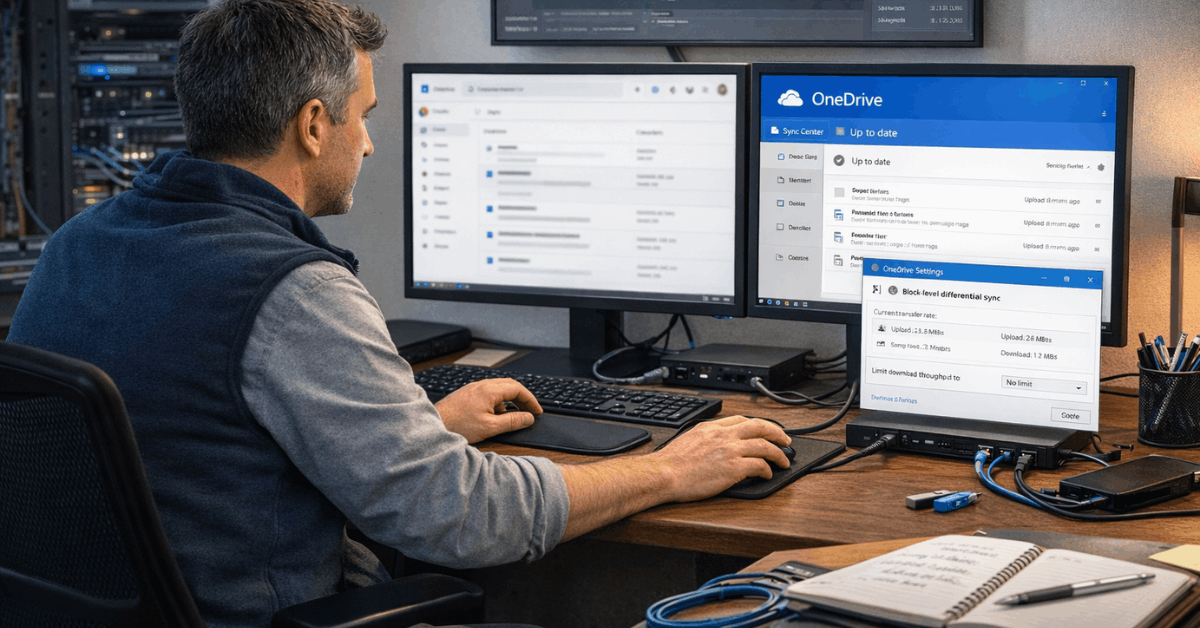
Fast, resilient sync prevents version conflicts and stalls on network hiccups. OneDrive employs differential transfers on supported formats, commonly labeled OneDrive block level sync, to upload only changed blocks rather than entire files.
Large Office documents update noticeably faster under this model. Google’s desktop client typically re-uploads more of the file for non-native formats, while Docs, Sheets, and Slides avoid local churn because editing stays cloud-native.
Finding Your Files
Finding the right file seconds faster compounds across a year. Google pairs Drive with Google Drive advanced search operators such as owner, to, from, and type, plus auto-suggest as you type and content matching inside documents.
OneDrive search has improved and can leverage AI-tagged photos, yet its operator depth remains thinner; toggles for type and date filters help, though power users still report hopping to filenames or folder paths more often.
Integrations and Ecosystems That Reduce Friction
Microsoft 365 integration makes OneDrive feel native on Windows devices, Teams, SharePoint, and Office desktop apps. Permissions, sharing, and presence indicators stay consistent from Explorer to Word.
Google Drive ties neatly into Gmail, Calendar, and Meet, and scales reach through the Google Workspace Marketplace, which lists hundreds of vetted add-ons across project management, e-signature, diagramming, analytics, and AI. Third-party breadth still favors Google’s marketplace model for mainstream SaaS coverage, while Microsoft’s strength shows inside its own suite.
Automation sits parity-wise through popular orchestration tools that connect either storage to thousands of apps. Many teams wire attachment capture, approvals, or archive pipelines without writing code.
Security, Privacy, and Compliance Fundamentals
Both platforms encrypt data at rest and in transit, enforce tenant-level security controls, and support multi-factor authentication.
OneDrive personal adds a Personal Vault that layers step-up authentication and local BitLocker protection for synced vault files. Google Workspace supports client-side encryption for selected content, allowing organizations to hold keys and limit provider access.
Neither platform defaults to Zero knowledge encryption for all content. Privacy-maximizing workflows that require provider-agnostic secrecy often add client-side tools to pre-encrypt sensitive folders before upload.
Protection Against Attacks
Resilience against attacks matters as much as prevention. OneDrive includes Ransomware recovery and Files Restore that roll an entire library back up to 30 days after malware, corruption, or bulk deletions.
Google Drive maintains version history; non-Google file types typically keep up to 100 versions or 30 days by default, while named versions can be preserved longer. Labeling key milestones ensures important versions do not age out.
Reliability Over The Long Haul
Enterprise SLAs underpin everyday uptime. Google Workspace and Microsoft 365 both publish 99.9 percent monthly uptime commitments with service credits, and both have historically operated above that bar across core services.
For long-term planning, the practical difference emerges in how each stack integrates into daily tooling and how quickly teams can work around incidents.
Version History and Bulk Restores
Version history and bulk restore shape reliability after mistakes. OneDrive’s tenant-wide restore window helps undo mass sync mishaps or ransomware waves without hunting per-file.
Google’s granular file history works well for collaborative drafting and layered editing, especially when teams formalize naming conventions for “keep forever” versions.
Neither model substitutes for a true off-platform backup when regulatory retention or disaster recovery objectives require independent copies.
Exit Strategy
Exit strategy protects long-term optionality. Both ecosystems support robust export: Google Takeout and Workspace admin tools on one side; OneDrive plus SharePoint content export and third-party tools on the other.
Mature programs periodically test restores and exports to verify data portability remains intact after policy changes.
Decision Scenarios That Map To Real Workflows
Short intros help narrow choices quickly; use these crisp scenarios to steer selection.
- Personal library and photos at consumer scale: pick Google’s 15 GB free tier and 2 TB plan for clean growth, then add AI Pro only if Gemini features deliver clear value.
- Microsoft 365 desktops, Teams, and SharePoint already in daily use: standardize on OneDrive for consistent permissions, desktop shell integration, and centralized admin.
- Heavy real-time co-editing in Docs/Sheets across mixed devices: keep Drive at the center, and connect non-Google tools through marketplace add-ons.
- CAD, media, and large Office files that change frequently: favor OneDrive’s differential model to reduce sync time and bandwidth.
- Email attachments at Outlook.com scale: monitor unified storage so OneDrive quotas never block mail flow.
Setup Tips For Migration Or Hybrid Use
Cross-platform reality often wins. Many organizations keep Drive for collaborative drafting while using OneDrive for Windows-centric storage, archives, or departmental shares.
When moving data, migrate phase-wise, preserve permissions and timestamps, and lock down sharing temporarily to prevent drift. Pilot two or three teams first, then codify folder conventions, version naming, and sharing defaults so structures survive growth.
Bottom Line
For Long term reliability, pick the ecosystem that matches everyday tools and governance. Google Drive wins for individuals and teams that value powerful search, simple consumer pricing, and marketplace breadth.
OneDrive wins for Microsoft-centric organizations that rely on Windows shell integration, SharePoint-backed structure, and fast delta sync on large files.
Either platform can be made highly resilient with sound versioning habits, attachment policies, and an independent backup plan. Treat long-term confidence as the sum of uptime, recovery options, admin discipline, and the clarity of your workflows.