In fast-moving workspaces, every new release comes down to one question: Does it cut friction without creating new frustration?
Notion’s latest cycle answers that in uneven but meaningful ways. The focus keyword appears right up front here because this Notion Review After a Major Update breaks down what changed, what works in practice, and where pain points still show up.
Expect clear takeaways on AI, databases, forms, automations, offline capability, performance, mobile behavior, security, and pricing.
What Changed In Notion 3.0 and 3.1
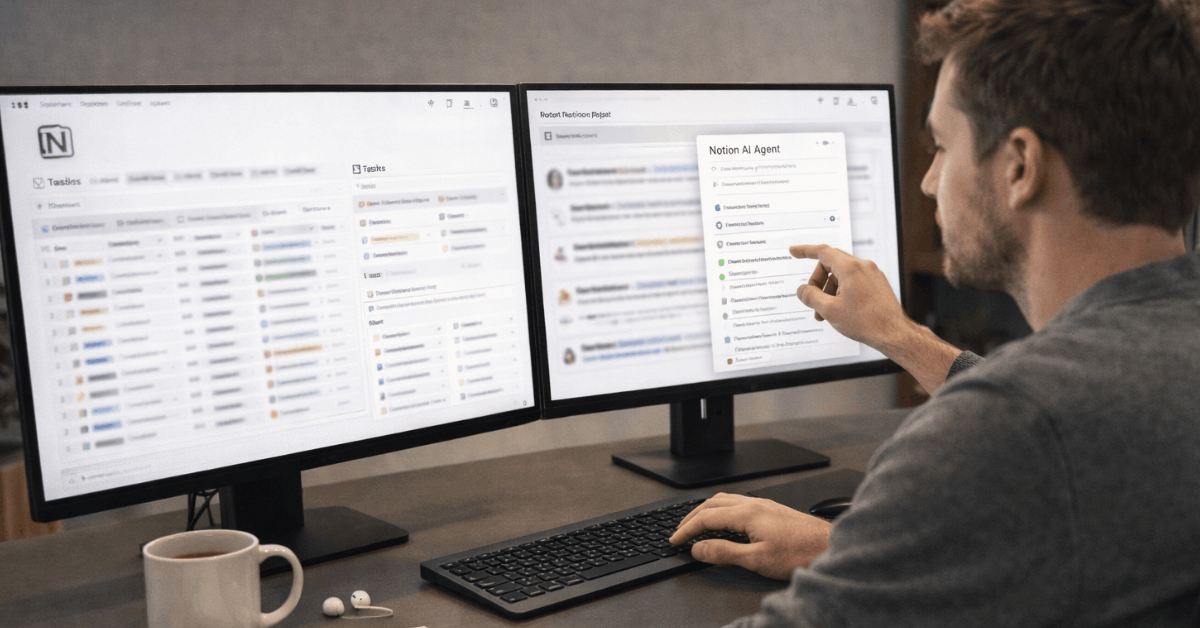
After a long runway of incremental releases, Notion 3.0 reframed the product around an AI-first experience called Agents.
The Agent now runs multi-step actions across pages and databases, taps permissions-aware context from connected tools, and handles tedious cleanup at scale.
A 3.1 follow-on tightened meeting workflows, added a dedicated Meetings home, linked AI Meeting Notes to exact transcript moments, and nudged performance higher. Since databases anchor most setups, the team shipped:
- gentler visuals,
- simplified settings,
- cleaner property menus, and
- conditional colors that now respect formulas,
- relations, and
- rollups.
Feed and Map views joined the lineup to present content like a scrollable blog or a pinboard of locations. Pages reportedly load about 15 percent faster, which helps on desktop, although heavy workspaces still feel weighty during peak navigation.
Because calendar, mail, and connectors sit near daily workflows, Notion Calendar received task sync for dated databases and built-in scheduling, while Notion Mail matured on iOS and expanded AI-powered labeling.
Enterprise search broadened across Gmail, Microsoft services, and other tools, bringing more answers into one place.
AI Agent: Strengths and Gaps
Modern teams win time when repetitive work disappears. The Notion AI 3.0 Agent pushes hard in that direction, yet some edges need smoothing. Quick context, then a compact set of points to weigh.
- Batch updates across databases remove hours of manual edits and reduce drift between pages.
- Actionable context from page comments, version history, calendars, Slack, and CSVs improves summaries and recommendations.
- Meeting notes become traceable through citations that jump to exact transcript moments for verification and handoffs.
- Formula authoring through natural language lowers the barrier for non-technical users, although advanced cases still require review.
- Complex formula editing, occasional misfires, and unfinished surfaces reinforce a sense that AI outpaced a few core polish items.
Database and Interface Upgrades
Visual noise no longer overwhelms new users during setup. Database settings tuck away behind a clear icon, property menus allow quick grouping or insertion, and pinned properties sit neatly under page titles for better scanning. Conditional coloring on formulas enables flexible status dashboards without fragile workarounds.
Feed view turns research or changelogs into scannable cards that invite faster review. Map view pairs a new Place property with practical geocoding, making event planning or field operations straightforward inside the same workspace.
For mobile users, layout changes and simplified menus improve touch interactions, though large tables still push device limits. On tablets, a desktop-like feel with a collapsible sidebar and improved template access makes database pages less cramped during focused work.
Forms, Automations, and Integrations
Teams collecting inputs and routing work gain the most here. Native Notion Forms connect directly to databases, while Notion automations expand triggers and actions. Connectors extend AI context across tools that already hold critical information.
Feature Snapshot:
| Feature | What It Does | Who Benefits |
| Notion Forms | Build internal or public forms tied to database properties | Support desks, research, HR intake |
| Conditional Logic In Forms | Reveal follow-up questions based on answers | Operations, compliance, hiring |
| Notion automations | Run actions on schedules or conditions, send Gmail or Slack notifications | PMs, CS ops, marketing ops |
| AI Connectors | Pull context from Slack, Gmail, Drive, Jira, and more | Cross-functional teams, research-heavy roles |
| Webhooks & API Improvements | Trigger external workflows and create pages from templates | Developers, RevOps, content ops |
Offline Mode Reality Check
After long demand signals, the Notion offline mode finally arrived for desktop and mobile. Pages can be downloaded, edited, and created offline, then synced once connectivity returns. An offline dashboard centralizes management, while Recents and Favorites auto-download on Plus, Business, and Enterprise plans.
Essential blocks function reliably, although not every surface is available yet. Expect a staged path where critical writing and task capture work offline first, followed by broader block parity over time.
For teams operating in low-connectivity regions or frequent travelers, the shift removes a major blocker. Sensible preparation still matters: mark critical pages for offline use in advance and confirm device storage policies for regulated environments.
Performance and Mobile Experience
Performance remains the most common criticism. A 15 percent desktop speed bump shortens navigation and search delays, yet massive databases still feel sluggish during filter changes or property edits.
Notion Mobile App
The Notion mobile app benefits from UI refreshes and improved database handling, though it still resembles a scaled-down desktop window rather than a mobile-first design in heavy views.
iPad improvements help during note-taking and document prep, but phone-size devices can struggle when switching among dense table views, complex boards, and long-page wikis.
Practical mitigation focuses on reducing per-view load. Smaller filtered views, archival databases for legacy items, and lightweight templates cut query weight. Property hygiene also matters; trimming unused relations and rollups makes a noticeable difference.

Security, Admin, and Compliance
Administrators gain more precise control. Row-level permissions restrict access to individual database pages, easing collaboration with clients or contractors without exposing entire tables.
IP allowlists tighten workspace entry, while passkeys add a safer login option than passwords.
EU data residency for Enterprise improves governance, although several services currently sit outside that boundary, so regulated teams should confirm scope before migrating sensitive workloads. Expanded admin consoles bring better visibility across members, teamspaces, and security posture.
Pricing and Plans After AI Changes
Notion pricing shifted meaningfully when unlimited AI usage became part of Business and Enterprise plans. The bundle approach removes separate AI metering and encourages broader adoption of research mode, enterprise search, and AI meeting notes.
Promotions, such as limited-time partner offers, appeared during 2025 and may rotate regionally, so budget planning should confirm current availability rather than relying on past deals.
For smaller teams, Plus remains the practical entry that unlocks offline auto-downloads for Recents and Favorites and keeps database features intact. Enterprise continues to target larger organizations that need advanced permissions, data residency options, and legal hold features.
Who Benefits Most Right Now
Teams already invested in structured databases, linked documentation, and cross-tool search see immediate value. The Notion AI 3.0 Agent reduces repetitive status updates, applies bulk changes safely, and summarizes decisions within context.
Research-heavy roles gain speed when enterprise search pulls verified answers from email, documents, and tickets into one response. Field and operations teams benefit when the Map view and offline capability keep planning and capture usable data while traveling or on-site.
Workflows centered on large, relational datasets still require discipline. Thoughtful view design, weekly cleanup of aging tasks, and property pruning will protect speed. Mobile-first users who live in phones rather than laptops may continue to feel friction inside very dense tables or long-form wikis.
Set Up Tips To Maximize The Update
Short configuration steps compound quickly. Tighten the core, then add AI where it clearly replaces manual work.
- Create a lightweight “All Tasks” database view per team, then mirror only essential properties to mobile-friendly views.
- Define conditional colors on formulas to highlight risk, overdue status, or budget thresholds without manual tags.
- Enable offline for priority pages and Favorites, test sync behavior on each device, and set storage expectations.
- Use Notion automations to schedule weekly rollups, send Gmail or Slack summaries, and apply default reminders to date properties.
- Connect Slack, Gmail, Drive, and Jira selectively so the Agent pulls only valuable context rather than noisy sources.
Conclusion
Across this cycle, Notion pushed toward an autonomous workspace where an Agent performs real work, not just writes text. Database clarity improved, forms became native, automations grew, and offline finally crossed the line into everyday use.
Performance improved without closing every gap, and the Notion mobile app still falls short of expectations for large, complex databases. Security and admin features matured in ways that matter for serious teams.
For most teams, upgrading configurations to lean views, adding clear automations, and enabling targeted connectors will deliver headroom without heavy maintenance. Patience is still required on very large workspaces and phone-only usage, yet the trajectory favors faster, more reliable operations over the subsequent few releases.