
A Webflow problem rarely arrives conveniently. A form stops sending, a page publishes incorrectly, or a stakeholder finds a layout issue before launch.
Webflow customer support can help, but the result depends on whether the issue belongs to the platform, the build, or an outside service.
This guide explains, for real teams, where self-serve help, tickets, community advice, and higher-touch support fit before a small problem becomes a costly delay.
Support Works Best When the Problem Has a Clear Home
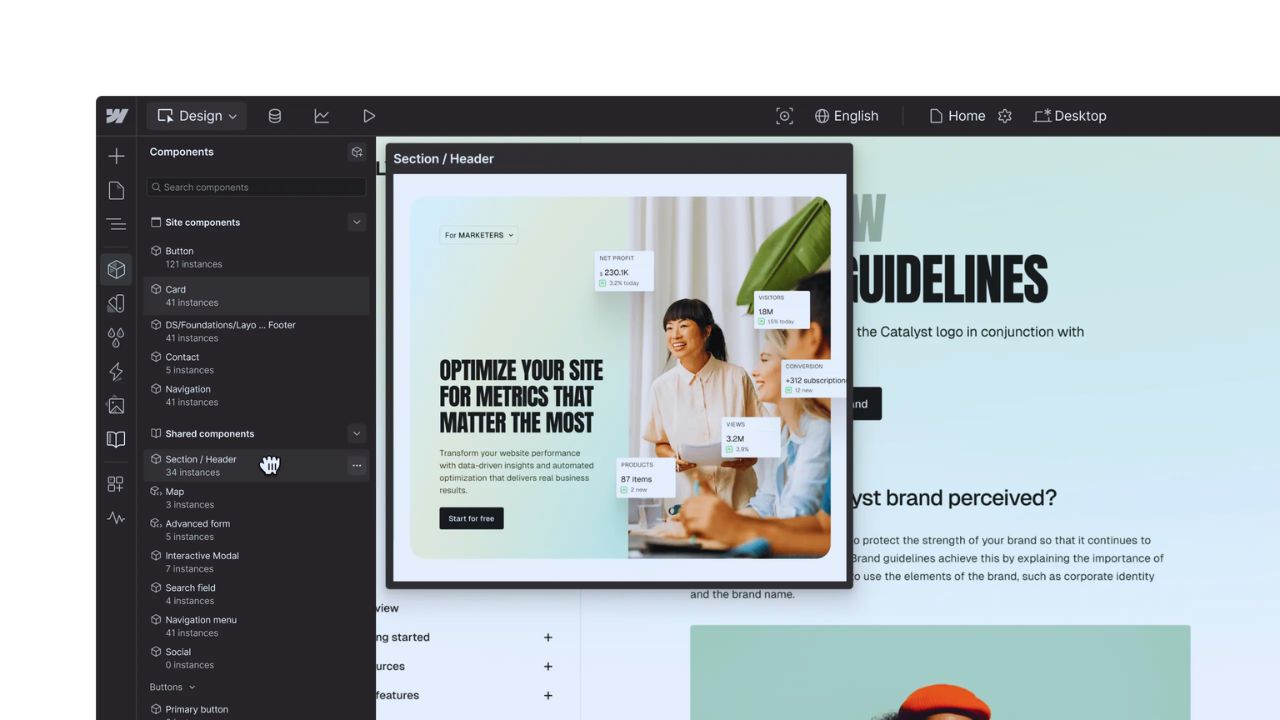
Webflow controls the Designer, hosting, publishing, CMS, plans, and account settings.
Its resources are strongest for platform behavior, publishing, domains, billing, access, or a CMS setting that fails to work as documented.
The path changes when custom scripts, cookie banners, payment services, or analytics tags are involved. Knowing that boundary between platform behavior and project-specific code prevents a misdirected ticket.
Documentation Often Solves the First Layer Faster Than a Ticket
For a missing setting, a layout rule, or an ordinary publishing workflow, official guides and Webflow University may answer faster.
They cover responsive design, class structures, CMS collections, interactions, and SEO controls.
A designer who understands breakpoint inheritance may solve it before support gathers details. Use them for repeatable knowledge and foundational skills, then reserve direct help for exceptions.
A Good Ticket Gives Support Something They Can Reproduce
“My site is broken” forces someone else to reconstruct the situation.
A stronger request explains expected and actual behavior, when it began, and whether it affects a live site, staging, or one browser.
Include the site, page URL, recording, and recent code, integration, or DNS changes. That reduces back-and-forth and locates the actual failure point.
Separate the Symptoms From the Theory
Under launch pressure, guesses are natural, but facts come first.
“The form works in Chrome but not Safari after adding a consent banner” gives support more to test than “forms are broken.”
State the browser, device, time, and steps needed to repeat it, then list what changed before the issue appeared. This keeps useful evidence separate from a possible theory.
The Community Is Strong When You Need a Build Pattern
Forums, cloneable projects, and creator communities can be more useful than direct support for layout decisions or development techniques.
Someone building a pricing comparison, scroll interaction, or CMS-driven directory may find a working pattern that explains the structure.
Advice often comes from people who have met the same constraint in a real build.
Still, treat community solutions as starting points, especially when code affects performance, privacy, accessibility, or checkout behavior.
Cloneables Should Be Studied Before They Are Copied
A cloneable can reveal class naming, component structure, grid choices, or interaction logic in a way a written answer cannot.
It can also bring old conventions, unnecessary scripts, or styles that conflict with an existing site.
Inspect it, remove unused elements, test mobile behavior, and check for accessibility concerns. The goal is understanding the pattern, not importing unexamined complexity.
Some Problems Need a Different Kind of Help
Webflow support is not a replacement for a developer debugging custom JavaScript, a payment provider handling checkout errors, or a DNS host controlling a domain record.
The same applies to ecommerce taxes, localization, and API-based integrations.
Support may explain how Webflow interacts with those systems, but the final fix can belong to another vendor or technical partner. That is a support boundary, not a product failure.
Real-Time Assistance Is the Main Gap for Many Smaller Teams
A team under a launch deadline may expect immediate, hands-on troubleshooting and find that tickets and self-serve resources are the usual route.
That can feel slow when a campaign is live, even if the later answer is accurate.
Higher-touch help may suit organizations with revenue-critical sites, formal response commitments, or complex account needs.
Other teams should plan around asynchronous support and maintain a basic incident process, rather than assume someone will be available live.
Also Read: Descript What We Liked Most After Testing
Good Project Hygiene Reduces the Number of Support Requests
Many delays begin before the ticket. A project with unnamed scripts, no change record, and several people publishing at once is difficult for anyone to diagnose.
Keep a brief log of domain changes, key integrations, form destinations, and publishing responsibility.
Build a simple testing page for forms, interactions, and third-party tools before placing them on a high-traffic page.
This creates cleaner handoffs and faster diagnosis when something changes unexpectedly.
Use a Launch Checklist That Matches Your Actual Site
A small checklist is more useful than a generic fifty-point audit.
Before a major publish, verify the page on more than one device, submit a form, inspect critical redirects, confirm tracking, and review new scripts or embeds.
Test higher-risk changes during a lower-traffic window when possible.
The best checks are those the team will perform every time, supporting predictable releases and less avoidable downtime.
Teams Need Clear Roles Before They Need More Tools
A designer may own layout, an editor may update CMS content, an administrator may own plans and domains, and a developer may maintain custom code.
Problems linger when everyone assumes another person has the permission or context.
Define who can publish, approve urgent changes, own integrations, and open tickets for account issues. That creates visible ownership and avoids last-minute confusion.
Three Details Make a Support Request Easier to Route
Before asking for help, gather these diagnostic basics so the issue does not stall at the first reply:
- The affected page, feature, or site setting.
- The expected and actual behavior.
- The browser, device, and recent project change.
Webflow Fits Teams Comfortable With Self-Serve Learning
Webflow can suit designers, marketers, agencies, and in-house teams that value a visual build system and are willing to learn its structure.
Its learning materials, community, and documentation reward people who prefer to understand recurring problems rather than send every question to a queue.
It may be less comfortable for an organization that needs live troubleshooting for every launch, depends heavily on unsupported code, or has no person responsible for the site.
The deciding factor is internal capability and launch risk, not a feature checklist.
Conclusion: Build a Support Plan Before You Need One
Webflow support is strongest when a team can distinguish a platform issue from a build problem, provide a reproducible example, and use self-serve resources for common questions.
Documentation and community help can resolve a surprising amount, while tickets are best for account, hosting, publishing, and product-specific problems.
Before the next launch, name a site owner, document important integrations, and test the path a visitor must complete. That preparation creates better support conversations and calmer recovery when something goes wrong.












