In early projects, simple structure beats complicated dashboards. Trello vs Asana is the classic beginner decision: one tool centers on fast Kanban flow, the other layers planning, reporting, and automation for growing teams.
Pricing and free tiers changed through 2024–2026, and both added AI that can summarize text or surface action items. Fresh details below reflect the latest plan pages and release notes, so expectations align with how each product works today.
For most starters, Trello feels easier on day one and cheaper to scale in small groups. Asana adds more views, reporting, and deeper workflow control once coordination broadens across multiple projects or teams.

Trello Vs Asana At A Glance
A short, current snapshot helps frame what matters for your first pick.
| Category | Trello | Asana |
| Free tier | Up to 10 collaborators per Workspace and up to 10 boards; Board view | Personal plan for 2 users; List, Board, and Calendar views |
| Cheapest paid tier | Standard at 5 USD per user monthly (annual billing) | Asana Starter plan at 10.99 USD per user monthly (annual billing) |
| Project views on entry paid tier | Views added at Premium (Calendar, Timeline, Table, Dashboard, Map) | Starter includes Timeline and Gantt |
| Built-in AI | Available on Premium and Enterprise; writing aid and action items | Available on paid tiers; Smart Chat and AI features for building and managing projects |
| Best fit for beginners | Lightweight boards and quick setup | Broader control once projects and teams expand |
Pricing and Free Plans
For tight budgets, Trello’s pricing lands lower at comparable stages, which shapes the Asana vs Trello pricing discussion right away.
Trello
Trello Free supports up to 10 collaborators per Workspace and up to 10 boards, includes unlimited cards, unlimited activity log, assignees and due dates, 2-factor authentication, and unlimited Power-Ups per board.
Standard costs 5 USD per user monthly on annual billing and unlocks unlimited boards plus items like custom fields, advanced checklists, card mirroring, and list colors and collapsible lists.
Premium costs 10 USD per user monthly on annual billing and is the first tier that adds Calendar, Timeline, Table, Dashboard, Map, and Workspace views. Enterprise starts at an estimated 17.50 USD per user monthly on annual billing and includes organization-wide controls.
Asana
Asana’s free entry is now the Personal plan for 2 users. It includes unlimited tasks and projects, an activity log, List, Board, and Calendar views, and core collaboration basics.
Starter is 10.99 USD per user monthly on annual billing and adds Timeline and Gantt, workflow builder, project dashboards, universal reporting, custom fields, forms, and admin controls.
Advanced moves into goals, portfolios, portfolio workload, and integrations such as Salesforce or Tableau. Enterprise and Enterprise+ pile on security and governance, including data-residency options and Enterprise Key Management eligibility.
Ease Of Use and Interface
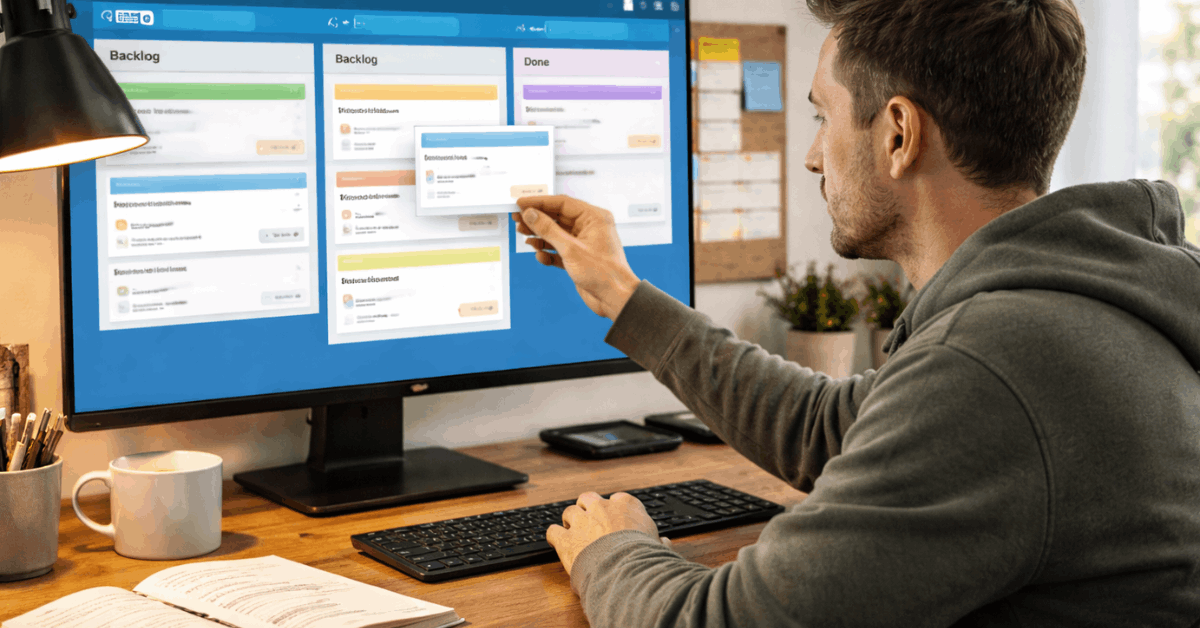
For a first setup, Trello feels immediate. Boards represent projects, lists define stages, and cards carry the work. Drag a card across lists, add labels, due dates, and checklists, and progress becomes obvious. Visual polish helps: list colors and collapsible lists reduce noise while keeping status visible.
Trello templates kickstart common workflows, and card details stay lightweight enough to avoid configuration fatigue. Asana presents more options without crowding the screen. Navigation funnels you toward projects, tasks, and reporting, and the default List or Board view switches quickly.
Once familiar, section structure, fields, and Timeline or Gantt help map multiple workstreams clearly. Setup takes longer than Trello; in exchange, cross-project coordination feels more deliberate.
Task Management and Views
Clear expectations about views and planning tools prevents frustration later.
- Trello’s Trello free plan limits keep boards capped at 10 per Workspace and reserve multi-view dashboards for Premium and above.
- Starter in Asana includes Timeline and Gantt for schedule clarity on day one; dependencies and richer fields make complex tasks easier to model.
- Trello cards remain flexible with members, labels, attachments, and checklists; advanced checklists and custom fields appear on Standard and higher.
- The Asana Starter plan adds a workflow builder and project dashboards, which speeds small-team coordination without adding IT overhead.
- For a Kanban board for beginners, Trello remains the fastest way to visualize a simple backlog and move work across a predictable path.
Collaboration and Communication
Comments, mentions, and notifications exist in both tools, which covers basic collaboration for small teams. Trello focuses collaboration inside cards through comments, attachments, and @mentions, which works well when chat and docs live in separate apps.
Asana supplements task comments with direct messages, team conversations, and project-level discussions, so communication can stay closer to plans and reports. That blend reduces the need to hop between chat tools during busy execution weeks.
Progress Tracking
Progress visibility should match project complexity. Trello checklists show percent complete on card-level steps, and a Watch option follows card or board activity for tighter awareness.
Teams that need a small pulse get enough signal without heavy setup. Asana supports milestones, dashboards with configurable charts, and layered goals across personal, team, and company levels.
Those views help program leads compare progress across projects and justify staffing or scope decisions. Most of Asana’s richer progress features sit on paid tiers, which is expected given the reporting depth.
Administration and Permissions
Governance matters once more teammates join. Trello’s Standard tier adds control without forcing Enterprise-style overhead, while Premium introduces admin and security features and workspace-level templates.
Enterprise includes organization-wide permissions, Power-Up administration, and attachment restrictions. Asana centralizes control inside the Asana Admin Console, available on Starter and above, allowing admins to manage members, private vs public access, and guardrails like guest permissions at higher tiers.
Both tools scale access thoughtfully; the right tier depends on how sensitive the work is and how many spaces need consistent rules.
Integrations and Power-Ups
Connectivity won’t be a blocker. Both products integrate with apps such as Google Drive, Dropbox, GitHub, Slack, and automation services. Trello Power-Ups extend boards with reporting, time tracking, and niche utilities built for Trello’s model.
Some Power-Ups are free; others require separate subscriptions. Asana leans on a wide library of native integrations and uses forms and fields to standardize intake from external systems, which helps when many teams submit requests into a shared portfolio.
Security and Compliance
Security baselines look similar: both offer 2-factor authentication and encrypt data in transit and at rest, and both publish third-party attestations. Trello lists SOC 2 Type II and ISO/IEC 27001 among its certifications and participates in GDPR-aligned practices.
Organizations that need centralized guardrails can layer Atlassian Guard for SSO, enforcement, and additional controls, available in Standard and Premium Guard tiers.
Asana publishes ISO certifications and provides Enterprise options such as data loss prevention integrations and Enterprise Key Management eligibility. Regulated environments tend to favor the governance in Asana’s Enterprise tiers, while teams already standardized on Atlassian can consolidate controls using Guard.
Support and Reliability
Self-serve resources and community answers cover many issues in both ecosystems. Trello Premium receives 24/5 premium support, and Trello Enterprise advertises 24/7 Enterprise admin support.
Asana states 24/7 priority support and a 99.9 percent uptime commitment for Enterprise, while Starter and Advanced rely more on help center resources and ticket responses that align with plan entitlements.
Phone-style escalation appears at higher tiers in each vendor’s enterprise programs.
Trello Vs Asana: Which One Should Beginners Choose
A quick, opinionated guide keeps the first decision simple.
- Pick Trello if simple boards, low cost, and minimal setup are the top priorities.
- Pick Asana if roadmaps, dependencies, and portfolio-level reporting matter within the next quarter.
- Stay on Trello for a season when the workflow fits a single team and status is clear at a glance.
- Move to Asana when multiple teams request shared timelines, dashboards, and intake forms.
- Re-evaluate annually; teams evolve, and Asana automation or Trello’s views may shift the balance later.
Realistic Beginner Setups
During a first 30 days, Trello makes it easy to ship work quickly. Create a backlog, Doing, and Done board; add labels for priority; enable a calendar Power-Up if dates matter; add checklist templates for recurring steps; collapse low-priority lists during busy weeks to focus attention.
That pattern keeps signal high without configuration drag. In Asana’s Starter, structure a single project with List view, add custom fields for priority and effort, and open Timeline as deadlines approach.
Build a simple intake form for requests, route submissions to a triage section, and publish a basic dashboard widget set for stakeholders. Those defaults prevent status questions from flooding chat and email.
Bottom Line For Beginners
For individual contributors and small groups, Trello’s speed and clarity often win the first round. For teams that expect multi-project coordination, dependencies, formal reporting, or governed access controls within months, Asana pays off sooner.
Either choice works for a first deployment; choose the tool that removes friction this week and revisit when scope grows.