
In testing Loom tool under minimal setup, the aim is rapid proof of value without heavy admin or training. Loom screen recorder centers on quick capture, instant sharing, and simple collaboration that scales across time zones.
Asynchronous video messaging solves the “too many meetings” problem by letting teams record once and circulate context where it’s needed. Minimal configuration still reveals accuracy of transcripts, ease of edits, and reliability during share-and-comment workflows.
What Minimal Setup Really Means For Loom
Minimal setup focuses on core behaviors that matter in day-to-day work rather than exhaustive configuration.
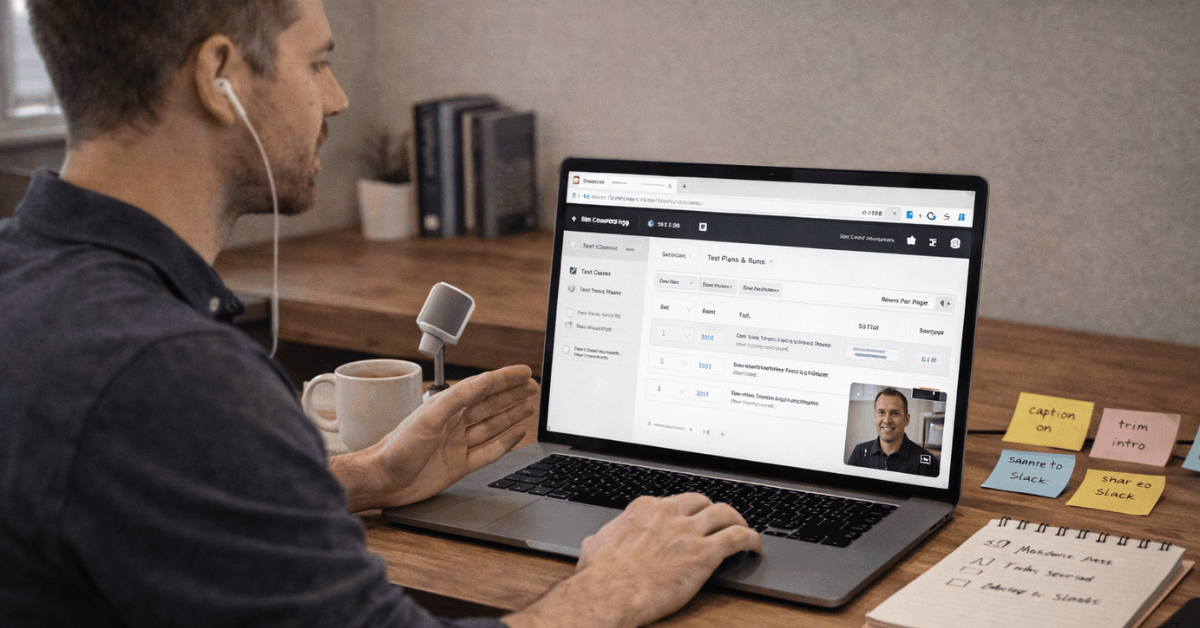
Installation should take minutes, microphone and camera permissions should be straightforward, and the first video turnaround should feel immediate.
Short, purposeful recordings will assess audio clarity, UI walkthrough legibility, and whether captions help recipients grasp steps without replaying segments. Early signals include upload speed, link-creation reliability, and response friction for colleagues without accounts.
Quick Start Checklist For First Recording
This first pass emphasizes recording and sharing within minutes so the trial mirrors real work. Steps avoid optional bells and whistles that can hide friction. Expect the process to surface video quality, transcript speed, and how teammates react.
- Install the Loom Chrome extension or the desktop app based on device policy.
- Grant camera, microphone, and screen permissions, then set 1080p or higher when available.
- Record a two-minute UI walkthrough, keeping the cam bubble visible for personal presence.
- Trim the opening dead air, add a call-to-action, and enable captions.
- Share via copied link in Slack or email and collect two comments or emoji reactions.
Core Features To Validate In A Short Trial
Feature validation should begin with recording fidelity across tabs, apps, and windows because real projects rarely stay in one place. Camera bubble behavior matters when switching spaces, since it signals stability and keeps presenters visible.
Editing fundamentals such as trim, stitch, text overlays, arrows, and box highlights should feel immediate, not finicky, so corrections land within minutes of upload.
Transcriptions and closed captions in multiple languages become essential for global teams, especially when clarity matters during training, onboarding, and compliance explainer videos.
Editing and Collaboration In Practice
Editing speed determines whether the video becomes a default communication method or a once-in-a-while fix. Trim should remove silence accurately, transcripts should align closely enough with speech to allow edit-by-text, and stylized captions should improve readability without distracting motion.
Collaboration then builds on that baseline through timestamped comments, emoji reactions, and lightweight tasks that nudge follow-ups.
For screen recording in Teams, friction arises when recipients cannot play, comment, or react on mobile devices, so quick checks on phones and tablets belong in the first-day tests.
Security, Privacy, and Admin Controls
Security posture should be evident without a long setup cycle. Workspace-level privacy defaults, password protection, and request-to-view gates make it clear who can watch and who cannot.
Enterprise buyers should look for SSO and SCIM for account governance, content activity logs for audits, and download restrictions where policy requires in-platform viewing.
Advanced content privacy and custom data retention policies matter for regulated environments; confirm these controls work as described before staff scale usage.
Plans and Pricing Snapshot For Trials
A short pricing snapshot helps guide test scope and expectations without overcommitting budget. Plan names are consistent, while listed rates vary across regions, promotions, and billing cycles.
Treat these figures as directional examples during evaluation and confirm current pricing at checkout. Feature availability is the bigger driver during trials, since recording limits can distort adoption signals.
| Plan | Example Price (USD) | Headline Limits | Notes For Evaluators |
| Starter | $0 | Up to 25 videos, 5-minute recordings | Good for smoke tests and quick stakeholder demos. |
| Business | ~$15 per user per month (annual) | Unlimited videos and recording time | Removes branding, unlocks uploads and downloads. |
| Business + AI | ~$20 per user per month (annual) | AI edits and automation included | Adds auto titles, summaries, chapters, and tasks. |
| Enterprise | Custom | Org-wide admin and security controls | SSO, SCIM, advanced privacy, Salesforce integration. |
Lightweight Test Scenarios Across Teams
A thin slice of real workflows will reveal where the tool helps or hinders. Scenarios below map to common functions and take minutes to stage. Keep each clip under four minutes so reviewers can watch fully and leave actionable feedback. Resist polishing recordings; authenticity exposes true friction.
- Sales micro-demo: Highlight a new feature, add a CTA, and track engagement signals.
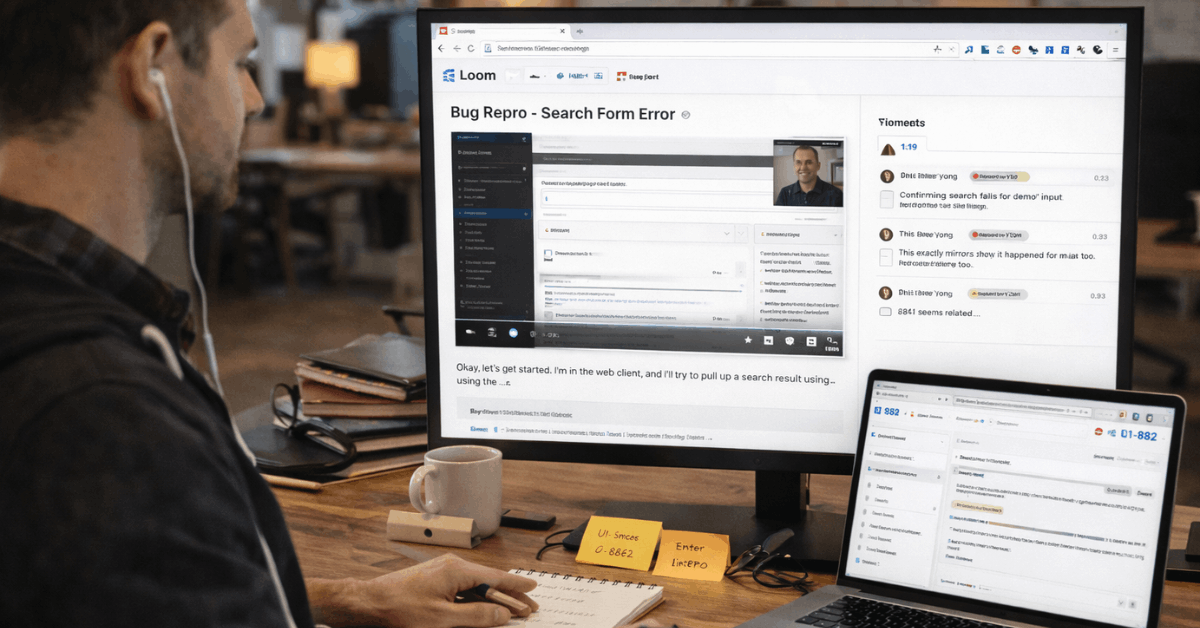
- Engineering handoff: Record a bug reproduction, paste the issue ID, and pin timestamps to key steps.
- Design review: Present artboards, use the drawing tool to circle focus areas, then request comments.
- Support tutorial: Walk through a settings fix and export captions for knowledge-base reuse.
- Operations update: Share a process change, invite emoji reactions, and confirm who viewed.
What Loom Does Better and Where It Lags
Strengths start with speed: recording begins quickly, the upload process is fast, and the links share cleanly. Collaborative touches such as:
- comments,
- reactions, and
- Simple tasks make follow-through natural when time zones do not overlap.
Integrations with Slack, Gmail, Jira, Confluence, GitHub, Notion, and more make embedded playback routine inside existing workflows.
On the other side, the public-by-default stance requires deliberate privacy settings during sensitive work, and annotation depth on screenshots remains lighter than specialist tooling. Teams already embedded in Zoom or Teams may prefer built-in recording, which makes Loom vs Zoom a legitimate evaluation path during procurement.
Minimal-Setup Tips To Avoid Noisy Results
Lists benefit from a short orienting intro when the goal is clean measurement. These pointers protect trials from skewed impressions caused by network blips, laptop throttling, or inconsistent defaults.
Light discipline keeps attention on the product rather than environmental noise. Expect clarity to go up when the scope is consistent across participants.
- Lock recording resolution for all testers to prevent apples-to-oranges quality debates.
- Close heavy apps and enable do-not-disturb to keep CPU and notifications controlled.
- Use the same USB microphone model where possible to stabilize audio comparisons.
- Test one browser using the Loom Chrome extension and one desktop-app session per person.
- Capture captions on every clip to measure transcript accuracy across accents.
AI Capabilities Worth Verifying
AI features can shrink editing time if outputs land close to done. Auto titles, summaries, chapters, and filler-word removal should reduce manual clean-up without flattening tone.
Auto meeting notes and recap emails help reviewers who cannot spare time for playback, particularly during sprint retros and leadership reviews.
For teams considering upgrades, validate whether Loom AI features meaningfully reduce review cycles compared to manual edits and whether automation respects privacy defaults in shared spaces.
Integrations and Embeds That Matter In Daily Use
Embedding inside tools people already inhabit prevents context switching. Slack threads, Jira tickets, Confluence pages, GitHub issues, and CRM records become better artifacts when short, targeted clips sit beside text.
Email share flows should work without recipients needing accounts, while request-to-view and passwords protect sensitive content. For classroom or training use, the Loom free plan for educators unlocks generous recording windows that suit assignments and lecture supplements.
Who Benefits Most After A Minimal Trial
Sales teams gain clearer micro-demos and faster answers to pricing or feature objections. Product and engineering partners document repro steps and design intent without scheduling a call, then collect reactions asynchronously.
Support teams turn repeat questions into short explainer clips that scale, while educators publish concise lessons and how-tos that students replay on demand.
For organizations already deep in a meeting platform, a limited pilot still clarifies where the tool complements existing recordings and where overlap is less likely.
Practical Buyer Notes and Caveats
Plan limits shape behavior; caps on recording and five-minute ceilings can depress adoption metrics during early trials. Security teams will expect SSO, SCIM, retention policies, and activity logs to meet governance standards; prioritize those checks early.
Video quality rises to 4K on paid plans, but real-world clarity depends on screen text size, font rendering, and microphone placement. When budgets are tight, compare Loom pricing plans against internal utilization data and weigh whether AI automation displaces manual editing time at scale.
The Bottom Line
Minimal-setup pilots reveal whether quick recording and rapid sharing meaningfully reduce meetings and speed decisions. Evidence of value looks like fewer ad-hoc calls, faster approvals, and clearer handoffs across functions.
A focused, weeklong trial using five purposeful scenarios will answer whether the tool becomes daily muscle memory or stays a niche utility. Teams that rely on screen walkthroughs, short demos, and explainers tend to see wins quickly.












