
Testing Asana tool behavior inside a real workflow reveals whether assignments, approvals, and reporting line up without extra effort. Clear workflows reduce coordination drag and surface dependencies sooner, which tightens delivery windows and stabilizes outcomes.
For hands-on validation, integrate test case systems, define status rules, and evaluate how fields sync while tasks move through planned stages. Results inform where to apply automation, where to refine ownership, and which signals stakeholders actually need.
Why Test Asana Inside a Workflow
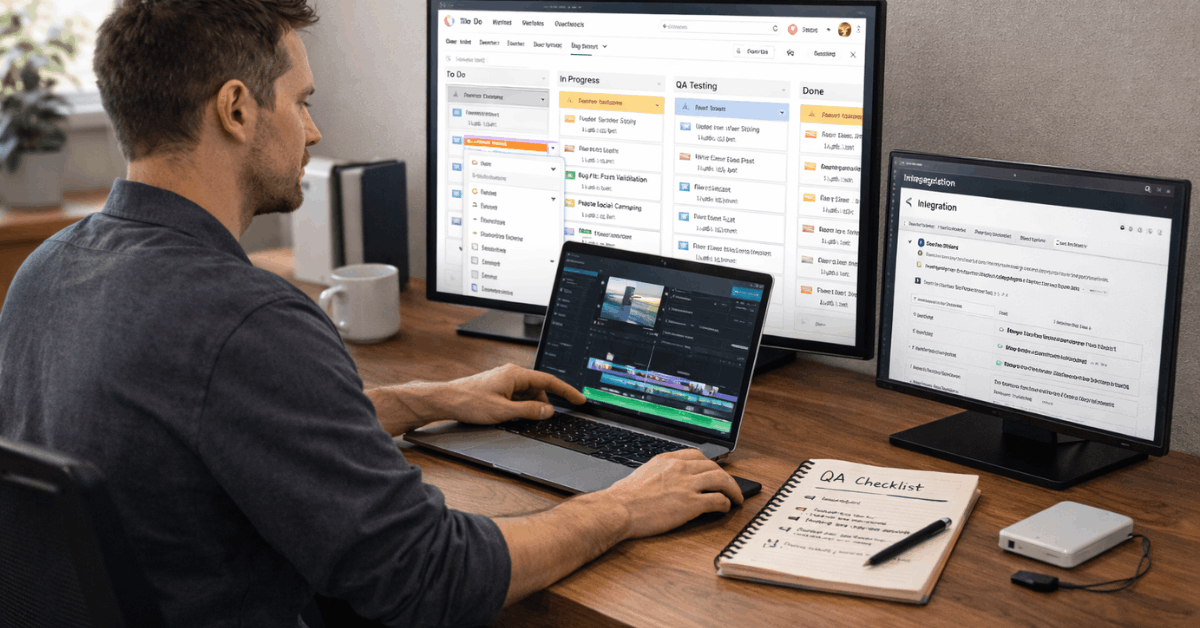
Testing in a live process exposes gaps that static checklists miss. Assignments may fail when capacity fluctuates, task templates might not contain required fields, and approvals can stall without explicit owners.
In controlled pilots, small groups run typical work while instrumentation captures cycle time, review latency, and rework rates. Evidence guides configuration changes and removes subjective debate about tools or preferences.
What A Workflow Means In Practice
A workflow is a structured, end-to-end sequence that connects people to required data at the right time. Stages usually fall into planning, execution, and review, then loop as improvements land.
Inputs become tasks, tasks move through statuses, and finished work rolls up to lightweight reporting. Consistent structure keeps progress visible, reduces status meetings, and shortens time to unblock issues.
Integrating Asana With Test Management Tools
Tight integration lets testers stay in their system while developers remain in Asana, without losing traceability. The goal is a two-way bridge that creates tasks on test failure, links related items, syncs status, and captures comments on each re-run.
Prerequisites
An active Asana workspace, access to the chosen project, and a test management account are required. Test cases or test runs should exist first, since field mapping depends on that structure. Administrative permissions in both tools speed up authentication and project selection.
Connect Using Asana Personal Access Token
Many tools authenticate through a pop-up that requests a token. Generate an Asana Personal Access Token, then authorize the test platform to write to the target project. After confirmation, selections for the project, the default assignee, and the default section or list become available.
Adding Requirements and Defects
During a test case edit, selecting Asana in the requirement field creates or links a planning task that represents the requirement itself. During a test run, choosing Asana in the defects field opens a create-or-link panel for failed steps.
Attach steps to reproduce, expected versus actual results, and environment notes so developers can action the issue without extra back-and-forth.
Ownership, Routing, and Status
Assign an owner at creation, then route based on component or tag rules inside Asana. When a retest passes, the integration can mark the task as complete, reducing manual triage. Comments posted by the test tool on each re-execution record the history, which preserves context across sprints.
Test Case Management With TestLodge and Asana
The Asana integration with TestLodge focuses on closing the loop between failing tests and actionable tasks in the developer’s queue. Automatic task creation on failure pulls in reproduction steps and case metadata, which reduces manual entry.
Linking an existing Asana task to a test case prevents duplication when a known defect resurfaces, and it maintains a single thread for discussion.
Task Placement
Task placement matters, so the connector lets teams choose the target list or section inside the project. Assignment happens at the moment of creation, removing ambiguity about the first responder.
During verification, TestLodge posts a new comment on the linked task each time the test is rerun, thereby strengthening the audit trail. When a retest confirms a fix, the task transitions to complete, and engineers see that change immediately without leaving Asana.
If ownership shifts, moving the task to a different list and reassigning the owner keeps responsibility explicit through the lifecycle. This is a practical test case management in Asana for cross-functional teams that prefer clear, minimal handoffs.
Workflow Examples Across Teams
Short examples help clarify where structure pays off quickly and which signals to track over time. Each example maps the same pattern: intake, prioritization, development, progress tracking, approval, and reporting.
Customer Feedback To Fixes
Tickets land in the support system, then route automatically to the correct group based on category.
Integration creates or updates tasks in Asana for engineering or product operations, while real-time status updates flow back to the original ticket. Reporting tallies turnaround time, reopen rates, and category spikes for planning.
Campaign Management
Creative briefs enumerate required assets, then tasks fan out for copy, design, and build. Parallel work proceeds while the project owner monitors workload and dependencies. Approvals use a dedicated task type that clearly distinguishes final signoff from general feedback.
Objectives Planning
Leadership sets the cadence for OKRs, then project work links upward to goals. Status updates describe progress, risk, and next steps in the same environment, which keeps leadership reviews short and focused. After the period ends, results roll into a retrospective to adjust targets and workflows.
Seven Steps To Create A Workflow In Asana
A compact, repeatable sequence prevents busywork and keeps expectations stable as volume grows.
- Define the outcome, constraints, and success signals in plain language, then confirm stakeholder alignment.
- Capture intake rules, fields, and routing so task creation never starts blank or ambiguous.
- Prioritize work against capacity, then assign owners and dates based on visible workload.
- Build the deliverable, attach assets, and centralize feedback inside the task to avoid scattered revisions.
- Post scheduled status updates that reference milestones and risks without duplicating details elsewhere.
- Request final approval via a dedicated approval task that clarifies exactly what decision is needed.
- Report outcomes, compare to targets, and amend the workflow template where friction appeared.
This is where Asana workflow automation earns its keep, since triggers can assign owners, set due dates, move sections, or post alerts as conditions change.
QA In Marketing Using Asana and Automation
Marketing teams ship many moving parts under short timelines, which makes QA a reliability layer rather than a formality. Integrating checks into the same task system prevents last-minute scrambles and lost notes.
Brand Integrity
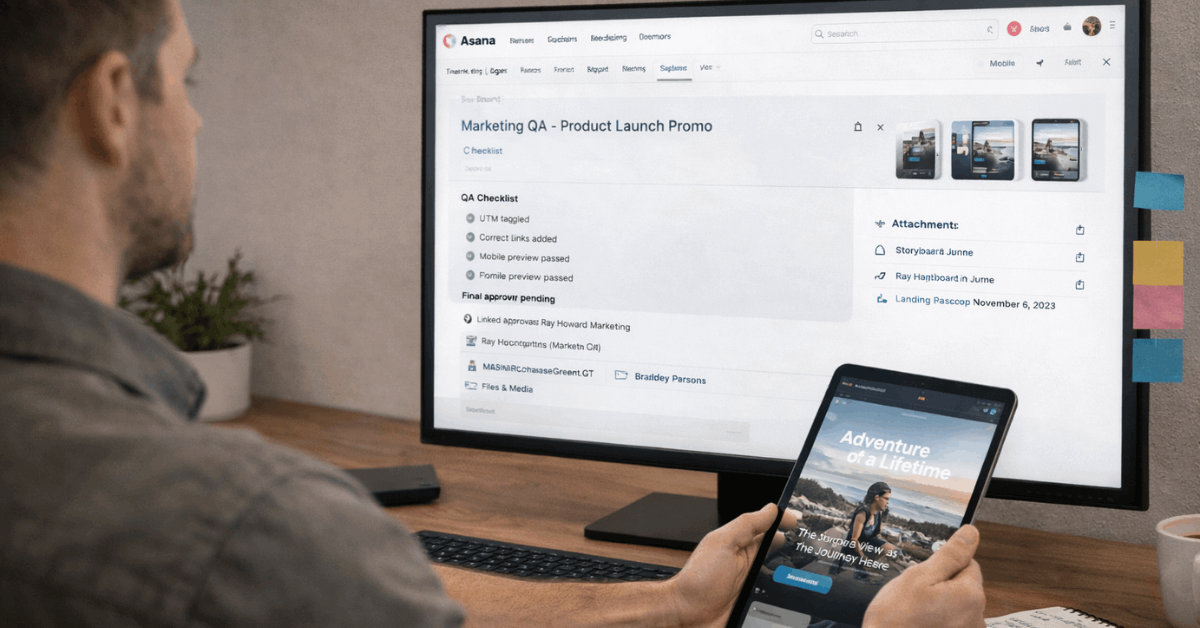
Broken links, inconsistent fonts, and mismatched copy weaken trust fast. QA testing in Asana packages checklists, sample cases, and approval steps so asset quality stays consistent across campaigns and channels.
Efficiency and ROI
Defects cost more when fixed late. Embedded validations catch issues earlier, and automated rules flag missing fields or overdue reviews. Teams save hours when common checks, like UTM tagging or form captures, trigger inside the same workflow.
User Experience
Smooth paths across ads, pages, and forms improve conversion rates. Verification tasks reference device, browser, and language requirements, then route to owners for retest. Evidence lives in comments, attached screenshots, and lightweight logs.
Data Integrity and Automated Tests
Accurate analytics require correct pixels, consent settings, and field mappings. Automated monitors, paired with scheduled tasks, verify that tracking fires and form data lands in the right systems.
Tools like Stack Moxie complement schedules by running tests on landing pages, forms, and sequences, and generating actionable tasks. Fusing that layer with Asana keeps everything visible without toggling tools.
Practical Benchmarks To Validate Results
Clear measures prevent subjective arguments about tool value and process change.
- Cycle time per defect or request, measured from intake to resolution, segmented by source and severity.
- Approval latency for final sign-offs is tracked by role and asset type to identify recurring bottlenecks.
- Reopen rate after fix verification, which signals test depth and clarity of acceptance criteria.
- SLA adherence for high-priority items is visible on dashboards without expert interpretation.
- Automation effectiveness is measured by the number of tasks automatically touched and the number of errors prevented by rules.
How Workflows Compare To Adjacent Practices
Neighboring practices support the same goal of reliable delivery but address different layers. Business process management focuses on end-to-end optimization across multiple systems, while a workflow focuses on the path an item takes within a team.
Checklists ensure items are not forgotten, but lack dependencies and ownership. Gantt charts visualize timelines and overlaps, which work well alongside workflows when dates drive coordination.
Flowcharts and diagrams map logic at a high level, tand hen the workflow operationalizes each step into tasks and approvals. Work management is the umbrella that coordinates people, work, and outcomes, and workflows are one of its core building blocks.
Integration Steps: Short Reference
A concise reference helps during setup sessions and onboarding.
- In TestLodge, open Project List, select Issue Trackers, then add Asana and authenticate.
- In the TestLodge project dashboard, click Edit, choose the new connector, and select the target Asana project and list.
- In test case or test run forms, pick Asana for requirements or defects, then Connect using PAT and paste the token.
- On failure, the platform creates an Asana task containing reproduction steps and case data for bug tracking.
- During retest, comments post back automatically, and passing cases can mark tasks complete to close the loop.
Implementation Tips and Common Pitfalls
Small pilots outperform big-bang launches. Start with a single team, define fields tightly, and tune automation rules after real observations. Over-templating slows work when exceptions are frequent, so leave room for case work where sequences vary.
Ownership drift occurs when tasks move between lists without reassignment, which argues for rules that set the assignee on section change. For parallel work, create linked tasks rather than a single overloaded parent, as this structure clarifies accountability.
Final Takeaway
Testing Asana inside real workflows surfaces what actually helps teams ship predictable results. Integrations that create tasks on failure, sync status on retest, and centralize comments reduce coordination overhead.
After configuration stabilizes, automation handles routine moves while owners focus on decisions, creative work, and stakeholder clarity. Teams that iterate on templates, fields, and approvals see reliability rise across sprints, quarters, and product cycles.












