
A ClickUp review should begin with a practical question: will one workspace reduce team back-and-forth, or add another system to maintain?
ClickUp combines tasks, documents, chat, whiteboards, dashboards, forms, goals, and AI tools.
That breadth can help when decisions disappear across messages, spreadsheets, and disconnected apps. It can also overwhelm a team that needs a short task list and a clear owner.

The Main Advantage Is Keeping Decisions Close to the Work
ClickUp is more than a board with extra views. Its value is keeping a campaign brief, design discussion, tasks, files, and status updates together.
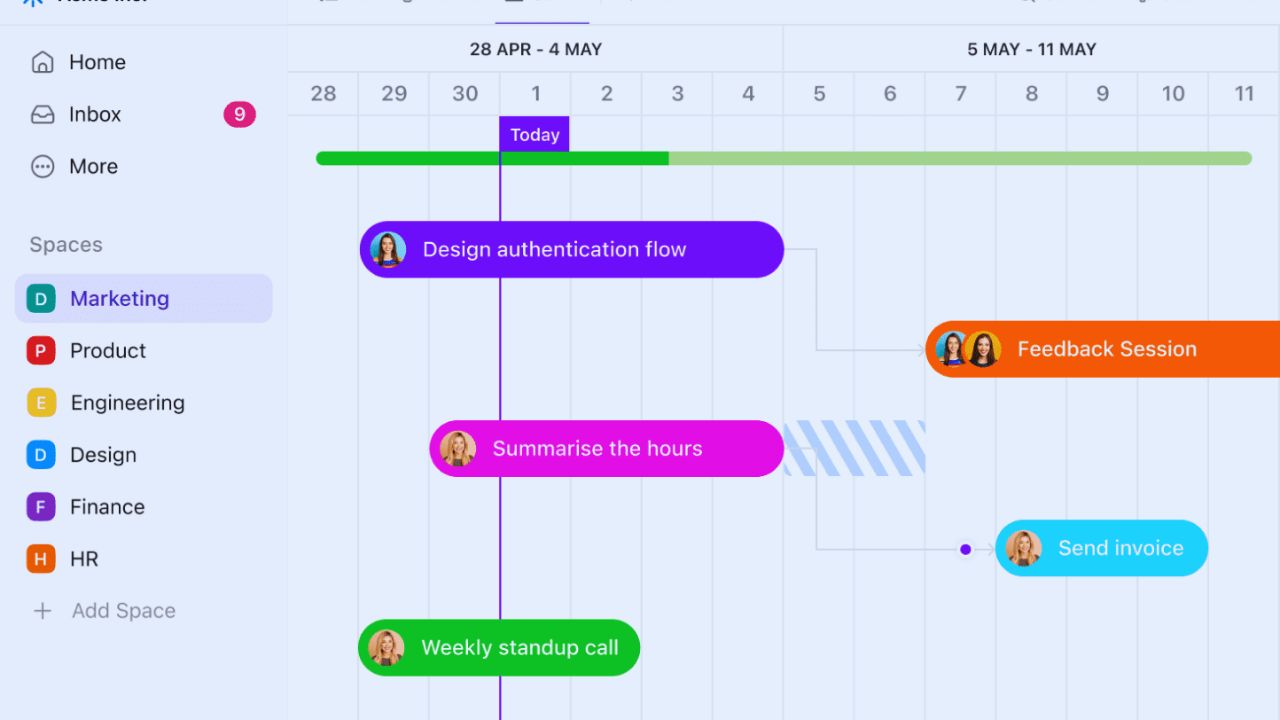
A marketing launch, for example, can begin with a request form, move into a project list, attach approved copy in a Doc, and use comments for final changes.
That shared context can reduce lost decisions when the team agrees where the final record lives.
One Workspace Does Not Mean Every Tool Should Disappear
Consolidation can encourage a rushed migration. A team may still need a specialist CRM, accounting system, code repository, or regulated document platform.
Rebuilding every system with custom fields often creates fragile processes that nobody understands later.
The better question is whether it can become a coordination hub without becoming an improvised database for work it was never designed to replace.
Flexibility Helps Until Nobody Recognizes the Process
ClickUp organizes work through Spaces, folders, lists, task types, fields, views, and automations.
That suits agencies, product groups, operations teams, and marketers whose work takes different paths. It also gives administrators many ways to build the same project.
Without conventions, a client request may become a task in one group, a list in another, and a spreadsheet elsewhere. The result is configuration drift and unreliable reporting.
Start With the Fields People Will Actually Use
A content team may need owner, due date, stage, priority, and client. An agency could add billable status, while product work may need severity, release, and effort.
Add a field only when it changes a decision, view, or report; otherwise it becomes a blank box. This keeps task details useful and protects clean data as the workspace grows.
Use Statuses That Describe Real Handoffs
Statuses should make sense without a training document. “Ready,” “in progress,” “blocked,” “review,” and “complete” may be enough.
Long chains of exception states can hide the practical question: what is stopping the task?
Set statuses around actual handoffs and visible blockers, then revise them after a few weeks instead of predicting every scenario.
Also Read: Notion Key Features That Actually Matter in Digital Tools
Test ClickUp With Work That Is Already Causing Friction
A proper trial should not begin with a polished template and empty dashboard.
Choose one live process people already complain about, such as creative approvals, new-client intake, bug triage, or event planning.
Move active work, name owners, and agree where final decisions will be recorded. Use the system during normal meetings and deadlines.
This reveals adoption friction and practical value more honestly than a demonstration.
Forms, Templates, and Automations Should Remove Repeated Steps
ClickUp Forms can turn requests into tasks, while templates repeat familiar structures for launches, client onboarding, or incident reviews.
Automations can assign work, update a status, or notify the next owner after a defined change.
These tools help when they remove manual steps people already perform. Before building a rule, write the current handoff and desired outcome.
Automating a confused process only makes it happen faster.
Keep the First Automation Boring
A useful first rule might assign an intake task to the right coordinator after a request form is submitted. Another could move a task to review when an owner marks it ready.
Avoid triggers, exceptions, and automatic comments before people understand the process. When a rule misfires, cleanup can take longer than the original step.
Begin with predictable automation and easy recovery, then add complexity only when evidence shows a need.
Teams Will Use the Same Platform for Different Reasons
Marketing teams may need a calendar, asset approvals, request forms, and a route from brief to published work.
Agencies may need client-visible tasks, time tracking, internal notes, and a way to control scope changes.
Product teams can use backlogs, board views, release planning, and bug intake, though some engineers may prefer a dedicated issue tracker.
The workspace should follow team habits and real handoffs, not a template copied from another department.
Dashboards Depend on Honest Updates
Dashboards can show task status, workload, time-tracking information, sprint metrics, goals, and workspace data.
They help leaders spot an overloaded person, stalled approval, or release at risk. They become misleading when tasks lack owners, dates, or truthful statuses.
Before sharing one, establish an update rhythm and compare data with reality. Good reporting depends on honest updates and consistent inputs, not attractive charts.
Mobile Access and Permissions Matter More Than They Seem
A coordinator between meetings may need to create a task, attach a file, answer a comment, or check a deadline from a phone.
ClickUp’s mobile apps support core work, but dense planning and large dashboards are easier on a bigger screen.
Permissions need early attention, especially for agencies and cross-functional projects.
Paid plans provide granular controls for members and guests. Test mobile tasks and guest access with the people who will rely on them.
AI Can Speed Up Routine Writing but Cannot Set Priorities
ClickUp Brain can summarize a thread, draft a task description, generate action items, or locate work.
That may reduce time spent rewriting meeting notes or scanning comments.
It cannot decide whether a campaign is sound, a client request realistic, or a project deserves delay.
Treat it as writing assistance and information retrieval, then have a person check context, facts, and tone before acting.
Three Checks Before Moving a Whole Team
A small pilot can reveal whether the platform fits before migration becomes expensive. Ask these practical questions about daily work:
- Can the team name one process it will stop managing elsewhere?
- Does every active task have an accountable owner?
- Can a manager explain status without a new spreadsheet?
Conclusion: ClickUp Is Strongest When It Replaces Confusion, Not Conversation
ClickUp can suit teams that need flexible work views, connected documentation, request intake, and visible ownership across project types.
Its broad feature set may help agencies, marketing groups, product operations, and cross-functional teams with shared conventions. It is less suitable for a simple personal list or for organizations expecting it to replace specialized finance, engineering, or compliance systems.
Start with one painful workflow, keep the design light, and expand only when working habits and reporting needs are stable for the next stage of genuinely useful work across the company.












