During high-traffic hours, Slack reliability matters more than extra features. Teams depend on messages, notifications, workflows, search, files, and huddles to stay coordinated during busy moments.
Monday mornings, launches, incidents, and company-wide updates can all create pressure that exposes weak points. A reliable Slack setup needs both platform stability and team habits that keep communication clear when volume rises.
What Reliability Means in Slack?
Reliability is not only about whether Slack is technically online. In real use, teams judge reliability by whether messages send quickly, notifications arrive correctly, searches feel fresh, and calls stay stable.
If those layers slow down during peak use, the workspace can feel unreliable even when the service is still available. This is why Slack reliability should be tested through real team behavior, not just uptime claims.
Peak-Hour Reliability Has Several Layers
A Slack workspace feels dependable when messages, mentions, threads, files, and huddles remain responsive under pressure. Message delivery matters because delayed updates can slow decisions during live work.
Notification accuracy matters because missed alerts can leave urgent tasks unattended. Search freshness matters because teams often need past context during incidents or handoffs.
Also Read: What We Learned From Hands-On Testing

Devices and Networks Affect the Experience
Slack performance can vary across desktop apps, browsers, mobile devices, and network conditions. Older devices or weak mobile connections may make the tool feel less stable than it is for other users.
Local setup still matters, including operating system updates, browser health, approved extensions, and office network quality. Reliable teams treat Slack as part of a wider work system, not as an isolated app.
What High-Traffic Use Reveals?
Busy periods show where communication systems bend. During normal work, small delays may not feel important.
During launches, support spikes, or incident bridges, those same delays can create repeated pings, duplicate updates, and confusion. Slack works best when teams prepare for these moments before they happen.
Peak Use Can Create Noise Quickly
When many people post at once, conversations can fragment across channels and threads. Important updates may get buried under reactions, side comments, and repeated questions.
If notifications lag or become noisy, users may overuse mentions to force attention. That behavior adds even more load and makes critical messages harder to find.
Search and Context Matter During Pressure
Search becomes more important when people need to recover decisions, links, or past updates quickly. If search feels stale or difficult during busy periods, handoffs take longer.
Long threads can also become hard to reconstruct when decisions are mixed with brainstorming. Teams should summarize outcomes in a stable place so people are not forced to dig through fast-moving chat.
Integrations, Workflows, and Automation Risk
Slack becomes more powerful when connected to alerts, CRM tools, project systems, support queues, and workflow automations. These connections can improve visibility, but they also add more failure points.
During busy periods, app-posted messages and workflow steps can create heavy traffic. A reliable setup needs automation rules that are helpful without overwhelming channels.
Automations Need Backoff and Ownership
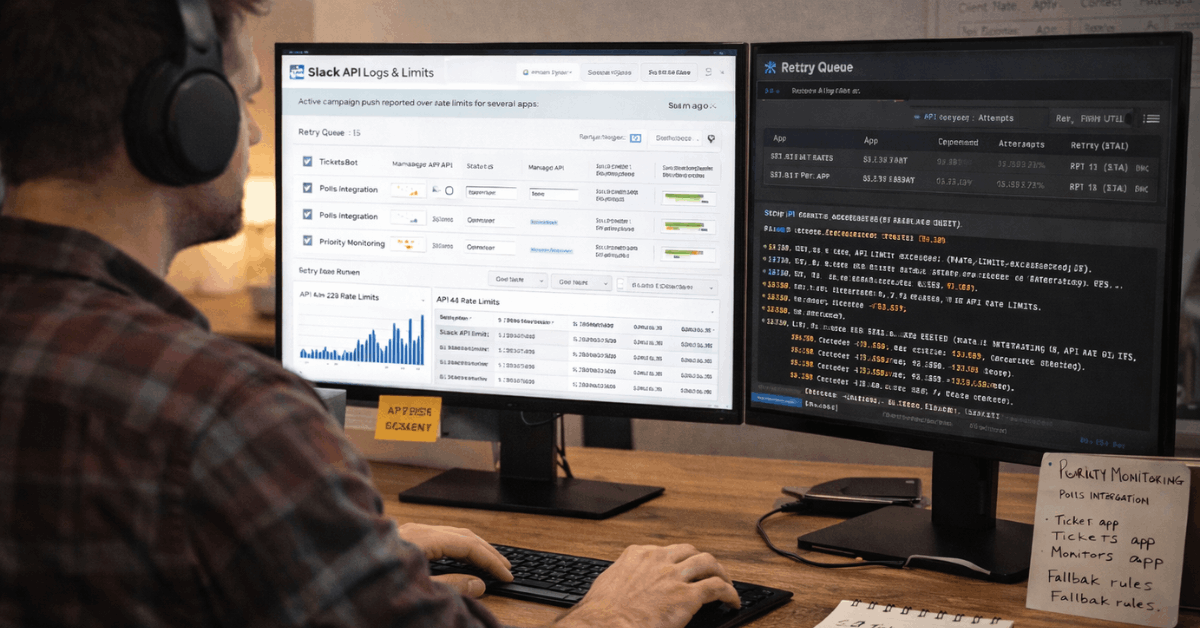
Automations should be designed to handle temporary slowdowns without creating chaos. Queues, retries, batching, and backoff rules can prevent repeated failures from flooding channels.
Every important workflow should have an owner who understands what it does and how to pause it if needed. Without ownership, teams may not know whether a delay is caused by Slack, the integration, or the connected tool.
Bots Should Not Replace Clear Process
Bots are useful when they send focused, actionable updates. They become a problem when they post too often or repeat information people already know.
High-volume bots should be reviewed regularly so they do not create alert fatigue. Critical updates should be easy to separate from routine automation noise.
Security and Governance Affect Reliability
Security is part of reliability because access problems can block work during important moments. Enterprise controls, single sign-on, permissions, device policies, and audit settings all affect how smoothly teams use Slack.
Strong controls reduce risk, but they can also create friction if they are not planned well. The goal is to protect the workspace without slowing urgent collaboration.
Access Rules Should Be Clear
Teams need simple rules for who can join channels, invite guests, share files, and connect apps. Confusing permissions can delay response during incidents or launches.
Sensitive channels should have clear ownership and review schedules. It is safer to separate sensitive workspaces or channels than to rely on unclear exceptions.
App Governance Reduces Hidden Risk
Third-party apps can improve workflow, but each app adds data and reliability considerations. High-volume apps should be audited regularly for scopes, ownership, and usage.
Unused or fragile apps should be removed before they become a peak-hour problem. Strong app governance helps reduce noise, oversharing, and unexpected failures.
Metrics Teams Should Track
Slack reliability should be measured through signals users actually feel. Uptime is useful, but it does not explain every delay or frustration.
Teams should track message speed, notification behavior, workflow timing, search freshness, and huddle stability during known busy windows. These metrics make reliability easier to discuss with evidence instead of guesses.
Use this quick peak-hour reliability check:
- Test message send and receive speed in a busy channel.
- Compare notification timing on desktop and mobile.
- Search for a recent phrase and check freshness.
- Review workflow run times during high-volume periods.
- Track huddle connection failures or audio dropouts.
Metrics Should Match Real Work
A sales team may care most about CRM alerts and search speed. A support team may care most about queue updates and notification accuracy.
An IT team may care most about incident channels, app health, and workflow failures. The best reliability scorecard reflects the way each department actually uses Slack.
Review Trends Instead of One Bad Moment
One delayed message may not prove a serious reliability issue. Repeated delays during the same peak window are more meaningful.
Weekly review helps teams see whether problems are improving, spreading, or tied to specific workflows. Patterns are more useful than isolated complaints.
Build a Practical Peak-Hour Playbook
A Slack reliability plan should be simple enough to use during pressure. Teams need one place for verified updates, owners, fallback paths, and escalation rules.
The plan should reduce duplicate pings and make it clear where decisions belong. Without a playbook, people often invent their own workarounds during the worst possible time.
Keep One Reliability Channel
A dedicated reliability or live-ops channel can keep verified updates in one place. It should include pinned runbooks, current owners, fallback steps, and known issue notes.
Noise should be limited so people can find the latest status quickly. This channel becomes especially valuable when notifications, workflows, or huddles feel unstable.
Define Fallback Communication
Teams should know when to move from Slack to email, phone, meetings, or another incident tool. Not every delay needs a fallback, but critical work should have one.
P0 incidents, financial approvals, customer escalations, and launch blockers should not depend on one communication path. Clear fallback rules prevent panic switching and duplicate outreach.
Human Habits Also Shape Reliability
Slack reliability is not only a technical issue. People create load through repeated pings, unclear threads, duplicate channels, and poor summary habits.
During stressful moments, communication style can make the tool feel worse. Good norms help protect attention and reduce the cost of catching up.
Summaries Reduce Rework
Fast chat is useful for quick coordination, but it is not always the best place for final decisions. Teams should capture outcomes in channel topics, canvases, docs, or pinned summaries.
This helps people catch up after outages, notification delays, or time zone gaps. Summaries also reduce the need to scroll through long threads later.
Urgency Rules Prevent Alert Fatigue
Not every message needs a mention, and not every channel needs a broadcast. Teams should define when to use direct messages, channel mentions, urgent alerts, and asynchronous replies.
When everything is treated as urgent, real urgency becomes harder to see. Clear norms make Slack feel calmer and more reliable during heavy use.
Final Verdict on Slack Reliability During Peaks
Slack can be reliable during high-traffic hours when teams operate it deliberately. Platform stability matters, but real reliability also depends on integrations, notification rules, device health, security settings, and communication habits.
The strongest teams prepare fallback paths, track user-visible metrics, and keep critical updates organized in one trusted place.
With the right guardrails, Slack can remain a dependable work hub even when message volume and pressure are high.