
In the first hour on Slack, the most visible Slack features feel different from email’s stop-start rhythm. Channels structure conversations around topics, teams, and projects rather than tangled threads.
Real-time messages, presence dots, and rapid @mentions raise expectations for quicker replies. Searchable history and files turn past decisions into working knowledge instead of buried attachments.
Channels and direct messages stack neatly, while badges and highlights surface activity that needs a response. Short messages encourage a conversational tone, although teams still set norms for focus time, replies, and off-hours boundaries.

What Real Users Notice First In The Interface
Channels replace sprawling email chains with transparent, topic-based discussions that anyone can follow or mute. Sidebar navigation groups channels, direct messages, and recent activity so priority work never hides behind filters.
Presence indicators help triage timing, since green lights suggest faster acknowledgement and away states hint at delays. In many workspaces, Slack notifications land across desktop and mobile, which makes @mentions powerful and occasionally overwhelming.
Teams usually define norms for @here and @channel so alerts reach the right audience at the right moment. After a few days, most users rely on pinned messages, saved items, and threads to keep conversations tidy.
Channels, Workspaces, and External Collaboration
Teams often ask how the building blocks fit together and where projects actually live. The structure matters because searchability, access, and decision velocity depend on consistent setup.
Channels and Workspaces
Channels live inside workspaces that map neatly to departments or companies. Slack channels center on one goal, such as a product launch, a customer account, or an incident review.
Clear naming plus short channel descriptions help new members understand scope within seconds.
Slack Connect
External collaboration happens inside Slack Connect, which moves vendor and customer conversations out of email.
Shared channels keep files, decisions, and timelines visible to both sides while administrators retain controls for security, approvals, and data retention.
Huddles and Clips
For quick alignment or screen sharing, teams start Slack huddles directly in the channel or DM where the work already happens.
Short video or audio clips enable check-ins across time zones without scheduling meetings, which keeps momentum high and calendars lighter.
Search and Knowledge, Upgraded
Knowledge compounds when history is searchable and trustworthy. That is the promise behind robust search and the newer AI layer.
Slack Search
Full-text search scans messages, files, and channel names, returning results in context so answers arrive faster than tapping colleagues repeatedly. Scoped filters narrow by person, channel, or file type to pinpoint a spec, decision, or draft within seconds.
Slack AI
Workspaces that add Slack AI unlock conversation summaries, daily recaps, and faster answers to routine questions.
Summaries help latecomers catch up without scrolling through hundreds of messages. Enhanced search assists with acronyms, policies, or onboarding FAQs so newcomers become productive sooner.
Canvas and Lists
Canvas gives teams a lightweight home for docs that belong near the conversation. Checklists, snippets, and embedded files stay connected to the channel’s purpose instead of floating in a separate tool.
Lists adds structured tracking for requests and projects, which keeps intake and status updates visible where the team already works.
Apps, Automations, and The Work Graph
A modern workspace centralizes alerts and actions, so teammates act without jumping between tools. That is where integrations and automation matter most.
Slack Integrations
Connections to project trackers, storage drives, and ticketing systems stream updates into the right channels. The best Slack integrations post concise alerts, expose buttons for quick actions, and reduce tab-switching that burns attention.
Workflow Builder
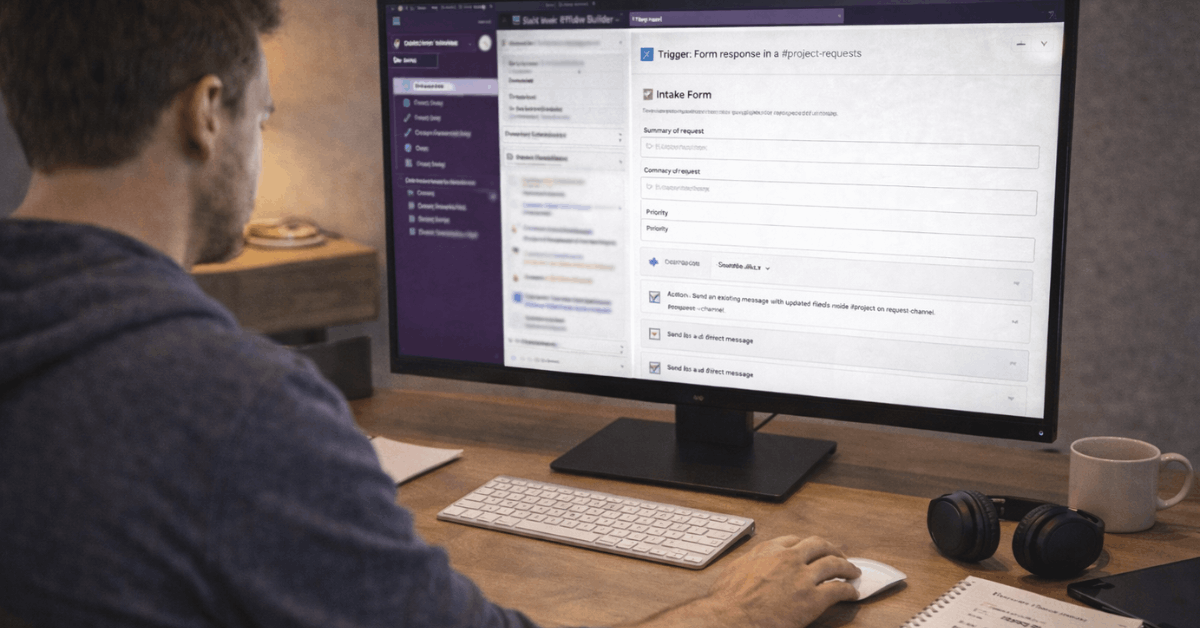
Non-developers automate routine steps through Workflow Builder. Intake forms route requests to the right channel, approvals move forward with clear context, and handoffs happen cleanly during shift changes. Modular templates speed setup while audit trails preserve accountability.
Admin Guardrails
Administrators standardize app choices, review scopes, and manage data residency. Security teams align retention, export, and legal hold policies with company requirements, so collaboration stays compliant without slowing work.
Notifications, Focus, and Etiquette
Strong teams treat responsiveness as a function of priority, not constant availability. That discipline starts with settings and norms.
Clear rules around Slack notifications prevent alert fatigue. Channel-specific preferences, mentions-only modes, and do-not-disturb windows protect deep work across time zones. Because a single @mention can ping multiple devices, teams reserve @channel for time-sensitive announcements and use @here when only active members need to see it.
Threads keep side conversations attached to the original topic, which helps later readers see decisions in context. Status updates signal availability, and a quick “stepping into a meeting” message saves everyone from guesswork during active discussions.
Small Teams and Early-Stage Companies
Smaller companies often feel the benefits first because a few disciplined setups transform velocity. A shared “inbox” channel handles inbound requests using forms that capture the essentials, then triage rules move items to the right owners.
A lightweight incident channel template standardizes roles, checklists, and follow-up reviews so fixes happen quickly and learning sticks. Marketing and product groups often pair channels with a Canvas for briefs, milestones, and creative assets.
Clips enable async feedback when schedules do not overlap. After launch, the same channels hold metrics snapshots and post-mortem summaries, which keep institutional memory close to the work.
Large Organizations and Enterprise Patterns
Enterprise teams rely on consistent architecture, automation, and metrics. Naming conventions, access models, and channel templates reduce onboarding friction across thousands of employees.
Cross-functional channels align sales, success, support, and product around key accounts or incidents so context stays attached to the work. Executive communications benefit from controlled announcement channels paired with feedback threads.
Company-wide updates reach everyone while questions route to moderators, which preserves clarity without blocking discussion. Compliance, data loss prevention, and identity integrations reinforce controls expected in regulated environments.
Department Playbooks That Work
Short playbooks keep departments aligned and measurable. These snapshots highlight where Slack features make a practical difference without overcomplicating the stack.
- Sales: Revenue teams centralize account conversations, pipeline checkpoints, and approval steps inside dedicated channels. Opportunity alerts post automatically, stakeholder notes stay visible, and handoffs between sales and success happen without email forwarding.
- Customer Service: Tierless queues route cases to subject-matter experts rather than bouncing tickets between levels. Incident rooms gather engineering, support, and communications quickly so status, updates, and remediation plans remain visible.
- Marketing: Campaign channels consolidate briefs, assets, and reviews. Approvals move through simple workflows, while integrations post performance snapshots that guide spend and creative pivots during the active window.
- Finance: Budget and expense approvals follow structured forms so audit trails remain intact. Sensitive topics move to private channels while summaries return to leadership channels to maintain visibility.
- IT and Security: On-call rotations, runbooks, and incident timelines stay in purpose-built channels. Integrations post monitoring alerts, then workflows gather the required context for speedy triage and resolution.
Pricing Tiers and Fit
Plan selection usually follows complexity and compliance needs rather than headcount alone.
Free plans support small experiments and community groups. Pro plans unlock deeper features for growing teams that need more history, app usage, and support.
Business-level plans add advanced security, data controls, and administration for larger organizations. Enterprise offerings extend to multi-workspace grids, granular governance, and the controls expected in highly regulated industries.
Security, Privacy, and Administrative Control
Security posture reflects layered controls across identity, data, and infrastructure. Single sign-on, two-factor authentication, and enterprise mobility management centralize identity management.
Retention policies, eDiscovery, and legal holds align with collaboration and governance needs.
For workspaces that add Slack AI, processing occurs in the provider’s cloud environment and does not train external models on customer data, preserving ownership and control.
Quick Start: Settings That Pay Off This Week
Short configuration passes produce outsized value during the first rollout. These steps help a team feel immediate gains without heavy change management.
- Create channel naming rules that explain purpose, such as “team-sales,” “proj-launch,” or “help-it.”
- Map notification norms, including when to use @here, @channel, and threads for tangents.
- Enable core Slack integrations that save context juggling, starting with calendars, files, and ticketing.
- Build one Workflow Builder intake form that routes requests and captures must-have fields.
- Add a Canvas to one high-traffic channel to pin onboarding notes, playbooks, and key links.
Practical FAQ For First-Time Teams
A few high-interest questions come up repeatedly during rollout and early adoption. These quick answers help set expectations and keep momentum.
- What’s different from email or texting? Conversations happen in channels where context remains organized and searchable, so late arrivals still find decisions without private forwarding.
- How does Slack relate to other suites? Many organizations run both productivity suites side-by-side. Integrations keep calendars, files, and meetings connected while teams centralize day-to-day collaboration here.
- When was Slack founded, and who owns it now? The company launched publicly in 2014 and became part of Salesforce in 2021, which accelerated deeper integrations across customer data and workflow tools.
- How should teams manage off-hours boundaries? Notification schedules and status norms reduce after-hours interruptions. Leadership sets the tone by delaying non-urgent mentions and modeling healthy defaults.
Last Thoughts
In most organizations, the earliest impact comes from transparent channels, fast search, and fewer meetings. Slack channels give every project a single home for context.
Slack search surfaces answers quickly, while lightweight calls in Slack huddles handle issues that do not need a formal meeting. Automations remove busywork, and clear notification norms keep focus intact.
Teams that set conventions early see fewer pings, tighter decisions, and faster handoffs. Thoughtful defaults turn real-time chat into durable knowledge that compounds over time.












