
In deadline-driven teams, missed handoffs and opaque status updates create painful surprises. Practical scheduling, visible capacity, and enforceable workflows turn those risks into predictable delivery.
Under real constraints, testing Jira tool setups against actual dates, workload limits, and cross-team dependencies reveals whether plans survive contact with reality. Strong configurations make dates visible, keep work sized correctly, and align effort to capacity rather than wishful thinking.
Jira project management software earns its place through flexible boards, customizable workflows, and reliable reporting. Clear structures for issues, fields, and statuses let teams coordinate across product, design, QA, security, and ops without losing sight of who is doing what and when.
What Jira Is and Why Deadlines Matter
Jira is a project and issue tracking application created by Atlassian that supports planning, execution, and continuous improvement. The system aligns well to Agile practices and offers configuration depth that ranges from lightweight team projects to tightly governed, company-managed schemes.
Date fields, estimates, and status transitions let teams expose schedule risk early rather than during the final week.
Time loss hides inside vague statuses and overfilled backlogs. Tight definitions for “To Do,” “In Progress,” “In Review,” and “Done” remove ambiguity that often derails delivery. Jira deadlines tracking works when dates are owned, estimates are honest, and boards reflect the actual flow of work rather than an idealized one.
Core Concepts That Drive Delivery
Clear concepts help reinforce reliable schedules and surface blockers quickly. Treat these as foundations and resist ad hoc changes that make reporting noisy or untrustworthy. A uniform approach also makes cross-team staffing and scaling easier.
Issue
An issue represents one piece of work tracked to completion. Add assignee, estimate, priority, due date, and links to dependencies so the task can move without constant clarification.
Project
A project collects a related set of issues, configuration, and permissions. Keep naming short and consistent to avoid confusion across multiple initiatives, environments, or products.
Board
Boards visualize the workflow as columns that mirror statuses. Agile boards in Jira support Kanban for continuous flow and Scrum for timeboxed sprints, each tuned to reduce invisible work.
Workflow
A workflow defines allowed status transitions and any conditions or validators. Guard rails here enforce quality steps, code review gates, and definition-of-done criteria that protect timelines.
Handling Real Deadlines In Practice
Shipping on time requires deliberate setup across configuration, planning, staffing, tracking, and close-out. Treat the sequence below as a practical baseline and tailor it to the governance level required in your organization.
Step 1: Project Configuration
Select a template that matches work style, then refine issue types, fields, and screens. Keep custom fields purposeful, for example “Target Release,” “Risk Level,” and “Customer Impact.”
Automations can update due dates, move statuses, and notify reviewers when transitions occur, which reduces manual coordination effort.
Step 2: Create A Project Plan
Break work into issues and epics using a concise work breakdown. Attach supporting docs and designs, add acceptance criteria, and size items with story points or hour estimates.
Map dependencies explicitly using issue links so scheduling logic is visible during sprint planning.
Step 3: Set Up The Team
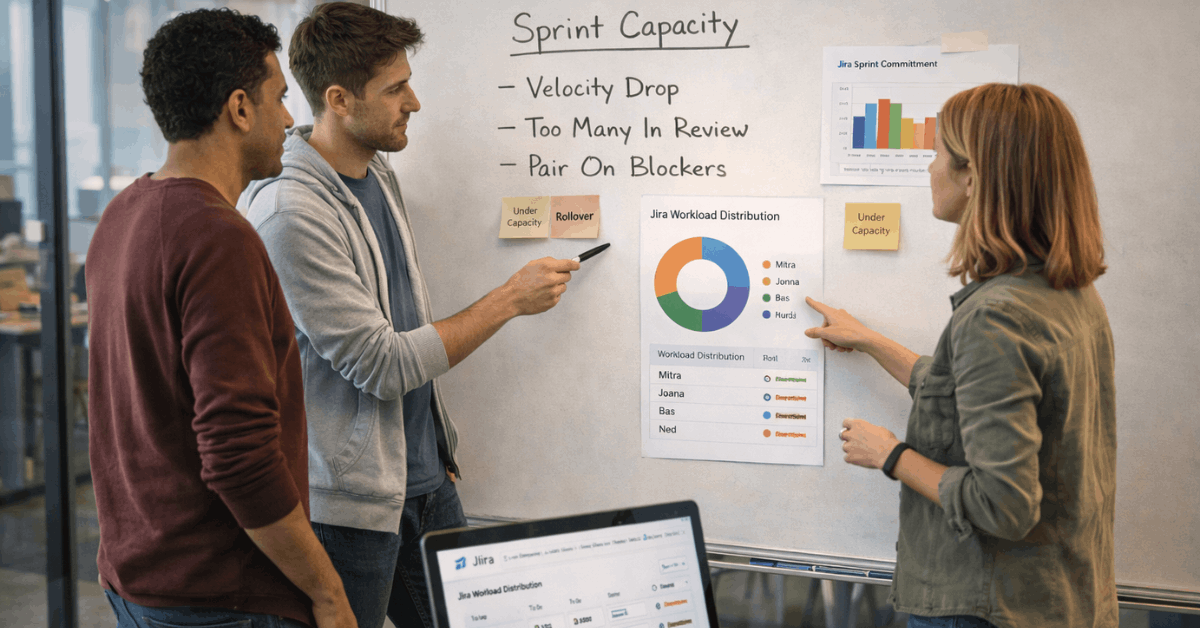
Use permission schemes so contributors only see and do what matches their role. Workload views and reports expose over- and under-assignment, enabling Jira workload management that keeps individuals in a sustainable range. Adjust the balance early rather than burning nights during the last week of a sprint.
Step 4: Track Relentlessly
Use burndown, cumulative flow, and control charts to spot scope creep or blocked columns.
Jira time tracking features help analyze actual effort against estimates and identify systematic under- or over-sizing. When cycle time stretches, inspect the board columns that accumulate work and fix the upstream policy rather than adding heroic hours.
Step 5: Close Cleanly
Archive projects or set them to view-only once delivery finishes. Preserving the final state protects auditability and keeps dashboards fast. A short retro held against data from reports turns lessons learned into updated working agreements and refined workflows.
Capacity Planning In Jira: The Basics
Capacity planning estimates how much work a team can complete during a period, given availability, skills, holidays, and known absences. Straightforward rules keep it honest: use realistic velocities, limit meeting capacity and support duty, and respect WIP limits.
When these inputs are visible, sprint forecasts improve and deadline risk drops. Jira capacity planning can start simply using estimates, team calendars, and dashboards.
Sprints stay sustainable when total planned points reflect the actual historical average rather than an optimistic stretch target. For Kanban, WIP policies at each stage prevent queues from growing into delay factories.
How To Implement Capacity Planning Tools In Jira
A sensible approach layers Jira’s native features for basic needs and supplements them where advanced forecasting or portfolio views are required.
Treat the native layer as the shared baseline and add marketplace apps when multi-project planning, cost tracking, or long-range modeling becomes necessary.
Use Built-In Features Where They Fit
Scrum boards use estimates and velocity to right-size sprints, while Kanban boards use WIP limits to keep flow smooth. Dashboards summarize assignment and progress through gadgets such as workload charts and issue statistics. Consistent estimates make reports trustworthy and improve sprint predictability.
Add Third-Party Apps For Advanced Scenarios
Portfolio-level capacity, multi-team programs, and cost visibility often require apps. Select tools that integrate with permissions, respect existing fields, and export clean reports. The goal is better planning, not parallel data entry or shadow tracking.
Top 5 Jira Capacity Planning Tools
Selecting the best Jira capacity planning tools depends on team size, governance requirements, cost sensitivity, and the need for program views. Short summaries below mirror common selection criteria as of January 2026.
TeamBoard TimePlanner
An all-in-one resource and time-tracking app that combines scheduling, timesheets, leave management, and cost tracking. Managers can plan by person or team in calendar views, log billable hours with approvals, and generate cost variance reports.
Pricing on Cloud commonly starts with a free trial for up to ten users, then scales per user per month, with tiered rates for large instances; Data Center offers 30-day trials.
TeamBoard ProScheduler
A scheduling-first option that emphasizes program and portfolio planning across multiple projects.
Gantt timelines, drag-and-drop assignments, and real-time capacity views help allocate scarce resources without guesswork. Cloud pricing typically includes a free trial and per-user monthly rates, supplemented by Data Center trials for larger deployments.
Jira Roadmap, Capacity, Calendar, Time Tracking & Timesheets
A broad utility that blends roadmaps, capacity calendars, and timesheets in one place. Teams can schedule work against availability, track actuals, and export reports that summarize utilization and cost. Cloud plans usually start with a trial, then move to per-user pricing with scaled discounts at higher seats.
Capacity Planner By Tempo
A planning suite oriented toward role-based allocation, skills matching, and estimate-to-actual tracking.
Tight links to Tempo Timesheets make time data available for portfolio rollups and forecasting. Commercial terms vary by deployment type, pairing Cloud seat pricing with evaluative trials for Server or Data Center customers.
Sprint Capacity Planning & Tracking
A sprint-focused helper that plans commitments in time or points, tracks plan versus actual, and surfaces guidance for retrospectives through AI prompts.
Lightweight dashboards make it approachable for smaller teams that need guardrails more than enterprise modeling. Cloud pricing is commonly among the most economical tiers, again offering trials prior to purchase.

Common Challenges and Practical Workarounds
Large instances sometimes slow down under heavy customization, oversized fields, and unused apps. Prune fields, archive closed projects, and standardize schemes to maintain acceptable performance.
Workarounds that ignore workflow rules create reporting noise; instead, refine statuses and transitions so the system reflects reality. Resource management at portfolio scale can feel thin without add-ons.
Where multiple teams share specialists, introduce a role capacity view through an app, and ensure those constraints shape commitments during planning. Budget and cost tracking requires apps or external systems; keep mappings simple so reconciliation does not become another project.
Real-World Tips To Hit Dates Consistently
Keep estimates comparable across teams, then plan against actual historical velocity rather than aspirational targets.
- Limit columns that allow work entry, and enforce WIP caps that slow intake when downstream stages back up.
- Name filters and dashboards are clearly labeled so anyone can find canonical views without duplicating artifacts.
- Add targeted automations that update fields, mention reviewers, or move statuses when transitions occur.
- Reserve time for triage and production support so unplanned work does not silently steal sprint capacity.
Where Jira Shines and When To Consider Alternatives
Teams gain the most when workflows are explicit, scope is right-sized, and boards are maintained daily. Scrum vs Kanban in Jira is not a rivalry; it is a question of cadence, variability, and stakeholder expectations.
Continuous flow fits reactive work, while timeboxed sprints fit commitments that need predictable demos and releases. Alternative platforms can complement specific gaps.
Some organizations use a dedicated knowledge base, a separate budgeting tool, or a different portfolio planner while retaining Jira as the execution system. Evaluate integrations, migration effort, and governance needs before multiplying tools that fragment the truth of work.
Last Thoughts
Handling real deadlines in Jira is less about heroic efforts and more about visible capacity, disciplined scope, and honest tracking.
Configure boards to mirror reality, plan against sustainable capacity, and use reports that tell the truth early. When the program needs to expand, pair Jira capacity planning with marketplace apps that respect existing data and workflows rather than replacing them.












