Google Drive: Is This Tool Stable for Long-Term Use?

In most teams, stability means predictable access, safe retention, and clean handoffs as people, projects, and tools change.  For that lens, Google Drive for long-term use performs reliably for general documents, shared folders, and everyday collaboration, yet friction grows as libraries scale, compliance tightens, and automation needs rise.  As of January 2026, limits, governance gaps, and privacy tradeoffs create decision points that matter more the larger the footprint becomes. Strong performance remains possible, although many organizations pair Drive with specialized tools or migrate core workloads to better-fit platforms. Google Drive … Read more


Honest Review: Is This Digital Tool Worth Using Long Term?

In security-first workflows, a password manager rises or falls on trust, speed, and cross-device reliability.  This 1Password Honest Review gives the straight answer fast. Testing wrapped on 2026, focusing on pricing, core features, encryption design, and day-to-day usability.  Searchers seeking the best password manager for sharing passwords across a household or small team will find 1Password near the top of the shortlist. 1Password Honest Review Quick Verdict and Who It’s For Strong encryption, intuitive apps, and smart perks make 1Password easy to recommend for individuals and families that value organized, … Read more

Figma: Performance Review on Different Devices

In product teams that work at full speed, interface tools must feel fast and predictable. A focused Figma performance review helps set hardware expectations, reduce file slowdowns, and prevent browser hiccups during workshops.  Figma performs well on modern laptops and desktops, scales acceptably on tablets for review tasks, and slows when files balloon in layers, variants, and heavy prototypes. Across platforms in January 2026, performance depends on four levers that sit within your control.  Hardware capacity sets the ceiling, browser and app choices shape rendering behavior, file structure drives memory … Read more

Zapier: What This Tool Replaces in Your Workflow

In teams that run on dozens of SaaS apps, manual handoffs multiply errors and stall momentum. Zapier stepped in to connect triggers and actions so routine work moves without constant oversight.  For readers asking what Zapier replaces in your workflow, the answer starts with repetitive copy-paste, error-prone CSV shuffles, and inbox triage that never ends. Today’s reality also includes AI-native options and enterprise iPaaS platforms that fit needs Zapier cannot cover on its own. What Zapier Replaces In Your Workflow A clear picture of replaced tasks helps you decide where … Read more

Grammarly Pros and Cons After Extended Use

In long projects and short messages alike, a writing assistant can act like guardrails that keep drafts readable while fatigue creeps in. In real-world work, the balance between speed and quality matters, which is why many writers search for a clear, experience-driven take on Grammarly Pros and Cons.  After extended daily use across browsers and documents, patterns emerge: strengths around correctness and clarity, limits around context and judgment, and practical tactics that keep control in your hands. Across months of editing, the tool helps catch mechanical errors fast and nudges … Read more

Figma vs Sketch: What the Tool Does Better Than Competitors

Clear choices beat tool fatigue when deadlines keep moving. In most teams, Figma vs Sketch comes down to collaboration, platform reach, and how design systems scale across files.  The short version stays practical: Figma centralizes real-time work across operating systems, while Sketch optimizes speed and control on macOS. What Is Sketch Sketch is a macOS design application focused on vector UI creation, launched in 2010 and widely adopted after an Apple Design Award in 2012.  Figma vs Sketch Interface conventions feel familiar to designers, and symbol workflows remain efficient for … Read more

Descript: Does This Tool Deliver Consistent Results?

In fast production cycles, speed only helps if quality stays repeatable across projects. Creators want consistent results with Descript, not occasional wins that require a rescue pass in another editor.  The short answer is practical. Descript’s text-first workflow, AI cleanup tools, and templated outputs produce highly consistent results for podcasts, explainers, and social clips, especially when projects fall inside its strengths.  Advanced motion graphics, intensive color work, or very long timelines still benefit from a handoff to a pro NLE. What Is Descript? Descript is an AI-assisted editor that lets … Read more

Zoom vs Microsoft Teams: How This Tool Compares to Similar Options

In global hybrid work, decisions often narrow to a straightforward choice: Zoom vs Microsoft Teams.  Most teams care about reliability for meetings, seamless collaboration during projects, and overall cost once licenses and add-ons stack up. Clear expectations help because each platform excels in different places. Zoom began as video first and still prioritizes call quality, stability, and external access. Microsoft Teams started as collaboration first and embeds chat, files, and tasks inside the Microsoft 365 fabric. Strong overlap exists, yet workflows feel different once meetings end and day-to-day coordination begins. … Read more

Jasper Is This Tool Overhyped or Actually Useful?

In fast moving content workflows, the Jasper tool promises speed, structure, and guardrails that keep drafts on track.  Marketing teams want repeatable outcomes; freelancers want help beating blank pages and tightening copy.  Debate keeps circling the same question: is this AI assistant real leverage or marketing noise? A grounded Jasper AI review below separates practical wins from the wishful thinking. Jasper Usefulness What The Jasper Tool Actually Is At its core, Jasper orchestrates large language models to generate marketing copy, outlines, product descriptions, and articles based on your prompts.  Templates, … Read more

Jira: Who Should Avoid This Digital Tool

Searchers asking who should use Jira often really mean the inverse: who should avoid it. Clear criteria help you choose a tool that supports your work rather than reshapes it. In many teams, your process is light, flexible, and conversation-driven; heavy configuration and strict schemas slow things down. Practical guidance below keeps decisions grounded in how work actually flows. Quick Answer: Who Should Avoid Jira A short framing helps prevent mismatched expectations that lead to stalled rollouts and sunk costs.  Teams with simple needs tend to benefit least, while distributed … Read more

Google Analytics 4 Is This Tool Beginner-Friendly or Advanced?

In practical use, Google Analytics 4 delivers both. Google Analytics 4 lowers the entry barrier through automated tracking, cleaner default reports, and helpful machine-learning insights.  The same platform then stretches into advanced territory when custom events, audience logic, and data science questions appear.  Treat it as beginner-friendly for monitoring the basics, then advanced once deeper segmentation, reporting, or exports become requirements. What Google Analytics 4 Changes Under The Hood An event-first model replaces the old session focus. Every interaction is an event that can include parameters describing context, such as … Read more

Asana Setup Experience: How Easy Is It to Get Started?

In fast-moving teams, setup friction kills momentum quickly. The Asana Setup Experience focuses on getting a basic workspace live, aligning a first project, and connecting the apps already in play.  The path stays straightforward when the plan fit is right and the first hour focuses on essentials. Asana Setup Experience appears friendly to newcomers while still offering depth for structured teams that want templates, rules, and reporting. What Counts As A Smooth Asana Setup Experience Speed to value matters most in week one. Clear roles, a single source of tasks, … Read more

Is This Tool Reliable for Professional Work?

In high-stakes work, password mistakes ripple into downtime, reputation damage, and actual loss. Strong policy alone rarely survives busy schedules, so a dedicated manager must carry the load.  The focus here is simple: evaluate 1Password for Professional Work against real needs, including security posture, team controls, platform coverage, and day-to-day usability.  The short version is positive, yet the details below tell you where it excels and where friction still appears. What Makes 1Password Fit For Professional Work In complex environments, 1Password centralizes secrets across apps, devices, and browsers, then enforces … Read more

ClickUp Who This Digital Tool Is Best For (and Who Should Skip It)

In fast-moving teams, scattered tools slow execution and bury decisions in chats and spreadsheets.  This ClickUp review clarifies where the platform excels, when it struggles, and how different teams should approach adoption.  Expect a practical breakdown that favors real workflows, not hype. Plan to leave with a confident sense of fit, upgrade paths, and realistic tradeoffs. ClickUp Digital Tool What ClickUp Is and How It Works ClickUp is an all-in-one work platform that centralizes projects, docs, whiteboards, chat, goal tracking, and reporting in one configurable Workspace.  Views handle planning and … Read more

Notion Key Features That Actually Matter in Digital Tools

Smart teams pick tools that remove friction, not add it. Notion Key Features stand out because they centralize notes, tasks, databases, and knowledge into one adaptable workspace that scales without constant context switching.  Strong AI options now sit inside the same canvas, so drafting, summarizing, searching, and automating feel native rather than bolted on. Clear priorities help here, since every feature should support faster thinking, cleaner documentation, and reliable execution. How To Evaluate Notion Key Features Practical evaluation starts with daily work, not feature lists. Map recurring tasks to specific … Read more

Trello What This Software Does Well, and Where It Falls Short

In fast-moving teams, a clear Trello overview helps confirm where this Kanban tool shines and where scaling pains begin. Trello centers on boards, lists, and cards that you move through stages, creating a visual map of work that feels simple on day one.  Early adoption tends to be painless because configuration overhead stays low while clarity stays high. As projects get bigger, you start to notice thin reporting, fragmented communication, and automation ceilings that force extra tools. What Trello Does Well Growing teams ask for the basics to work flawlessly: … Read more

Final Verdict After Hands-On Testing: My Real Experience with Notion for Digital Productivity

Looking for a digital productivity tool that can genuinely help you organize your work, personal goals, or even run a small business? Over the past year, I’ve put Notion through everyday use—juggling project management, daily to-dos, content calendars, and more. Today, I want to share my final verdict after hands-on testing, uncovering the genuine pros, the surprising drawbacks, and whether I believe Notion truly lives up to its enthusiastic reputation. Why I Chose Notion for My Workflow Before diving in, let me clarify why I decided to dedicate so much … Read more

Real Use Cases Where Notion Excels – True Productivity Gains From Everyday Experience

Notion is one of those digital tools you hear about everywhere. It shows up on listicles, forums, and YouTube setups, promising to change the way you organize everything. At first, I hesitated—could it really be better than a patchwork of Google Docs, Trello boards, and sticky notes? Over time, I decided to give it a prolonged try, using Notion as my daily driver for project planning, note-taking, and even basic team collaboration. Months in, I’m convinced: Notion doesn’t just excel at one thing, it delivers distinct advantages in several practical, … Read more

Airtable Limitations You Should Know Before Subscribing

In fast-growing teams, databases hit ceilings earlier than expected, and those ceilings matter.  Airtable’s flexible toolkit can feel liberating until scale, governance, or budget collide with hard caps. This guide lays out the Airtable Limitations to know so you can choose the right plan, predict constraints, and avoid costly rework later.  Expect clear thresholds on records, storage, automations, and API throughput, plus practical notes on reporting, permissions, mobile gaps, and data residency. Airtable Limitations to Know What Airtable Is and Why Limits Matter Airtable blends a spreadsheet interface with a … Read more

Ahrefs Feature Review: What Works as Promised

In 2026, most SEO teams still rely on Ahrefs for daily research, monitoring, and audits because its core datasets remain deep and refresh quickly.  This Ahrefs Feature Review focuses on the features that consistently deliver accurate, actionable data and flags the areas where expectations need calibration.  Across backlink intelligence, keyword analysis, and crawling diagnostics, the platform generally performs as advertised for hands-on operators who translate numbers into decisions. Strategy still drives outcomes; tools amplify that strategy when configured and interpreted correctly. Ahrefs Feature Review What Ahrefs Gets Right Today Across … Read more

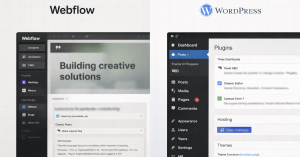
Webflow Review Based on Customer Support Experience

Webflow positions itself as a professional visual development platform, and support quality needs to match that ambition.  Across real builds, tickets, and forum threads, the experience depends on knowing which channels to use, what each plan covers, and how to frame issues for fast, useful replies.  Expect clear wins in documentation and community depth, alongside practical limits on real-time, human assistance for non-enterprise accounts. How Webflow Support Works Clear expectations cut down on frustration and speed up getting things resolved. below outlines the main options and explains where each one … Read more

Descript What We Liked Most After Testing

In fast production cycles, a clear Descript overview helps decide whether the tool fits everyday editing. Text-first controls turn spoken audio into editable text, then map changes back onto the media.  Editors reported meaningful time savings on dialogue-heavy projects, especially podcasts and tutorials. Teams valued collaboration that feels closer to a document than a traditional timeline. Because transcript-first editing changes how you work, expectations matter. Strong results appear when projects center on interviews, screen recordings, and hosted explainers. Advanced color, motion, and complex mixes remain better suited to pro NLEs. … Read more

Zapier How Well This Tool Integrates With Others

In fast-moving stacks, Zapier Integrations give you reliable connections across thousands of SaaS tools without touching code.  Early configuration time pays back quickly because triggers hand work off to actions while data stays consistent across systems.  For most teams, the breadth now spans over 8,000 supported apps, which means your core tools likely connect out of the box. Strong governance and simple builders keep maintenance manageable even as automations expand. What Zapier Is and How Integrations Work Zapier is a cloud automation platform that connects web apps through “Zaps,” which … Read more

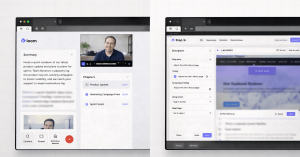
Loom Subscription vs Free Plan Review

In most teams, video messages replace long back-and-forth threads when speed matters. This Loom Subscription vs Free Plan Review gives a practical breakdown of limits, upgrades, and where the paid tiers actually save time.  Strong choices depend on storage caps, recording length, AI needs, and simple admin control rather than hype. Subscriptions unlock unlimited recording, higher quality, branding control, analytics, and enterprise security. Pricing and caps below reflect current public pages and product docs checked in 2025–2026. Loom Subscription Plan What The Free Plan Actually Includes Starter is built for … Read more